
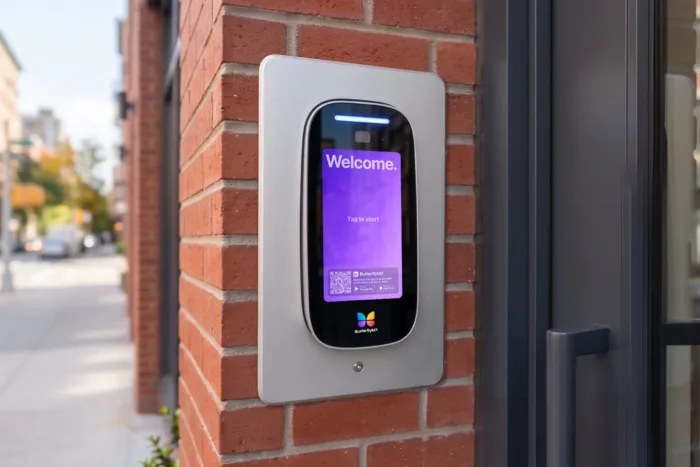





Key takeaways:
- A visitor screening intercom lets staff or volunteers speak with, and often see, someone at the door before deciding whether to unlock it.
- The right system depends on door count, staffing, building conditions, budget, and whether the facility needs audio-only, video, wired, wireless, or IP-based technology.
- Intercoms are most useful when they work with door hardware, access control, clear procedures, and a welcoming approach to guest entry.
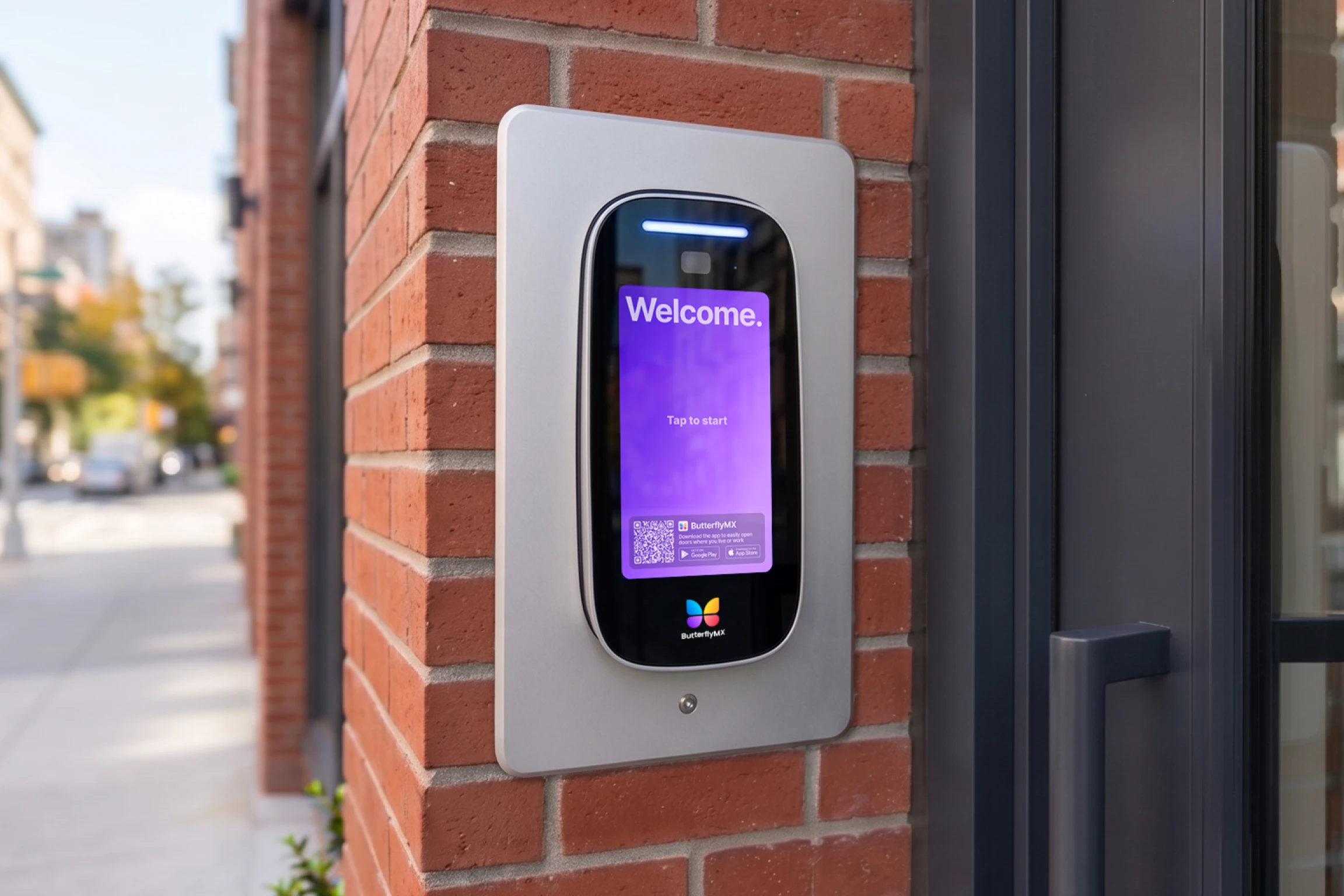
A place of worship is rarely just one kind of building. On a weekend, the main entrance may be open for services. On a weekday, the same property may be used for office visits, counseling, childcare, deliveries, volunteer work, and community events. That creates a practical question: how do you welcome people without leaving every door open to everyone, all the time?
An intercom system for a place of worship helps answer that question at the entrance. It gives staff or volunteers a way to speak with a visitor, and in many cases see them, before unlocking the door. Used well, a visitor screening intercom can make entry decisions more consistent and secure the property without making guests feel like they are approaching a locked-down facility.
The best setup depends on more than the device on the wall. Religious facilities have to think about which doors need screening, who will answer calls, whether the building can support new wiring or network equipment, and whether the intercom should connect to electronic locks, cameras, or a broader access control system. Those choices shape both security and the first impression visitors receive.
This guide will answer:
- Why places of worship use visitor screening
- How a visitor screening intercom works
- Which intercom system types fit religious facilities
- Features that matter most for places of worship
- How intercoms fit into access control
- Implementation considerations for religious facilities
- How to choose the right system
- FAQs
Watch how ButterflyMX works:
Why places of worship use visitor screening
Religious facilities have a different access challenge than many commercial buildings. They are meant to feel open, but they also include offices, classrooms, childcare areas, records rooms, staff entrances, and other spaces that should not be treated like public lobbies.
Visitor screening gives a place of worship a way to verify who is asking to enter before someone unlocks a door. That may include a first-time guest arriving at a weekday office entrance, a delivery driver at a side door, a parent at a childcare entrance, a vendor working after hours, or someone using a secondary door that should stay restricted.
The point is not to remove hospitality. It is to make the welcome more intentional. Instead of relying only on a doorbell, a locked door, or a staff member walking across the building to check every request, an intercom creates a clear point of contact at the entrance.
That distinction matters for house of worship security. An intercom can help reduce unnecessary access, but it does not eliminate risk. Screening depends on people, procedures, door hardware, and the broader entry control system around it. The technology is one layer, not the entire plan.
How a visitor screening intercom works
A visitor screening intercom system is an entrance communication tool that lets staff or volunteers speak with, and often see, a visitor before granting access. In a church, synagogue, mosque, temple, or other religious facility, the system usually connects a door station at the entrance with an answering device inside the building or on an authorized user’s phone.
The basic process is simple:
- A visitor arrives at the entrance and uses the door station or entry panel to request access.
- A staff member or volunteer answers from a master station, front desk device, desk phone, tablet, or mobile app.
- The person answering verifies the visitor through two-way audio, video, or both.
- If entry is appropriate, an authorized user releases the door remotely through the intercom or connected door hardware.
This process is especially useful when the person responsible for answering is not sitting next to the door. A volunteer may be in another part of the building. An office administrator may be moving between rooms. During an evening event, a designated team member may need to manage entry from a phone instead of a fixed desk.
What the main components do
The door station, also called an entry panel, is the device visitors use at the entrance. Depending on the system, it may include a call button, microphone, speaker, camera, directory, keypad, or credential reader.
The answering device is what staff or volunteers use to respond. Some systems rely on a fixed indoor master station. Others use phones, tablets, or mobile apps. This choice affects how flexible the system feels in daily use, especially for facilities with lean staff or rotating volunteers.
The lock connection is what makes remote door release possible. When the intercom is connected to electronic door locks or an access control system, an authorized person can unlock the entrance after screening the visitor. Some facilities also connect security cameras for added context at or near the entry point.
Why video changes the screening decision
Audio-only intercoms let staff ask who is at the door. Video intercom systems add visual confirmation, which can make the decision more informed. The person answering can see whether the visitor matches the expected person, whether more than one person is present, or whether the situation needs a different response.
Video does not replace judgment, training, or clear procedures. It also does not guarantee the right decision every time. But for guest-facing entrances, childcare check-in areas, after-hours doors, and unfamiliar visitors, visual screening can be more useful than relying on voice alone.
Cloud-based video intercoms can also support smartphone-based answering. For some places of worship, that matters because entry calls do not always happen while someone is sitting at a reception desk.
Which intercom system types fit religious facilities
The best intercom system for a religious facility depends on how much verification the door needs, how the building is built, and how the team will manage entry. It also helps to separate two different kinds of choices. Audio and video describe how a visitor is verified. Wired, wireless, and IP-based describe how the system is connected or deployed.
Video vs. audio-only intercoms
An audio-only intercom may be enough for a single office entrance where staff know most visitors and mainly need a way to talk before unlocking the door. It is usually simpler to understand and operate, but it depends heavily on voice, context, and the judgment of the person answering.
A video intercom is a better fit when visual verification matters. That may include entrances used by first-time guests, public visitors, parents, vendors, or after-hours arrivals. Video can also help volunteers make more confident decisions because they can greet the visitor and see what is happening at the door before releasing it.
The tradeoff is that video systems often bring more planning questions. Facilities need to think about camera placement, answering devices, connectivity, privacy expectations, and how the system will be used during busy and quiet periods.
Wired vs. wireless vs. IP-based systems
A wired intercom uses physical cabling between system components. It can make sense when a building already has suitable wiring or when new cable can be installed without major disruption. In older, historic, or architecturally sensitive buildings, though, running cable may be more difficult or expensive.
A wireless intercom can reduce the need for extensive cabling. That flexibility may help when a facility wants to add screening to an entrance that was not designed for modern access equipment. Wireless options still need careful review because site conditions, coverage, power, and placement can affect how well the system fits the property.
An IP-based intercom uses network connectivity to carry communication and control functions. In plain language, it works through network infrastructure instead of relying only on a traditional point-to-point connection. IP-based systems are often considered when a facility needs centralized management, mobile answering, remote access, or room to expand across several doors.
These categories are not mutually exclusive. A video intercom can also be IP-based. An audio-only system can be wired. A small office entrance may need only basic communication, while a multi-building worship campus with sanctuary, office, childcare, and staff entrances may need a more connected approach.
Comparison table: types of intercom systems for religious facilities
The table below compares common intercom categories by practical decision factors. It is not a ranking. The right choice depends on the door, the building, the people answering calls, and the level of visitor screening required.
For many buyers, the table is most useful as a way to ask better questions. A facility should not choose a system type in isolation. It should choose a system that fits the entrance, existing locks, available staff or volunteers, future expansion plans, and the kind of visitor experience the organization wants to create.
Features that matter most for places of worship
Once the main system type is clear, the next question is which features will actually improve daily visitor screening. A long feature list is less useful than a short list tied to how the facility operates.
- Video verification for entrances where seeing the visitor changes the decision.
- Mobile access so approved staff or volunteers can answer calls without staying at one desk.
- Electronic lock integration so authorized users can release the door remotely after approval.
- Multi-entry support for properties with separate office, sanctuary, childcare, staff, or event entrances.
- Simple permissions and easy operation for part-time staff, clergy support teams, and rotating volunteers.
Ease of use deserves special attention. If the system is confusing, slow to answer, or hard to teach, people may stop using it consistently. A volunteer-friendly interface can matter just as much as advanced features, especially when different people monitor the door on different days.
Multi-entry support becomes more important as the property gets more complex. A small congregation may only need to screen one office entrance during the week. A larger campus may need different rules for the main entrance, childcare check-in, staff-only areas, and after-hours community programs. Centralized management can make those differences easier to handle.
Remote answering is another practical consideration. If the same staff members handle administration, events, and visitor access, requiring someone to sit at a fixed master station all day may not match how the facility works. In that situation, a cloud-based video intercom with smartphone-based answering can help the right person respond from wherever they are allowed to manage entry.
This is where ButterflyMX may be relevant for some facilities. ButterflyMX offers cloud-based video intercom and access control capabilities that support video verification, remote door release, and mobile-based entry management. That does not mean every place of worship needs the same setup. It means facilities looking for a more connected way to manage visitor access may want to evaluate that category of system.
How intercoms fit into access control
An intercom starts the conversation at the door. Access control determines what happens after that conversation, and who can enter without one. Together, they can create a more organized entry process than a standalone intercom or locked door alone.
Electronic door locks make remote release possible after a visitor is approved. Credential readers can support routine access for clergy, staff, volunteers, or approved vendors. Security cameras can add more context around an entry point. A centralized access control system can help administrators manage who has access to which doors and when.
That matters because places of worship often have both public and restricted spaces. The main entrance may be welcoming during certain hours, while offices, childcare areas, storage rooms, records rooms, and secondary doors need tighter control. Treating every door the same way can create either too much friction or too little control.
Integration becomes more valuable as the facility grows in size or complexity. A single-door office may work well with a simpler visitor screening intercom. A property with several buildings, many schedules, and multiple user groups may benefit from connected tools that let administrators manage visitor access, staff access, and door permissions in one place.
ButterflyMX fits naturally into this discussion when a facility wants video intercoms and access control to work together. The useful question is not whether a religious facility needs more technology for its own sake. It is whether the current entry process gives the right people enough information and control to make good access decisions.
Implementation considerations for religious facilities
Visitor screening works best when the technology supports a clear process. Before choosing hardware, a place of worship should decide which doors need screening, who will respond, and how entry rules change throughout the week.
Start with doors, schedules, and use cases
Map the entrances before comparing products. The main public entrance, weekday office door, childcare entrance, staff door, delivery entrance, and after-hours event door may all need different treatment. Some may be open during services but controlled at other times. Others may stay restricted almost all the time.
This door-by-door review helps avoid two common problems: buying too little for a high-risk or high-traffic entrance, and overspending on a door that only needs basic communication. It also helps decide where video, mobile answering, or access control integration will matter most.
Decide who answers and when
Screening only works if someone is responsible for responding. A facility should decide whether calls go to office staff, facilities personnel, clergy support staff, volunteers, or a mix of people depending on the day and time.
Coverage often changes between weekday office hours, worship services, childcare periods, evening meetings, and community events. If the person answering is not always in the same place, mobile answering may be useful. Even then, the facility needs clear rules for who can admit visitors, when to keep a door locked, and what to do when the visitor is unexpected.
Train for hospitality as well as security
A good intercom procedure should sound welcoming, not suspicious by default. Staff and volunteers need simple guidance on how to greet visitors, ask why they are there, confirm expected guests, and pause when they are unsure.
A short script or checklist can help. For example, the person answering might greet the visitor, ask who they are here to see, check whether the visit is expected, and then decide whether to unlock the door, call a staff member, or ask the visitor to wait. The exact process will vary, but consistency matters.
Childcare and youth-area entrances deserve extra planning because the facility may need more careful verification there than at a general office door. After-hours events also need clear procedures because the person answering the intercom may not know every visitor personally.
Review building constraints before installation
Existing wiring, door hardware, power, network access, and building layout all affect what is practical. Older or historic buildings may limit where equipment can be mounted or how easily cable can be run. A renovation project may offer more flexibility, while a retrofit may require a system that reduces disruption.
Power and connectivity are also part of the decision. IP-based intercom systems depend on network planning, and any electronic entry setup can be affected by outages or equipment limitations. Facilities should discuss those dependencies before installation so the visitor screening process does not depend on assumptions that the building cannot support.
Account for accessibility and code-related planning
Accessibility and life-safety considerations should be reviewed early, especially when adding controlled entry or changing door hardware. Requirements can vary by property and jurisdiction, so facilities should confirm the details with qualified professionals and the appropriate local authorities.
This is not only a compliance concern. It affects whether visitors can actually use the entrance. Call button placement, door release timing, approach paths, and the way people are directed to the correct entrance can all shape the welcome someone receives.
Budget for the real scope of the project
Intercom costs vary based on system type, door count, installation conditions, and whether the project includes electronic locks, credential readers, cameras, or broader access control. Without a property-specific quote, broad cost ranges can be misleading.
For many non-profit organizations, the most useful budget question is not simply, “What is the cheapest intercom?” A better question is whether the system solves the facility’s real entry needs without creating avoidable complexity, gaps in coverage, or replacement costs later. Sometimes a basic system is enough. Sometimes a more scalable setup is the more practical choice.
How to choose the right system
The right intercom system for a place of worship matches the facility’s verification needs, staffing model, entry count, building conditions, and desired level of integration. These questions can help narrow the choice:
- Do you need visual verification, or is voice-only communication enough for the door you are controlling?
- How many entrances need screening, and do they all need the same level of control?
- Who will answer calls during office hours, services, childcare periods, and after-hours events?
- Can the building support a wired installation, or would a wireless or IP-based option fit better?
- Does the intercom need to work with existing locks, cameras, credential readers, or access control tools?
- Will a standalone device meet your needs, or do you need a connected system that can grow with the property?
- How easy will the system be for staff and volunteers to learn and use consistently?
The answers usually point toward the right category. A small facility with one weekday office entrance and predictable staffing may be comfortable with a simpler intercom. A larger campus with several entrances, rotating volunteers, childcare access, and after-hours events may need video, mobile answering, and stronger access control integration.
Before making a final decision, ask vendors to explain compatibility with your existing door hardware, what installation will require, how permissions are managed, what staff training looks like, how multi-door administration works, and what future expansion would involve. Those answers often reveal more than a product sheet.
If your facility wants a modern example of a more connected approach, ButterflyMX is most relevant where video verification, remote door release, and mobile-based visitor access are priorities. The point is not that every church, synagogue, mosque, or temple needs the same system. The point is to choose an intercom that fits the way your place of worship actually welcomes, screens, and manages people at the door.
Frequently asked questions
What is a visitor screening intercom system?
A visitor screening intercom system is an entrance communication tool that lets staff or volunteers speak with, and often see, a visitor before unlocking a door. It helps a place of worship verify who is requesting entry and decide whether access is appropriate.
Can volunteers operate a visitor screening intercom?
Yes, volunteers can operate a visitor screening intercom if the system is easy to use and the facility gives them clear procedures. Training should cover how to greet visitors, when to grant access, and when to refer a situation to staff.
Do intercom systems work with existing door locks?
Many intercom systems can work with existing door hardware, but compatibility depends on the lock type, wiring, power, and access control setup. Facilities should confirm those details before buying or installing a system.
How much does a church intercom system cost?
Church intercom system costs vary based on whether the system is audio or video, standalone or integrated, and installed at one door or several entrances. Places of worship should request quotes based on door count, building conditions, and installation requirements instead of relying on generic price ranges.
A place of worship should not have to choose between being welcoming and being careful about who enters. The right intercom system supports both by giving staff or volunteers a clear way to verify visitors before unlocking the door.
Start with the practical details: which doors need screening, who will answer calls, what the building can support, and whether the intercom should connect to access control. For facilities that need video verification, mobile answering, and managed entry across one or more doors, ButterflyMX is worth considering as part of that plan. Talk with ButterflyMX about visitor screening options for your facility.

Get your free quote!
Fill in the form below, and we'll email you right back.
Want a free quote?
Fill in the form below, and we'll email you right back.
You’ll be redirected shortly...