
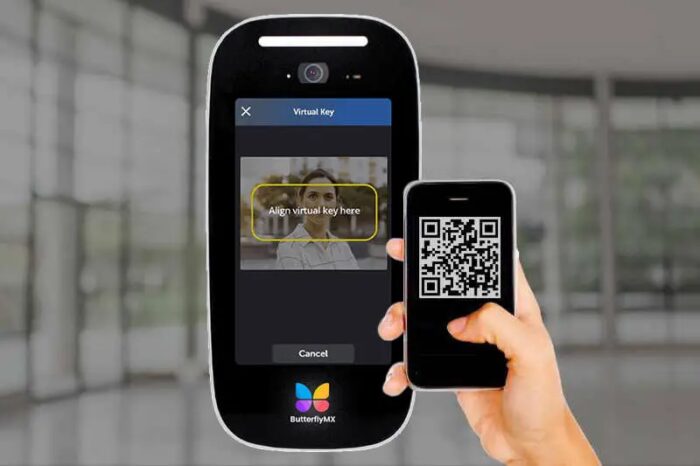





Key takeaways:
- A keyless entry system lets authorized people unlock doors, gates, rooms, or shared areas with electronic credentials such as PINs, cards, fobs, mobile credentials, or biometrics.
- The best system depends on the property’s users, doors, credential preferences, visitor needs, integrations, and day-to-day access management demands.
- For managed properties, keyless entry is most useful when it supports resident or tenant access, visitor entry, delivery access, audit trails, and remote credential control.
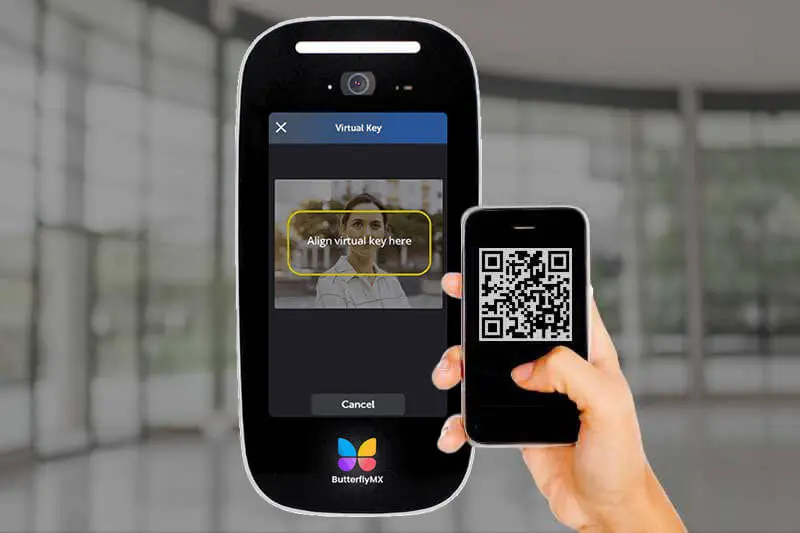
Search for a keyless entry system and you’ll quickly run into two different meanings. One is about cars. The other is about buildings, where the stakes are less about a single driver and more about how residents, employees, vendors, visitors, and deliveries move through doors, gates, garages, amenities, and shared entrances.
A keyless entry system lets authorized people unlock a door or gate with an electronic credential instead of a traditional metal key. That credential might be a PIN, key card, fob, smartphone, mobile wallet credential, or biometric scan. In a building, keyless entry is often part of a broader access control system that manages who can enter, where they can go, and when access should be allowed.
That’s why choosing a door entry system is not just a hardware decision. A keypad, card reader, mobile credential, or smart lock may solve one door, but a property also has to manage credential turnover, audit trails, visitor access, delivery access, power loss, network connectivity, and future growth. This guide explains how keyless entry works, how the main system types compare, and what to evaluate before choosing an option for your property.
This guide will answer:
- What is a keyless entry system?
- How keyless entry systems work
- Types of keyless entry systems
- Key components of a complete system
- Benefits and limitations of keyless entry
- Keyless entry for different property types
- How to choose a keyless entry system
- Keyless entry and video intercom integration
- FAQs
More than 100K, 5-star ratings!
Video Intercoms
Open doors, gates & garages from anywhere.

QR Code Intercom
Smartphone-based visitor access.
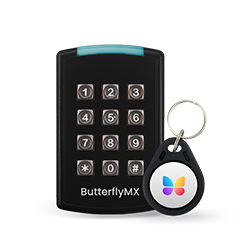
Access Control
Fob, key cards, PINs, and mobile apps.
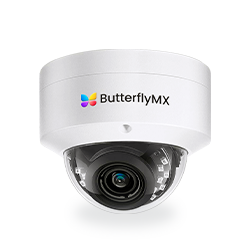
Security Cameras
Visibility throughout your property.
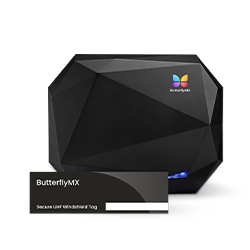
Vehicle Access
Hands-free access for gates & garages.
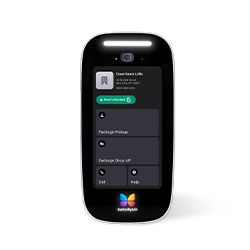
Package Room
Receive, store, and manage deliveries.
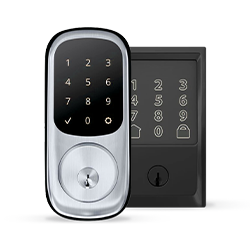
Smart Locks
Connect to all major brands and models.
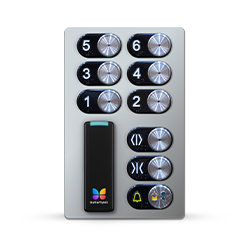
Elevator Controls
Unlock key-fobbed elevators for anyone.
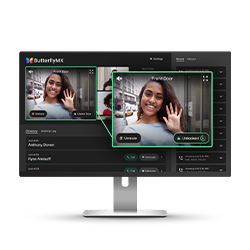
Front Desk Station
See all your doors and cameras in one place.
What is a keyless entry system?
A keyless entry system is a door or gate entry system that grants access without a traditional metal key. Instead of cutting and distributing keys, the system checks an electronic credential, confirms whether that credential is allowed, and releases the lock when access is approved.
In buildings, electronic credentials can take several forms. A resident may enter a PIN at a keypad. An employee may tap a key card or fob at a proximity reader. A tenant may use a mobile credential on a smartphone. A restricted room may use biometric authentication. The credential changes, but the purpose stays the same: replace or reduce mechanical key use with a managed electronic access method.
Keyless entry and access control are closely related, but they are not the same thing. Keyless entry describes the way a door opens without a metal key. Access control is the larger system that manages people, doors, schedules, permissions, and access events. A standalone smart lock on one office door may be keyless entry. A multi-door property with readers, controllers, software, audit logs, and remote administration is an access control system that includes keyless entry.
This distinction matters because building keyless entry is more complex than automotive keyless entry. A car system usually serves one vehicle and a small group of authorized users. A property may have hundreds of residents, employees, vendors, guests, and service providers. Permissions change. Doors have different rules. Staff may need to review access history. For multifamily, commercial, mixed-use, and gated properties, managing access often matters as much as the unlock method itself.
How keyless entry systems work
Most building keyless entry systems follow the same basic path from credential to door release.
- A person presents a credential by entering a PIN, tapping a card or fob, using a smartphone, presenting a mobile wallet credential, or completing a biometric scan.
- A reader or input device captures the credential information and sends it to the system for verification.
- A door controller or connected management system checks whether that credential is authorized for that door, area, and time.
- If access is approved, the system signals the electronic lock to release. If access is denied, the door stays locked.
- The system can create an audit trail that records the door, time, credential, and access result.
The parts involved are simple to understand once you separate their roles. The reader accepts the credential. The controller makes or relays the access decision. The electronic lock secures or releases the opening. The software manages users, permissions, schedules, credentials, and event history.
The credential technology affects both convenience and administration. RFID and proximity credentials allow a card or key fob to communicate with a reader at close range. Bluetooth Low Energy can allow a smartphone to communicate with a nearby reader. NFC can support tap-style phone entry and, in some cases, wallet-based credentials. Some credentials require an active action, such as opening an app or entering a code. Others may support a more passive user experience depending on the system and configuration.
Security depends on how the system is designed and managed. Some electronic credentials use encrypted or changing codes, but the article’s practical point is broader: strong hardware, unique credentials, careful permissions, administrator practices, and access logs all matter. A digital door is not automatically secure. A well-managed system gives staff more control and more information than a purely mechanical key setup, but weak policies can undermine those advantages.
Types of keyless entry systems
Different keyless entry options solve different problems. A small storage room may only need a keypad. A commercial office may rely on cards or fobs. A multifamily property may need mobile credentials, visitor access, delivery access, and remote administration. The right choice depends on the scale of the property and how often access changes.
Cloud-based and on-premise systems are management models, not credential types. A cloud-managed system may still use PINs, cards, fobs, mobile credentials, or a mix of all of them. The difference is where administration happens. Cloud-based management is often useful when staff need to update access remotely or manage several properties. On-premise systems may appeal to organizations that prefer local control, but they can require different planning and maintenance.
Keypad and PIN systems
Keypads are often the simplest form of keyless door entry. They can work well for low-traffic doors or short-term access needs because users only need a code. The tradeoff is accountability. If several people share the same PIN, it becomes harder to know who entered. When someone moves out, leaves a job, or should no longer have access, staff may need to change the code and tell everyone else the new one.
Card and fob systems
Cards and key fobs are common in commercial access control and shared building entrances. They are familiar to users and easier to track than shared PINs when each person receives a unique credential. However, they still require physical handling. Staff need a process for issuing credentials, replacing lost ones, collecting them when access ends, and deactivating credentials that should no longer work.
Mobile credential systems
Mobile credentials move the access credential to a smartphone. For many managed properties, that can make credential administration easier because staff can issue or revoke access without handing someone a physical card or key. Mobile access is especially useful when a property deals with resident turnover, temporary staff access, vendor access, or portfolio-wide management.
Mobile access is not the right answer for every door or every user. Some properties still want cards or fobs as a backup. Others need temporary PINs for visitors, deliveries, or service providers. A strong credential plan often uses more than one method so residents, staff, visitors, and vendors are not forced into the same access pattern.
Biometric systems
Biometric systems verify a person with a physical or behavioral trait rather than something they know or carry. They can be useful in higher-security spaces, but they also bring more enrollment work, privacy questions, and administrative complexity. For many buildings, biometrics are best treated as a targeted tool rather than a default credential for every entrance.
Multi-factor access setups
Some properties combine credentials for added control. For example, a restricted area may require both a card and a PIN, while the main entrance uses mobile access. Multi-factor access can improve confidence that the right person is entering, but it also adds steps for users and more decisions for administrators. The added friction should match the risk of the space.
Key components of a complete system
A keyless entry system is more than the device mounted beside the door. It works because hardware, software, credentials, power, and network planning all support the same access decision.
Readers and input devices
Readers are the devices that accept credentials. Depending on the system, a reader may be a keypad, a card reader, a proximity reader for RFID cards or fobs, a Bluetooth or NFC-capable reader, or a biometric scanner. Its job is not to open the door by itself. Its job is to capture the credential and pass the information to the access decision process.
Credentials
Credentials are what users present to prove they should be allowed in. They can include PINs, key cards, key fobs, mobile credentials, mobile wallet credentials, or biometric identifiers. Credential choice affects the user experience, but it also affects administration. Shared credentials are easy to distribute, while unique credentials are better for accountability and event tracking.
Electronic locks
Electronic locks secure the opening and release when access is approved. Depending on the door or gate, the hardware may include electric strikes, magnetic locks, or other electrified locking devices. Hardware choice affects how the opening behaves during normal use and during power loss, so it should be selected with the door, traffic pattern, security need, and safety requirements in mind.
Door controllers
The door controller is the part of the system that decides, or helps decide, whether the connected door should unlock. It receives credential information from the reader, checks the relevant permissions, and sends the release signal to the lock when access is approved. Some systems make decisions locally at the controller, while others involve connected software. Either way, the controller links the credential, reader, lock, and access rules.
Management software
Management software is where administrators add users, assign permissions, create schedules, issue credentials, revoke credentials, and review access logs. For one door with a small user group, the software may be simple. For an apartment building, commercial property, HOA, or multi-site portfolio, the management layer often determines whether the system stays practical as users and doors change.
Network infrastructure and backup power
Many keyless entry systems depend on some mix of network connectivity and power. A cloud-managed system may need reliable internet access for certain remote functions. Devices may use Ethernet, cellular connectivity, WiFi, or another connection type depending on the design. Backup power matters because residents, employees, staff, and emergency procedures still need to be considered during an outage.
Other supporting hardware can include exit devices, door position inputs, request-to-exit devices, and related equipment that helps the system monitor door state or support controlled egress. These details become more important as a property moves beyond one simple opening and into a larger access control plan.
Benefits and limitations of keyless entry
Keyless entry can reduce the headaches that come with metal keys, but it is not magic. The value comes from how well the system fits the property, how carefully it is installed, and how consistently it is managed.
Benefits
- Administrators can issue and revoke credentials without relying only on key collection or rekeying.
- Unique credentials can tie entry events to a person, device, or code instead of an untracked metal key.
- Audit trails can help staff review access history when they need to understand who entered, when, and through which door.
- Remote access management can help teams update permissions without being physically present at every entrance or property.
- Integrated systems can support resident, employee, visitor, vendor, delivery, and shared-area access from a more coordinated access plan.
These benefits become more important when access changes often. A resident move-out, staff change, vendor schedule update, or delivery access adjustment is easier to handle when credentials can be updated digitally and old access can be removed promptly.
Limitations and tradeoffs
- A shared PIN is simple, but it reduces accountability because several people may use the same code.
- Cards and fobs are familiar, but staff still have to issue, replace, track, and deactivate physical credentials.
- Mobile credentials can simplify remote administration, but users need a compatible phone and a clear onboarding process.
- Cloud-based management can help distributed teams, but buyers must plan for connectivity and vendor platform dependence.
- Simple systems may work for one door, but they can become difficult to manage as users, doors, and schedules grow.
Power and network planning deserve special attention. Some systems continue making core door decisions locally when connectivity is interrupted, while remote functions may be limited until service returns. Lock behavior during power loss also matters. Fail-safe and fail-secure configurations serve different purposes, and the right choice depends on the opening, use case, and applicable safety requirements. Buyers should involve qualified installers or building professionals when hardware, egress, or life-safety questions are part of the project.
Watch how ButterflyMX works:
Keyless entry for different property types
A keyless entry system that works well in one building may be a poor fit in another. The property type changes the user groups, traffic patterns, credential plan, and integrations that matter most.
Multifamily apartment buildings
Multifamily properties rarely need only resident door entry. They also need to manage move-ins, move-outs, guests, package and food deliveries, staff access, vendor access, parking areas, amenities, and common spaces. That makes credential lifecycle management especially important. When a resident moves out, staff should be able to remove old access quickly and issue new access without creating confusion at the front entrance, garage, package room, or amenity doors.
Visitor access is just as important. A resident credential helps the resident enter, but it does not answer how guests, deliveries, or service providers should be verified and admitted. That is why mobile access, temporary credentials, delivery PINs, and video entry system intercoms often become part of the same access conversation in apartment buildings.
Commercial office buildings
Commercial keyless entry often centers on employees, tenants, vendors, cleaning crews, contractors, and shared areas. Cards, fobs, and mobile credentials can all work, depending on how the building is managed. Offices usually benefit from scheduled permissions and audit trails because not every user should have access to every space at every time.
Gated communities, condos, and HOAs
Gated communities, condos, and HOAs often have to coordinate residents, guests, vehicles, deliveries, and service traffic. Gate access may need different rules from clubhouse, pool, gym, or package-area access. The challenge is not just opening the gate. It is deciding who can enter, through which entrance, and under what conditions.
Mixed-use properties and distributed portfolios
Mixed-use properties may include residents, office tenants, retail staff, vendors, property teams, and visitors in the same building or campus. Each group may need different access rules. Distributed portfolios add another layer: staff may need to manage several properties without traveling to each site for every credential change.
Across these property types, the same question keeps coming back: does the system match how people actually use the property? A system that looks fine on a spec sheet can become frustrating if it does not account for turnover, temporary access, multiple user groups, visitor verification, delivery access, or remote administration.
ButterflyMX fits this conversation where managed properties need mobile access, visitor entry, delivery access, and centralized administration. In those environments, the decision is less about choosing one credential type and more about giving residents, staff, guests, vendors, and delivery providers an access process that staff can actually manage.
How to choose a keyless entry system
Start with the property’s access demands before choosing a reader, lock, or credential. Hardware matters, but the better first question is simple: who needs access, where, when, and how often will that change?
1. Count users, doors, and permission changes
A single office door with a stable staff list needs a different system than a multifamily building with move-ins, move-outs, deliveries, guests, vendors, amenities, and multiple entrances. The more users, doors, and changes you have, the more important centralized administration becomes.
2. Match credentials to people and openings
Residents may prefer mobile credentials. Staff may still need cards or fobs. Some visitors or deliveries may need temporary PINs. A higher-security room may need stronger verification than a main entrance. Avoid forcing one credential type across every situation if the property’s users need different access methods.
3. Check door, frame, and hardware compatibility
Existing doors can often support keyless entry, but compatibility is not automatic. The door, frame, current lock, power availability, traffic pattern, and type of opening all affect what can be installed. Older buildings, shared entrances, gates, and unusual openings may need a closer site assessment before a system is selected.
4. Decide which integrations matter
Some properties only need basic keyless door entry. Others need access control to work with cameras, alarms, video intercoms, visitor management tools, or broader property access software. Integrations can make administration easier, but they also add planning work. Buyers should decide which connections are truly useful before committing to hardware.
5. Plan for outages and emergency procedures
Ask how the system behaves during a power outage, what backup power is available, which functions depend on network connectivity, and how emergency access will be handled. Lock behavior should be clear before installation. Qualified installers and building professionals should be involved when egress, life-safety, or local requirements affect the design.
6. Think about scale and long-term administration
A simple keypad can be the right choice for a simple door. But if the property may add users, doors, schedules, buildings, amenities, or new credential types later, a limited system can create extra work. Think about how credentials will be issued, revoked, audited, and updated over time.
7. Compare total ownership factors
The upfront cost of readers and locks is only part of the decision. Administration time, replacement credentials, installation complexity, support needs, future expansion, and software management can all affect long-term value. A lower-cost option on day one may be less practical if it cannot support the way the property will be managed in a year or two.
If your evaluation centers on mobile credentials, visitor entry, delivery access, and remote administration across one or more managed properties, ButterflyMX is worth considering as part of your shortlist.
Keyless entry and video intercom integration
Keyless entry answers one question: how does an authorized person unlock the entrance? A video intercom answers a different question: how does a resident or staff member know who is requesting access before letting that person in?
That second question matters in apartment buildings, mixed-use properties, gated communities, condos, HOAs, and other buildings with frequent visitor or delivery traffic. A resident may use a smartphone to unlock the door for themselves, then use that same phone later to verify a guest or admit a delivery. Property staff may need a separate administrative view for residents, staff credentials, visitor access, and entry events.
When keyless entry and video intercom tools work together, the property can treat resident access, visitor access, and delivery access as connected parts of the same entry experience. That can reduce reliance on shared codes, manual workarounds, and separate systems that do not reflect how people actually use the building.
This is where ButterflyMX naturally fits. ButterflyMX is designed for managed properties that want to combine mobile access, visitor entry, and property access tools in one system. For teams evaluating keyless entry for apartments, condos, HOAs, mixed-use properties, or commercial buildings with shared entrances, that integrated approach may be more useful than solving only the lock and credential piece.
Even with an integrated system, the same buying discipline still applies. Confirm door compatibility, user groups, administrative needs, visitor patterns, delivery needs, and access expectations before choosing a setup. The best system is the one that fits the property’s real traffic, staffing, and management needs.
Frequently asked questions
Is keyless entry secure?
Yes, keyless entry can be secure when it is properly implemented with appropriate hardware, unique credentials where possible, sound credential policies, and access logging. Security depends on system design and daily administration, not just the fact that the lock is electronic.
What happens to a keyless entry system during a power outage?
It depends on the system design. Lock behavior, backup power, and emergency procedures determine whether doors stay locked, unlock, or continue operating for a period during an outage, so buyers should understand fail-safe and fail-secure behavior before installation.
Can I use keyless entry with my existing doors?
Often yes, but compatibility depends on the door, frame, current lock hardware, power availability, and type of opening. A site assessment is usually the best way to confirm what can be reused and what may need to change.
How do I manage visitor and delivery access with keyless entry?
The most effective setups pair keyless entry with visitor verification, temporary credentials, delivery PINs, or remote release tools. In managed properties, resident or staff credentials alone usually do not solve the full visitor and delivery access problem.
A keyless entry system can do more than replace a metal key, but only when it is chosen for the way a property actually works. Credential type matters, but so do doors, users, visitor traffic, delivery needs, audit trails, outage planning, and the amount of access administration your team handles every week.
If you’re comparing options for a multifamily, commercial, mixed-use, gated, condo, or HOA property, look beyond the reader on the wall. Focus on the full access process: who needs to enter, how access changes, how visitors are verified, how deliveries are handled, and how staff will manage the system over time. If those needs point toward mobile access, visitor entry, delivery access, and remote management, talk to ButterflyMX about keyless entry options for your building or portfolio.

Get your free quote!
Fill in the form below, and we'll email you right back.
Want a free quote?
Fill in the form below, and we'll email you right back.
You’ll be redirected shortly...