
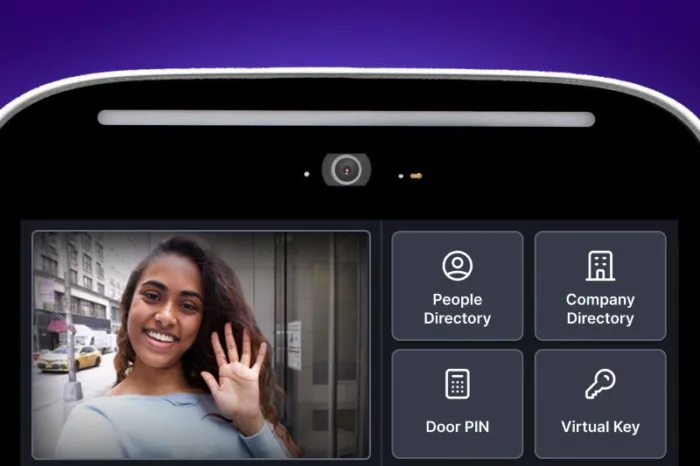





Key takeaways:
- A door entry system combines visitor communication, access permissions, and door-release hardware, so each function should be evaluated separately.
- Fail-safe and fail-secure describe what happens on the secure side when power is lost. They do not, by themselves, confirm free egress.
- A realistic budget includes door hardware, installation, connectivity, and recurring software, not just the price of an entry panel.
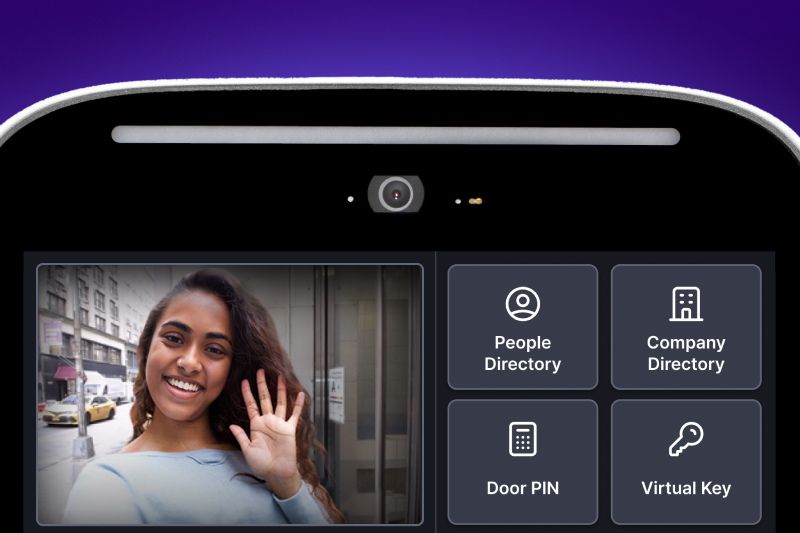
Choosing a door entry system is not just a matter of picking an intercom panel. A property has to decide how visitors will call for access, how residents and staff will prove they are authorized, and how each door or gate will safely release.
A door entry system manages visitor and authorized-user entry by combining communication, credential control, and locking hardware. It differs from a standalone intercom, which mainly handles communication, and a standalone reader, which mainly checks credentials. The right setup depends on the people, door hardware, infrastructure, and outage plan at each entrance.
This guide will answer:
- What a door entry system does
- How door entry systems work
- Compare door entry system types
- Understand connectivity and outages
- Plan locks, power loss, and free egress
- Plan accessible and secure everyday access
- Choose a system for each entrance
- Calculate total cost of ownership
- Audit a legacy buzzer or telephone entry system
- Evaluate an integrated platform
- FAQs
More than 100K, 5-star ratings!
Video Intercoms
Open doors, gates & garages from anywhere.

QR Code Intercom
Smartphone-based visitor access.
Access Control
Fob, key cards, PINs, and mobile apps.
Security Cameras
Visibility throughout your property.
Vehicle Access
Hands-free access for gates & garages.
Package Room
Receive, store, and manage deliveries.
Smart Locks
Connect to all major brands and models.
Elevator Controls
Unlock key-fobbed elevators for anyone.
Front Desk Station
See all your doors and cameras in one place.
What a door entry system does
A complete door entry system has three layers. First, it provides visitor communication, such as an audio call, telephone call, or video call. Second, it evaluates access permissions for residents, staff, and approved visitors. Third, it tells an electric lock, strike, or other release device when to open. A common design uses an exterior panel, a door controller, and an answering endpoint, though some products combine or omit parts of that arrangement.
- Communication lets a visitor reach a resident, concierge, or staff member.
- Credentialed access control checks a PIN, card, fob, token, or supported mobile credential against an approved permission.
- Door-release hardware changes the door from secured to openable after a valid command.
Separating these layers makes planning clearer. A lobby may need video visitor verification and mobile access, while a package room may only need individually assigned staff credentials. Both openings can be part of the same property access plan without needing the same equipment.
How door entry systems work
Visitor access and credentialed self-entry can operate the same lock, but they follow different paths.
Visitor call and release
- A visitor selects a resident or contacts a staff member from the entry panel.
- The recipient answers through the supported endpoint and decides whether to grant access.
- When access is approved, the controller sends a release signal to the door hardware.
Credentialed self-entry
- A resident, employee, or vendor presents a PIN, card, fob, token, or supported mobile credential.
- The system validates that credential and its permission for that opening.
- If authorization is valid, the controller releases the lock.
These paths can fail differently. A lock may have power while a calling service is unavailable, or a reader may be working while a resident directory needs updating. That is why access teams should manage credential issuance, revocation, temporary permissions, and directory changes as ongoing operating work, not as one-time installation tasks.
Compare door entry system types
These categories are overlapping entry methods, not mutually exclusive products. Many properties combine visitor calling at a main entrance with keypads, cards, fobs, or mobile credentials at other openings. Use this comparison as a dependency map rather than a ranking.
Swipe to compare →
Video may improve visitor verification, but it also adds connectivity and privacy considerations. Shared PINs are convenient but provide weaker individual attribution than credentials assigned to one person. A property should also plan for people who do not use smartphones or cannot use a particular mobile workflow.
A representative door-entry architecture illustrates how an exterior panel, controller, and answering endpoint can support voice, token, and keypad methods. Actual product designs and supported methods vary, so confirm the selected configuration before purchase.
Watch how ButterflyMX works:
Understand connectivity and outages
Several labels are often used as if they mean the same thing, but they answer different questions. Wired and wireless describe parts of the cabling or communication path. IP describes network transport. SIP is a protocol commonly used for calling. Cloud-managed describes where administration or services are delivered. A system can be IP-based and cloud-managed while still using wired power and a wired lock connection.
Wireless also does not mean wire-free. A panel, controller, electric lock, network device, or backup-power unit may still need power or fixed wiring. Before selecting a wireless door entry system, identify every dependency rather than assuming wireless eliminates installation work.
The answer is configuration-specific. It depends on the hardware, backup power, network design, and service availability. Replacement phone services and connected equipment may also require backup power during an outage. The FCC guidance on communications technology transitions advises consumers to check compatibility of security systems when telephone service changes, a useful reminder to trace the entire call path instead of focusing only on the entry panel.
Plan locks, power loss, and free egress
Lock terminology is often oversimplified. Fail-safe hardware unlocks when power is removed. Fail-secure hardware remains locked on the secure side when power is removed. Neither label alone tells you whether people can leave through the door freely from the egress side.
Electric strikes can be fail-safe or fail-secure. Electromagnetic locks, often called maglocks, are fail-safe and require the applicable release arrangements. The distinction between fail-safe and fail-secure hardware is therefore only one part of an opening-level review.
For sensor-release electrically locked egress doors, the 2024 International Building Code includes conditions such as release on power loss, direct interruption of power by the required exit device, fire-alarm or sprinkler release where required, emergency lighting, and listed locking hardware. These are model-code provisions, not a design approval. Local adoption, amendments, occupancy, and the authority having jurisdiction determine what applies to a particular project. Review the 2024 IBC sensor-release provisions with qualified installers and code professionals.
Before choosing lock hardware, document the door and frame, fire rating, current lock, egress hardware, request-to-exit arrangement, alarm interface, and backup-power plan. Allegion guidance states that strikes on fire-rated doors must be fail-secure, but the underlying NFPA 80 text was not reviewed for this article. Treat that point as manufacturer guidance and confirm the locally adopted requirements with the authority having jurisdiction.
Plan accessible and secure everyday access
Accessibility belongs in the site survey, not at the end of installation. The U.S. Access Board states that applicable unobstructed operable parts are generally within a 15-to-48-inch reach range and must be operable with one hand, without tight grasping, pinching, or wrist twisting, and with no more than 5 pounds of force. Coverage and reach requirements vary with the route, obstruction, property type, and applicable law, so review ADA guidance for operable parts alongside the project design.
Every property should also define an access path for people who cannot or do not use smartphones. Depending on the selected system, that might be a card, fob, individual PIN, telephone-answering option, or staffed process. The important question is not whether one method is modern. It is whether every intended user can enter reliably and appropriately.
Credential administration affects security and workload. Individually assigned or temporary credentials can be expired and revoked for a specific person. Shared PINs may be easier to distribute, but accountability depends on how the code is assigned, logged, and changed. For reader-to-controller communication, ask whether devices support OSDP, whether Secure Channel will be enabled, and what the installer will configure. The Security Industry Association describes OSDP as supporting two-way communication, wiring supervision, and Secure Channel encryption; compatible devices and correct configuration are still required.
Choose a system for each entrance
A useful procurement process starts with the opening, not the product brochure. Repeat this checklist for every lobby door, gate, amenity room, package room, stair door, and service entrance.
- Identify users and workflows. List visitors, residents, staff, deliveries, vendors, after-hours access, and emergency procedures. Decide who needs to call, who needs a credential, and who can approve access.
- Inspect the opening. Record door and frame condition, exposure, fire rating, existing lock, egress hardware, and release interfaces. A gate access system controls entry, but it does not replace the mechanical gate operator.
- Map infrastructure. Inventory power, cabling, local network, internet or cellular service, legacy wiring, and backup-power capacity.
- Plan normal and degraded operation. Document the expected behavior of calls, credentials, releases, exits, and event logs during a power, internet, or service outage.
- Confirm access for all users. Consider panel placement, operable parts, non-smartphone alternatives, temporary users, and administration needs.
- Price the full scope. Request quotes that separate equipment, door work, wiring, labor, connectivity, software, maintenance, and recurring charges by opening.
A planning matrix can help teams compare candidate hardware, power-loss state, egress review, and infrastructure questions across openings. It is not a prescriptive design. Fire, egress, accessibility, and infrastructure conditions must be validated for each opening by qualified project professionals.
Calculate total cost of ownership
There is no dependable single average cost for a door entry system because installed cost can change sharply with the opening. Build a total-cost view that includes the entry panel and controller, readers and credentials, lock and door work, wiring, networking, labor, permits or reviews, connectivity, recurring software, maintenance, and eventual replacement.
Published vendor prices can show how a pricing model is structured, but they are not market averages or complete installed quotes. On October 30, 2026, observed ButterflyMX video-intercom panel sale prices ranged from $3,995 to $6,495, and listed software prices ranged from $30 to $42 per apartment unit per year. Those figures may be promotional and exclude installation, wiring, lock work, and other project costs. Confirm current ButterflyMX pricing and software fees before using them in a budget.
Audit a legacy buzzer or telephone entry system
Many legacy buzzer and telephone entry systems can be upgraded, but feasibility depends on the existing call path, wiring, power, lock interface, and compatibility. Do not assume a call box will stop working simply because communications networks are changing. First determine what it actually relies on.
- Identify whether the call path uses POTS copper, cellular, VoIP, direct wiring, or a combination.
- Trace power to the panel, controller, lock, network equipment, and replacement phone service, including backup power.
- Document the lock interface, egress arrangement, directory, resident answering method, and any building-system dependencies.
- Plan a staged cutover, resident communication, directory cleanup, credential enrollment, and testing before service is changed.
The FCC describes copper network retirement as an ongoing transition, which is different from a formal service discontinuance. Compatibility, service availability, and backup-power needs should be confirmed for the specific building. For more detail on repair-versus-replacement decisions, read this guide to repairing or replacing an apartment buzzer.
Evaluate an integrated platform
Once the property has documented each opening, it can compare integrated platforms on the functions that matter: visitor communication, video needs, credential options, mobile access, keypads and readers, visitor permissions, administration, integrations, data handling, support, and recurring charges.
Ask each vendor for written answers about normal, degraded, and offline behavior; non-smartphone access; credential issuance and revocation; integration ownership; data retention; support boundaries; and all recurring fees. This avoids treating an attractive panel or app as proof that the full entry workflow fits the property.
ButterflyMX can be a fit where the documented needs include video intercom workflows, smartphone-based visitor calls and access, remote management of residents and visitors, and property-management integrations. The fit should be judged opening by opening, alongside the selected lock hardware, egress requirements, user alternatives, and site infrastructure. Review current ButterflyMX pricing for your property plan after the full scope is defined.
Frequently asked questions
Do residents need a smartphone to use a modern door entry system?
No. Smartphone use depends on the selected configuration, and a property may offer cards, fobs, PINs, telephone answering, or another appropriate alternative. Document an access path for every resident group rather than assuming one device works for everyone.
Is a wireless door entry system completely wire-free?
No. Wireless usually describes part of the communication path or reduced unit cabling. Panels, controllers, locks, networks, and backup equipment may still need power or wired connections, depending on the product and site design.
Can PIN entries be traced to individual users?
They can be when PINs are individually assigned or temporary and the system is configured to log them. Shared codes provide weaker attribution, and available audit detail and retention vary by system and configuration.
Will a call box stop working if the phone company retires copper lines?
Not necessarily. Determine whether the call box relies on POTS, then verify the replacement-service compatibility, power, backup power, and cutover requirements. Copper retirement and formal service discontinuance are separate processes.
Should an apartment entrance use a maglock or an electric strike?
The answer depends on the opening. Compare door construction, fire rating, secure-side power-loss state, free egress, alarm release, and applicable listing requirements with qualified installers and the locally applicable code.
What is OSDP, and should an installer be asked about it?
OSDP is an open reader-to-panel communication standard that supports two-way communication, supervision, and optional Secure Channel protections. Ask whether the installed devices support it and whether Secure Channel will be enabled, because OSDP alone does not guarantee encrypted operation.
The best door entry system is the one that supports the actual workflow at each entrance while accounting for locks, free egress, accessibility, power, connectivity, and the full operating cost. Start with an opening-by-opening survey, then compare platforms only after the requirements are clear. If video intercom, visitor access, mobile access, and remote administration match those requirements, see how ButterflyMX could support your property entry workflows.

Get your free quote!
Fill in the form below, and we'll email you right back.
Want a free quote?
Fill in the form below, and we'll email you right back.
You’ll be redirected shortly...