






Key takeaways:
- Schlage Encode is a $299 smart deadbolt with keypad and app access, but remote features require 2.4GHz WiFi.
- The $329 Encode Plus is mainly worth the extra $30 if you want Apple Home Key, Matter, or Thread.
- Schlage Encode fits homes, vacation rentals, and individual units better than properties that need centralized access for entrances, gates, elevators, and visitors.
 Disclaimer: ButterflyMX provides these blog posts to help our customers and potential customers make the right business decisions. Our blog posts are based on the information available to us at the time of writing.
The Schlage Encode Smart WiFi Deadbolt is a residential smart lock for buyers who want keypad entry, remote app control, and scheduled access codes without adding a separate hub. It can be a practical fit for a home, vacation rental, or one rental unit.
This Schlage Encode review explains what the $299 deadbolt offers, how it differs from Encode Plus, and what to expect from WiFi setup, battery life, installation, guest access, and daily management. It also helps property teams decide when a single-door lock is enough—and when they need a broader access system.
This guide will answer:
- What is the Schlage Encode Smart WiFi Deadbolt?
- How does Schlage Encode work?
- Schlage Encode vs. Encode Plus: Which should you choose?
- How much does Schlage Encode cost?
- Schlage Encode WiFi requirements and battery life
- Schlage Encode installation and door requirements
- Security, integrations, and everyday features
- Schlage Encode pros, cons, and customer feedback
- Schlage Encode alternatives
- Schlage Encode vs. ButterflyMX
- Frequently asked questions
- Is Schlage Encode right for you?
Watch how ButterflyMX works:
What is the Schlage Encode Smart WiFi Deadbolt?
Schlage Encode BE489 is a battery-powered residential deadbolt with built-in WiFi, a touchscreen keypad, a physical backup key, and remote control through the Schlage Home app. It is best viewed as a secure, convenient lock for one door—not as building-wide access infrastructure.
The Schlage Encode family does not need a separate smart-home hub. With a suitable network connection, the base model supports remote locking, scheduled access codes, activity history, alerts, and auto-lock. Schlage, now an Allegion brand, was founded in 1920.
Who is Schlage Encode best for?
Schlage Encode is best for homeowners, short-term rental hosts, and landlords managing individual doors with their own WiFi. Its Airbnb integration and scheduled-code features can make guest turnover easier without physical key exchanges.
It can also fit garden-style apartment units with individual networks. But apartment-lock comparisons distinguish per-unit locks from centralized systems built for multiple entrances and shared access. Teams that need one platform for visitors, common doors, gates, elevators, and other access points may need a broader platform such as ButterflyMX.
How does Schlage Encode work?
Schlage Encode lets people unlock a door with a 4–8 digit PIN, a physical key, or the Schlage Home app. Alexa and Google Assistant offer supported voice control, while Apple Home Key is available only on Encode Plus.
When connected to WiFi, Schlage Encode can lock or unlock remotely, send notifications, manage codes, and show timestamped activity. You can set auto-lock from 15 seconds to 10 minutes or turn it off.
Guest codes and virtual keys
Temporary or scheduled PINs are usually the simplest choice for guests, cleaners, contractors, and short-term rental stays. You can limit when a code works and remove it without collecting a key.
App-based sharing takes more effort. A person who receives phone-based unlock permission must install the Schlage Home app and create an account, as noted in independent testing of the sharing workflow. For an occasional visitor, a numeric code may be the easier option.
Schlage Encode vs. Encode Plus: Which should you choose?
Choose the base Schlage Encode if you want keypad, WiFi, app, and voice-assistant features at the lower price. Choose Encode Plus if Apple Home Key, Apple Hands-Free Unlock, Matter, or Thread matters to your smart-home setup.
Matter is a shared smart-home standard. Thread is a low-power network technology for compatible devices. These additions can expand ecosystem options, but they do not change the product’s basic role as a smart deadbolt.
Swipe to compare →
The decision is simple: if you do not need Apple Home Key, Matter, or Thread, the base Encode keeps the main smart-lock features and saves $30. Apple capabilities do not apply to every lock in the Encode family.
How much does Schlage Encode cost?
Schlage Encode has a $299 manufacturer MSRP. Encode Plus costs $329, and the Encode Smart WiFi Lever costs $309.
Retail prices vary. A hands-on review observed pricing around $289 at major retailers, but that was a retailer snapshot, not a guaranteed current price.
The Schlage Home app listing does not show a required subscription for core features. Buyers can focus on the hardware price, replacement batteries, and any optional installation help they choose rather than budgeting for a mandatory monthly app fee.
What affects long-term ownership cost?
Schlage Encode uses four AA alkaline batteries and has an expected life of about six months under typical conditions. Weak WiFi, heavy use, unsuitable batteries, or certain Encode Plus pairing arrangements can increase replacement frequency.
For one door, battery upkeep may be minor. Across many units, battery changes and network troubleshooting become regular tasks, so property teams should consider who will monitor alerts and service each lock.
Schlage Encode WiFi requirements and battery life
Schlage Encode needs 2.4GHz WiFi for remote and cloud features. A 5GHz-only network is not supported, although keypad, key, and local access can still work without WiFi.
Schlage’s WiFi guidance explains that the lock can operate without an active connection, but remote control and connected scheduling will be unavailable. A lock that repeatedly searches for a network may also drain batteries faster.
Many routers use one network name for both 2.4GHz and 5GHz bands. If setup fails, creating a temporary 2.4GHz-only network name or separating the bands in router settings may help. The exact steps depend on the router.
The stated battery expectation is about six months from four AA alkaline batteries. Still, Schlage’s battery-life guidance identifies weak WiFi, battery choice, use, and pairing Encode Plus with both HomeKit and the Schlage app as factors that can shorten battery life. Community discussions also describe faster drain in poor network conditions, though those reports do not define a typical lifespan for every lock.
How to reduce Schlage Encode battery drain
- Check the signal at the door: A router may work well elsewhere while the signal at the door is weak.
- Use suitable alkaline batteries: Battery type and quality can affect performance.
- Keep the lock connected: Repeated network searching can use extra power.
- Review Encode Plus pairing: HomeKit and Schlage app pairing together can increase power use.
- Plan for high-traffic doors: Frequent motor operation may require more maintenance than the typical-use estimate suggests.
Schlage Encode installation and door requirements
Schlage Encode is a screwdriver-only replacement for a compatible single-cylinder deadbolt. A standard installation needs no electrical wiring, smart-home hub, or professional installer.
The Schlage Encode quick-start guide covers assembly and pairing. Independent testers describe installation as taking about 10 minutes on a prepared door, though aligning the backplate and rear assembly can be fiddly when working alone.
A typical installation involves measuring the door, removing the old deadbolt, fitting the new bolt and exterior keypad, attaching the interior assembly, adding batteries, and completing app setup. Before final tightening, test the bolt by hand so the motor does not work against a misaligned door.
Security, integrations, and everyday features
Schlage Encode combines strong residential lock grading with useful daily controls. Its main strengths include Grade AAA and Commercial Grade 1 certifications, a forced-entry alarm, scheduled codes, auto-lock, and remote management without a hub.
Schlage lists compatibility with Alexa, Google Assistant, Ring, Airbnb, Leviton, and OwnerRez. Depending on the service, those integrations can connect the lock to voice commands, camera workflows, lighting routines, or vacation-rental operations.
The base Encode does not offer geofencing or approach-based auto-unlock. Buyers who want hands-free arrival should compare that tradeoff with competing locks or look at the Apple-focused features of Encode Plus.
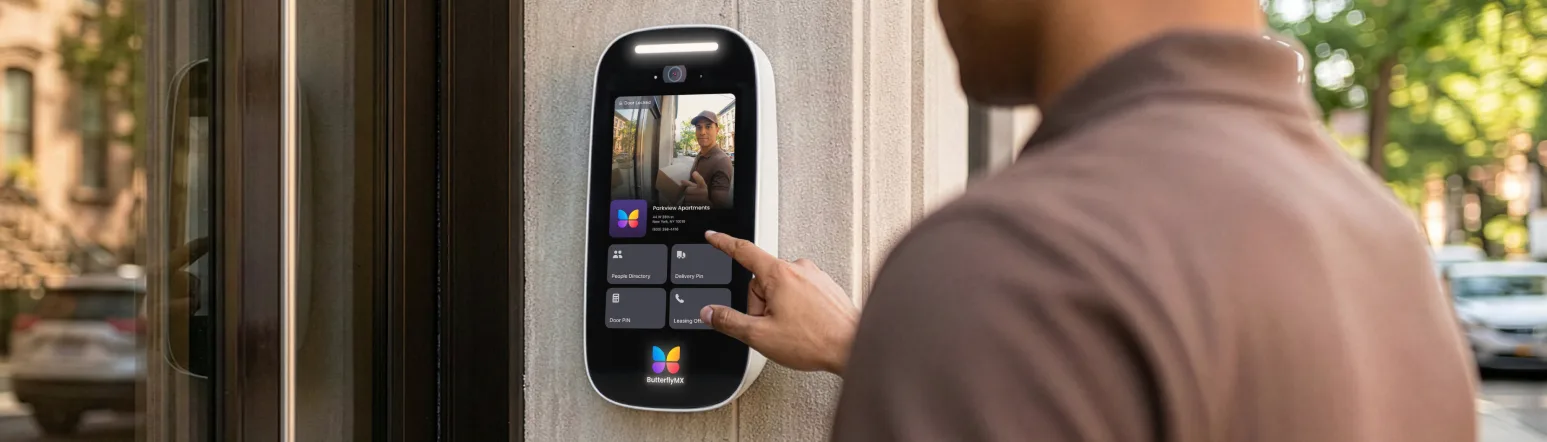
Schlage Encode also has no built-in camera or two-way audio. Its activity log records lock events, but it cannot identify a visitor visually. ButterflyMX serves a different need with video intercoms that let residents see and speak with visitors before granting access through a mobile app.
How many access codes does Schlage Encode support?
Schlage’s product documentation lists 100 unique access codes, while the Schlage Home app listing advertises up to 250. Because the two official channels differ, buyers with frequent guest turnover should review the current limit for their model and app version.
For many homes and vacation rentals, scheduled codes matter more than a large raw total. They let an owner set a defined access window without sharing a permanent credential.
Schlage Encode pros, cons, and customer feedback
Schlage Encode is a secure, convenient lock for an individual door, but its premium price, network sensitivity, and limited property-wide scope are meaningful tradeoffs. The right fit depends on how many doors and access workflows you need to manage.
Swipe to compare →
Customer feedback themes
Schlage-hosted feedback averages 4.8 out of 5 across 6,501 ratings. Many entries are marked as incentivized, so that score is most useful alongside independent testing and community reports.
Common positive themes include easy installation, dependable everyday keypad use, and useful code scheduling. A 2020 TechGearLab evaluation scored the base Encode 76 out of 100 and ranked it second among nine tested locks, but it predates Encode Plus, Apple Home Key, Matter, and Thread.
Common complaints focus on battery drain with weak WiFi and confusion around network bands. One Encode Plus discussion describes intermittent locking behavior while praising base Encode units; that single experience should not be treated as representative of every lock.
For property teams, the main limitation may be scope rather than lock quality. ButterflyMX can coordinate mobile and visitor access with vehicle entrances, elevators, video intercoms, and other access products, while Encode remains focused on the door where each lock is installed.
Schlage Encode alternatives
Alternatives to Schlage Encode include August, Yale, Wyze, and Kwikset smart locks. The best shortlist depends on whether you prioritize hands-free arrival, Apple compatibility, security grading, upfront price, or rental workflows.
- August Wi-Fi Smart Lock: A choice for buyers who prioritize geofencing, auto-unlock, and HomeKit support that the base Encode lacks.
- Yale Assure Lock 2: A commonly compared lower-cost option for buyers weighing price against Schlage’s security positioning.
- Wyze Lock: A budget-focused option for buyers who place upfront price ahead of premium build and lock grading.
- Kwikset SmartCode or Halo: Rental-property alternatives that appear in landlord and apartment-lock comparisons.
Independent comparisons with August and Wyze illustrate feature and price tradeoffs, while the Bob Vila test compares Encode with Yale options. Buyers managing rental portfolios can also use apartment-focused comparisons to separate unit locks from broader access systems.
Schlage Encode vs. ButterflyMX
Schlage Encode and ButterflyMX address different access needs. Encode is lock hardware for one prepared door, while ButterflyMX is a property access and security platform for multifamily, commercial, gated, student-housing, and other managed properties.
This is not a one-for-one hardware comparison. The useful question is whether you need to secure one door or coordinate the full arrival path across visitors, common entrances, unit access, gates, garages, and elevators.
Swipe to compare →
Schlage Encode may be enough for a home, vacation rental, or individual apartment door. ButterflyMX becomes more relevant when a property team needs to connect visitor communication, common-area access, vehicles, elevators, cameras, package rooms, and smart-lock workflows in one broader platform.
Frequently asked questions
How much does Schlage Encode cost?
Schlage Encode has a $299 MSRP, while Encode Plus costs $329 and the Encode Smart WiFi Lever costs $309. Retail prices may vary, and core Schlage Home app functions have no published subscription fee.
What is the difference between Schlage Encode and Encode Plus?
Encode Plus adds Apple Home Key, Apple Hands-Free Unlock, Matter certification, and Thread support. The base Encode keeps the core keypad, WiFi, app, code-management, and voice-assistant functions for $30 less.
Does Schlage Encode require WiFi?
No. Schlage Encode can still provide keypad and physical-key entry without WiFi, but remote control and cloud-dependent features need a suitable 2.4GHz connection.
How long do Schlage Encode batteries last?
Schlage expects about six months from four AA alkaline batteries under typical use. Weak WiFi, high use, battery choice, and dual HomeKit and Schlage app pairing on Encode Plus can shorten that period.
Is Schlage Encode easy to install?
Yes. Schlage Encode is designed as a roughly 10-minute, screwdriver-only replacement on a compatible standard deadbolt, though aligning the rear assembly may be easier with another person.
How many access codes can Schlage Encode store?
The product documentation lists 100 codes, while the Schlage Home app listing advertises up to 250. Buyers who need high capacity should review the current limit shown for their lock and app version.
Does Schlage Encode work with Alexa, Google Assistant, and Apple Home?
Schlage Encode works with Alexa and Google Assistant. Apple Home Key and related Apple features are available only on Encode Plus, not the base BE489.
Is Schlage Encode suitable for an apartment building?
Schlage Encode can fit individual apartments or garden-style units with their own WiFi, but it is not a centralized system for multiple entrances, video visitor identification, gates, or elevators.
Is Schlage Encode right for you?
Schlage Encode is a strong choice for buyers who want a well-graded smart deadbolt with built-in WiFi, scheduled codes, remote app controls, and no required hub or software subscription. The base model offers the better value for people who do not need the Apple Home Key, Matter, and Thread features of Encode Plus.
The key tradeoff is scope. A 2.4GHz network and ongoing battery maintenance may be reasonable for one home or vacation rental, but teams managing many doors should also consider centralized administration, visitor identification, gates, elevators, and other shared access points.
Compare the full access journey before deciding. If your property needs more than an individual smart deadbolt, explore how ButterflyMX can bring mobile access, visitor workflows, video intercoms, vehicle access, elevator controls, and smart-lock integrations into one property access platform.
Get your free quote!
Fill in the form below, and we'll email you right back.
Want a free quote?
Fill in the form below, and we'll email you right back.
Redirecting you in 5 seconds.