






Key takeaways:
- Choose each camera view by the evidence you need, not by a standard camera count.
- Where readable plates matter, require moving-vehicle tests by day and night rather than assuming an entrance overview is enough.
- Compare bids only after matching coverage, infrastructure, recording, testing and ongoing responsibilities.
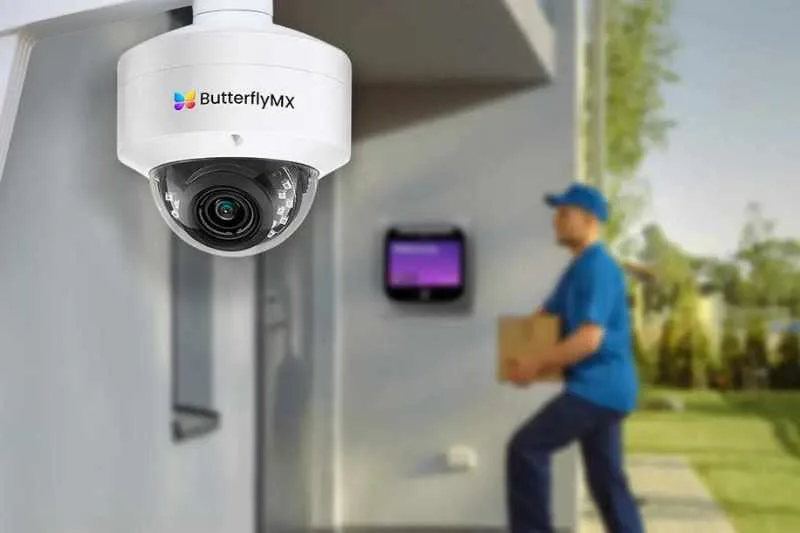
Choose security cameras for gated communities by what the footage must show. A wide entrance view may show what happened around a gate without capturing a readable license plate. It also won’t tell you whether someone entered through a nearby walking path.
Before your board approves equipment, define the evidence you need at each priority location. Then ask an installer to test existing cameras and explain how any proposed changes will meet those needs. This guide connects those coverage choices to recording, operating rules and a shared bid scope, so you can see what security camera system each price actually buys.
This guide will answer:
- Choose security cameras for gated communities by the evidence needed
- Match each location to a useful camera view
- Keep camera evidence separate from gate authorization
- Set footage rules before finalizing locations and storage
- Specify recording, power and network continuity
- Test existing equipment before approving replacement
- Compare proposals using the same coverage scope
- Require proof and a usable handover before acceptance
Watch how ButterflyMX works:
Choose security cameras for gated communities by the evidence needed
A useful camera plan starts with a question, not a quantity. Do you need to see whether someone crossed a pedestrian gate, understand what happened near a barrier or read the plate of a departing vehicle? Each question calls for a different view.
In its gated-community camera design guidance, installer TechPro assigns cameras specific jobs: detect activity, provide an overview, obtain identifying detail or capture plates. Its suggested layouts reflect installation experience, not universal requirements. Assess vehicle lanes, pedestrian routes and amenities separately rather than choosing a count based on the number of homes.
Next, decide whether you need a record of an event or someone to act while it happens. Recording stores footage for later review. Active monitoring adds someone watching for events. A response plan defines who acts and how. As the HOA camera planning guide explains, a recording-only system isn’t a staffed security service. Your board should state what footage must answer, who reviews it and who would respond.
Research doesn’t establish a guaranteed crime-reduction result for your HOA. The lead-author summary of the 2019 Piza and colleagues review reports that 76 evaluations contributed to a combined analysis of varied, mainly public-area CCTV systems, not gated-community entrances. It found about 13% lower crime overall, but the 24 US evaluations showed no statistically significant overall effect.
Actively monitored systems and systems combined with multiple other measures were associated with stronger reductions. Those comparisons don’t prove that monitoring or the added measures caused the difference. Likewise, the US finding doesn’t mean cameras never help. Use the research to set realistic expectations, not to promise a percentage reduction for your property.
With the purpose clear, identify the routes and events your footage needs to capture. Your board sets the priorities and service expectations; a qualified security-system installer, or integrator, turns them into a technical design.
Match each location to a useful camera view
Detecting movement isn’t the same as showing what happened. Showing the sequence isn’t the same as capturing enough detail to help identify a person or read a plate. The required detail should guide the camera position and view.
Resolution, lens framing and distance work together. A wide view spreads image detail across more of the property, so a distant person or plate may occupy too little of the image to be useful. TechPro explains this tradeoff in its task-based camera sizing guide. More megapixels or a longer advertised infrared range alone won’t establish whether the footage provides useful identifying detail.
Entry and exit lanes need separate assessment
Don’t assume one broad entrance view will produce readable plates. An overview camera shows vehicle movement and the surrounding scene. License plate recognition, or LPR, is a more specialized task: capturing plate detail so the system can read it.
TechPro describes how tight framing, exposure and infrared settings suited to reflective plates can leave the surrounding scene dark. A broad overview can have the opposite problem: it shows the entrance but loses plate detail after dark. Its sizing guide reports a condominium installation where general-purpose lane views failed to provide readable nighttime plates. A dedicated plate view was added alongside an overview. These are installer accounts, not independent performance trials.
If your board needs both a readable nighttime exit plate and the sequence around a gate incident, write those as two outcomes. Assess each relevant entry and exit lane separately. Dedicated plate capture alongside an overview may be appropriate where plates matter, but LPR isn’t a default requirement where you don’t need that evidence. Test existing equipment against both outcomes before ruling out reuse.
The test should match the lane. LPR manufacturer Inex recommends commissioning tests using different vehicles at the fastest reasonable lane speed, in daylight and darkness, with checks for glare. Commissioning means checking and adjusting the installed system before accepting it. Ask your installer to follow the selected product’s requirements for angle, distance, focus and exposure; one manufacturer’s geometry isn’t a universal installation rule.
A parked vehicle in a convenient position doesn’t prove the camera can read a moving exit plate. Test actual approaches, turns and departures, then retrieve the recorded sequence. A good live image alone doesn’t show what you’ll have available after an incident.
Guest lanes may need a closer interaction view
A guest lane can raise two questions: what happened around the vehicle, and what happened during the interaction at the window or entry station? A broad overview may answer the first without answering the second.
TechPro includes a closer driver-window view in its guest-lane guidance. Treat that as an option tied to a specific purpose, not an automatic camera allocation. Your board should establish why the closer view is needed and approve what it may capture. A closer image may provide useful detail, but it doesn’t automatically establish identity.
Ask the installer to demonstrate the interaction your community actually uses, including at night. The proposed view should serve that process rather than simply add another camera icon to the entrance plan.
Pedestrian routes and perimeter gaps change priorities
Vehicle-gate footage doesn’t establish coverage of a nearby walking path. TechPro assesses pedestrian gates and perimeter approaches as separate zones. For each relevant route, decide whether you need to detect a crossing, see where someone traveled or capture closer detail.
Apply that distinction to selected approaches rather than assuming the whole perimeter needs surveillance. A distant view may detect activity without supporting identification. Have the installer demonstrate the required task at the actual distance and after dark.
A route can also be lower priority or unnecessary. If the concern involves a pedestrian shortcut, the assessment may favor path coverage, lighting or another measure before more entrance cameras. Set priorities by where the event could happen, not by how visible the front gate is.
Amenities and interior roads need a defined incident question
Mail areas, clubhouse approaches, pool access and selected road intersections need their own purpose. Specify the event you want to review and the common-area detail that would make the footage useful. Don’t treat every amenity or road as an automatic surveillance zone.
For areas that must stay in view, TechPro distinguishes fixed cameras from pan-tilt-zoom, or PTZ, cameras. A fixed camera remains aimed at its assigned area. A PTZ camera sees where it’s directed and can’t continuously show every position at once. The building security camera planning guide also explains why dome and bullet housing labels don’t establish the detail a task needs.
For each priority location, you should now be able to name the image you need and the test that would prove it’s useful. The proposal matrix later in this guide connects those choices to equipment, infrastructure and operating responsibilities.
Keep camera evidence separate from gate authorization
Recording a plate as evidence is different from using it to allow entry. LPR means license plate recognition; ALPR means automatic license plate recognition. In an access-control setup, the system uses a recognized plate as a credential to make an entry decision.
The HOA gate access control guide explains the limits: an access log shows a credential event, not necessarily who drove the vehicle. LPR also doesn’t prevent tailgating, where another vehicle follows through the opening. Video and access logs may supply different pieces of evidence, but neither should be treated as automatic proof of identity.
The equipment has separate roles, too. The gate controller authorizes entry, the gate operator moves the gate, and independent safety equipment addresses gate hazards. Adding cameras doesn’t certify gate safety or emergency access. Qualified gate and code specialists should assess those matters.
If a bidder proposes linked video and access records, ask for a demonstration of how an authorized user finds them together in that exact setup. Don’t assume every system supports joint retrieval. Also have the bidder explain how access works after a plate misread, a changed plate or the use of a rental or borrowed vehicle, including the fallback entry method.
These workflows create operating duties as well as equipment requirements. Before setting storage and permissions, decide who may review the records and how footage requests will be handled.
Set footage rules before finalizing locations and storage
Your governing documents and applicable law determine the approval process for association-operated common-area cameras. Have association counsel confirm that process. Make sure descriptions given to residents match the service you’ll provide, including whether anyone monitors the cameras.
Privacy review should address the image, not just the mounting location. An entrance camera can still capture an intrusive view through a nearby window. Review the proposed framing for private interiors, yards and sensitive spaces, and confirm what notice is appropriate.
Before the installer finalizes the system, settle these operating decisions:
- Who may view live video, search recordings and export clips.
- How resident requests, voluntary police requests and compulsory legal requests, such as a subpoena, will be handled.
- How long routine footage stays before scheduled deletion.
- Who preserves relevant incident footage outside the routine deletion cycle.
- Who reviews camera-health alerts and follows up on failures.
There is no single retention period for every HOA. Routine retention sets the normal deletion cycle. Incident preservation keeps relevant footage from being lost through that cycle. Establish both processes with counsel before asking the installer to size storage and set permissions. Don’t assume either a universal resident right to footage or a universal association right to refuse it.
Audio recording is a separate decision. As a conservative planning step, keep microphones off until a review of the law in your jurisdiction addresses the proposed use. A camera sign isn’t blanket authorization to record conversations.
These are general planning directions, not a legal determination for your community. Use the HOA camera policy and footage-handling guidance to develop the process with counsel. Your approved users, retention schedule and preservation process then become requirements for the recording system.
Specify recording, power and network continuity
A useful view is incomplete if it isn’t recorded or an authorized person can’t retrieve it. Your operating rules give the installer a basis for choosing storage, connections and backup power.
Local, cloud and hybrid recording
A network video recorder, or NVR, stores recordings locally. Cloud recording stores video through a remote service. A hybrid setup combines local and cloud functions. Compare them by what remains recorded, how users retrieve footage, what retention they support and who maintains the equipment. None is best for every community.
Recording location and internet access are separate issues. As the building camera planning guide explains, local recording may continue during an internet outage if the cameras, network equipment, recorder and power remain operational. Remote viewing generally still needs connectivity. Cloud and hybrid behavior depends on the exact product and setup.
Require bidders to document and demonstrate what records during an outage, what video is stored temporarily, what remains accessible and what happens when the connection returns. The label hybrid isn’t enough unless those functions are defined.
Storage capacity must also support your approved retention period. Ask the installer to state the camera count, verified bitrate, retention assumptions and extra storage allowance. Bitrate is the amount of video data generated over time. A recorder may support enough cameras but still lack enough storage for their settings and required retention. Have an authorized user demonstrate how to search, export and separately preserve a clip.
Infrastructure must support each required view
Power over Ethernet, or PoE, carries power and data over suitable Ethernet cabling. Cameras spread across a community still need planned cable routes, power supplies and network equipment. A remote exit view can therefore add much more than the price of a camera.
TechPro’s community installation guidance includes these dependencies in the proposal. Its ordinary Ethernet distance reference is 100 meters, or 328 feet. Ask your installer to document run lengths and specify suitable copper, fiber or other supported connections rather than assuming one standard copper run will reach every camera.
The design should also state PoE capacity, protected cabinets, surge protection and backup-power runtime. These are technical responsibilities for qualified specialists. Your board’s task is to confirm that the proposal covers them and explains their limits.
Separate internet loss from power loss. Identify which cameras, network switches and recorder remain powered, for how long, and where the recorder is protected. Backup power at the recorder alone won’t keep the whole recording path working if a camera or switch loses power first. Name both the person who receives camera-health alerts and the person responsible for acting on them.
Wireless, cellular or solar options may help at difficult retrofit locations, but each still needs an assessment of power, connectivity and recording during outages. Wireless doesn’t remove those needs. Once the required images, retrieval functions and outage behavior are clear, you can assess which existing equipment still meets them.
Test existing equipment before approving replacement
Make reuse a real option. Have the installer check current views, night performance, cable condition, recorder capacity and retrieval functions against your new requirements. The building camera guide advises against replacing adequate equipment solely because of age. Record which components pass, need adjustment or fail the agreed task.
For an existing gate camera proposed for plate evidence, require moving-vehicle results by day and night. TechPro reports that adapting an existing view can sometimes work, but re-aiming or changing firmware isn’t proof of a readable plate. Test the required result before deciding between reuse and replacement.
ONVIF is a framework that helps networked security equipment work together. It doesn’t guarantee every feature works across brands. Check the exact camera model, firmware and required functions in the proposed setup. Recording, search and export need practical tests; a compatibility label alone isn’t enough.
Your camera retrofit proposal should mark reused, replaced and new components. It should also name who tests existing cabling and equipment and who handles warranty or service afterward. Carry those assignments into the shared bid scope so reuse savings don’t leave work unassigned.
Compare proposals using the same coverage scope
HOA camera system cost depends on the required evidence and infrastructure, not camera count alone. Send every bidder the same requirements, including operating rules, reuse decisions and outage expectations. Require clear exclusions and association responsibilities before comparing totals.
Trace each required view to a bid inclusion
Adapt this matrix to your incident questions. It’s a planning aid based on the TechPro coverage and proposal guidance, Inex testing guidance and ButterflyMX footage-handling guidance discussed above, not a design standard or mandatory camera allocation. Mark a location lower priority or unnecessary when its purpose doesn’t justify coverage.
Read across each row: the required evidence needs a test, and the bid needs to identify the equipment and people responsible for delivering it.
Swipe to compare →
Return to the nighttime exit example. If one proposal offers overview only and another includes tested plate capture plus overview, the totals buy different evidence. First decide whether plates are required. Then match the lanes, tests, recording and infrastructure before calling the difference a premium or saving.
A less visible omission can matter just as much. A proposal might include the required exit camera but leave its network route unpriced. Another might include recording software without assigning setup or export training. Resolve those gaps before treating a camera line item as complete coverage.
Separate installed work from ongoing obligations
The HOA camera guide recommends comparing bids on the same scope. Keep upfront and recurring costs separate. Also ask whether each amount applies per lane, per entrance or to the whole system, as the HOA gate access guide recommends.
- Upfront work includes cameras, poles, trenching or other site work, power, networking, recording equipment and setup.
- Ongoing obligations include licensing, storage, connectivity, monitoring, maintenance and repairs, where applicable.
Compare the combined costs over the same board-selected period. A lower installation price may come with higher ongoing charges, while a higher upfront price may still leave maintenance or monitoring unassigned.
Ownership, storage location and payment terms are separate choices. When comparing owned/local systems with subscription ALPR, ask who controls the data, who can share it, what retention and export functions are supported, what changes on cancellation and who handles repairs. Review the proposed contract rather than assuming all subscription services have the same terms.
A no-monthly-fee camera system still needs assigned operating and maintenance duties. The absence of a particular subscription doesn’t tell you whether storage, connectivity, updates, repairs or monitoring are included.
Before approval, have each bidder mark work included, excluded, reused and association-supplied. Separate upfront charges from recurring ones and put acceptance tests and handover duties in the camera installation proposal.
Require proof and a usable handover before acceptance
Camera acceptance testing checks the promises in your proposal against results at your property. Agree on the conditions before installation so your board and installer share the same definition of completion.
- Witness the required views. Check day and night performance, including moving vehicles where plates matter. Use actual distances, angles, lane conditions and approved privacy limits, not sample images from another site.
- Test recording and retrieval. Have an authorized user locate and export the required event sequence. Review the routine retention assumptions and demonstrate separate incident preservation. Confirm documented internet-loss and power-loss behavior within the agreed setup and backup limits. A live view doesn’t prove recording or export works.
- Complete the system handover. Obtain labeled as-built records showing the installed layout, configuration records, association-controlled administration, support contacts and agreed service response expectations. Document responsibility for reused equipment and name who receives health alerts and who acts on them.
- Assign ongoing maintenance. Arrange periodic cleaning, alignment checks and equipment-health review with the service provider. Set a maintenance and replacement budget suited to your property rather than assuming a universal lifespan or service interval.
These steps apply the testing, recording and handover principles in the Inex, ButterflyMX and TechPro guidance cited above. Acceptance shows agreed performance under tested conditions; it doesn’t guarantee that every future incident will be captured.
Before signing off, your board should be able to name the evidence needed at each priority location, the test that proves it’s useful and the proposal line or responsible party supplying it.
Frequently asked questions
How many cameras does a gated community need?
There’s no standard count based on the number of homes. The number follows your priority routes, required views, site conditions and tested performance of existing equipment. Define the coverage first, then have a qualified installer work out the quantities.
Can a PTZ camera replace several fixed views?
Not when you need continuous coverage of all those positions at once. A PTZ camera looks where it’s directed. Use fixed views for areas that must stay in view, and consider PTZ for a defined task that fits your monitoring arrangement.
Does a no-monthly-fee camera system have no ongoing costs?
No. That description may mean there’s no particular subscription, but it doesn’t remove operating and maintenance duties. Check whether storage, connectivity, repairs, updates and monitoring are included or separately assigned.
Can residents or police automatically access HOA footage?
Don’t assume automatic access or a blanket right to refuse. Resident requests, voluntary police requests and compulsory legal requests need different handling. Have counsel review your request process and set footage permissions to support it.
Do camera signs make audio recording permissible?
Signs aren’t blanket authorization to record audio. As a conservative planning step, keep microphones disabled until a review of the law in your jurisdiction addresses the proposed use. That’s a separate decision from video placement and notice.
Approve a camera scope, not just a camera count. For each priority location, name the evidence you need, how the installer will prove it’s useful and who will supply and maintain it.
Send that completed scope to every bidder. Ask each to identify exclusions, reused components, association-supplied work and ongoing obligations so your board can compare the same purchase.
Get your free quote!
Fill in the form below, and we'll email you right back.
Want a free quote?
Fill in the form below, and we'll email you right back.
Redirecting you in 5 seconds.