
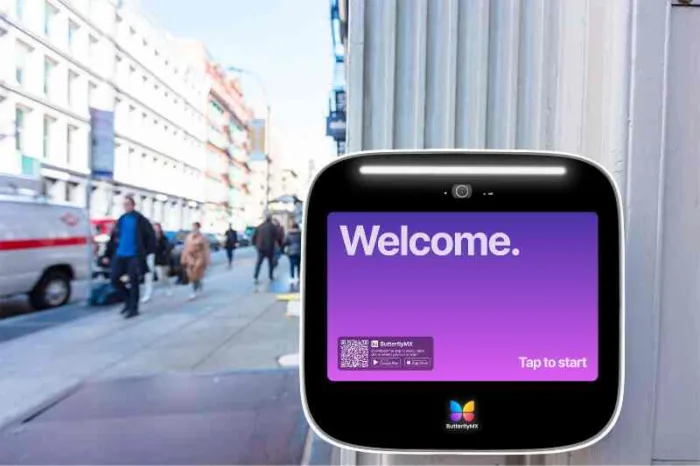





Key takeaways:
- A smart video intercom combines video calling with connected access management, so it can serve multi-tenant and managed properties in ways a single-home video doorbell usually cannot.
- Total cost depends on more than the entry panel. Budget for hardware, locks or controllers, cabling, installation labor, software, support, connectivity, and possible recurring fees.
- The best fit depends on the property’s entry points, existing power and network infrastructure, integrations, privacy needs, outage planning, and day-to-day administration.
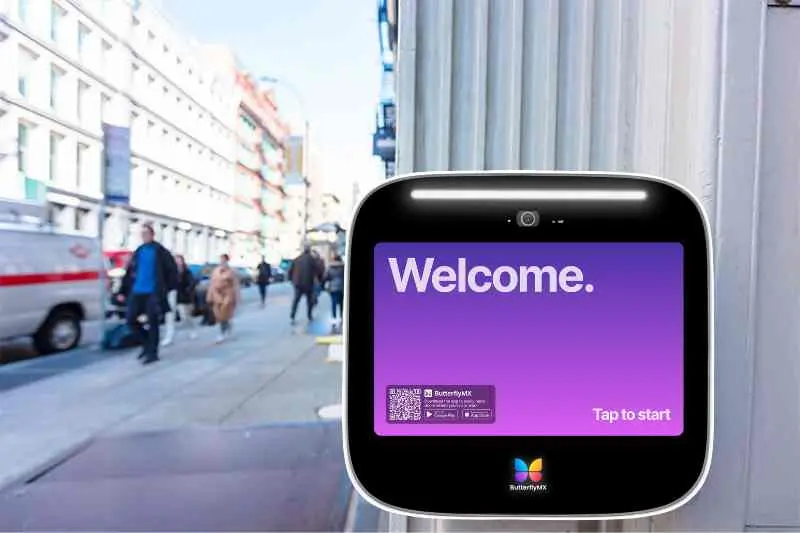
A camera at the front door does not automatically make an entry system smart. For apartments, HOAs, gated communities, offices, and mixed-use buildings, the real question is whether the system can identify visitors, route calls to the right person, support authorized entry, and help staff manage access as people move in, move out, visit, deliver, or work on-site.
A smart video intercom is a connected entry system that lets residents or staff see and speak with visitors, then grant access through a mobile app, in-unit device, desk console, or another configured endpoint. Unlike a basic video doorbell, it can support multi-tenant directories, centralized administration, and integrations with doors, gates, elevators, credentials, or property access systems.
That extra capability also creates more decisions. Buyers looking for an intercom system for their apartment property need to understand how calls are routed, what hardware is required, which integrations are compatible, how outages affect use, how video data is handled, and what the full system costs to install and operate. The sections below walk through those choices in the order most property teams should make them.
This guide will answer:
- What is a smart video intercom?
- How a smart video intercom works
- Choosing a smart video intercom setup
- What smart video intercoms can integrate with
- How much a smart video intercom costs
- Installation and operation requirements
- Security, privacy, and standards
- Choosing by property type
- When ButterflyMX may fit
- FAQs
More than 100K, 5-star ratings!
Video Intercoms
Open doors, gates & garages from anywhere.

QR Code Intercom
Smartphone-based visitor access.
Access Control
Fob, key cards, PINs, and mobile apps.
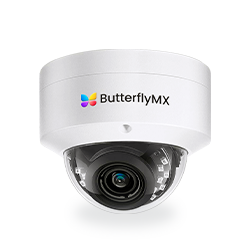
Security Cameras
Visibility throughout your property.
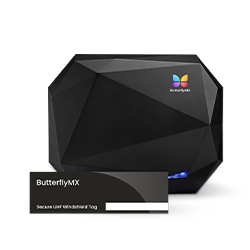
Vehicle Access
Hands-free access for gates & garages.
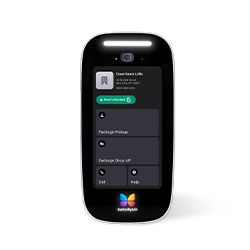
Package Room
Receive, store, and manage deliveries.
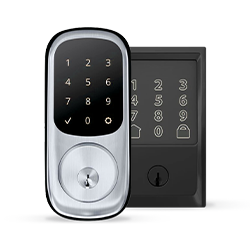
Smart Locks
Connect to all major brands and models.
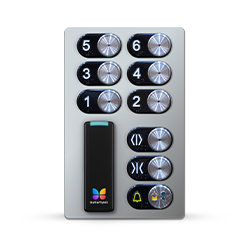
Elevator Controls
Unlock key-fobbed elevators for anyone.
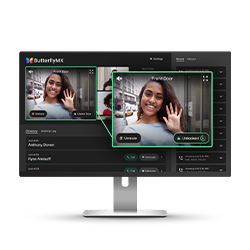
Front Desk Station
See all your doors and cameras in one place.
What is a smart video intercom?
A smart video intercom combines an entry-panel camera, two-way audio, call routing, and an access decision in one connected system. A visitor selects a resident, staff member, or team from a directory or call button. The system routes the call to an authorized person, who can see or speak with the visitor before granting or denying entry.
What makes the system smart is not the camera alone. It is the connected access layer around the camera: mobile access, remote administration, resident or staff directories, access-control connections, audit-oriented controls, and integrations with compatible doors, gates, elevators, credentials, or management systems. The exact mix depends on the product and configuration.
That distinction matters because a smart video intercom is not the same thing as a typical video doorbell. A video doorbell is usually built for one home or a small number of users. A managed-property video intercom may need to serve hundreds of residents, multiple entrances, staff roles, visitor rules, package deliveries, and ongoing turnover. A legacy audio or fixed-station intercom may still work for some buildings, but it often offers fewer connected administration and remote access options. A video intercom buyer guide from Avigilon gives useful context on common components and use cases.
Three entry systems with different jobs
- A video doorbell usually serves a single residence or small user group.
- A smart video intercom routes visitor calls, supports access decisions, and can connect to managed-property access needs.
- A legacy intercom is often an audio or fixed-station system whose capabilities depend on its wiring, endpoints, and controls.
None of these options is automatically right or wrong. The better question is whether the system fits the property’s scale, entry points, administration needs, durability requirements, and integration plans.
How a smart video intercom works
The basic sequence is easy to understand: a visitor calls, an authorized person answers, and the system triggers the appropriate entry hardware if access is approved. The details behind that sequence vary by product, network, lock, and site setup.
- A visitor uses the entry panel, directory, or call button to reach a resident, staff member, or other approved contact.
- The system routes the call to a configured endpoint, such as a smartphone, in-unit station, desk console, or another supported device.
- The person answering reviews the visitor by video and communicates by audio when the selected system supports those functions.
- If the visitor should be admitted, the authorized user sends an unlock command.
- A compatible relay, controller, or access-control connection activates the relevant lock, door strike, gate access control, or other approved entry point.
Behind that flow are several pieces working together. A typical system may include an entry panel, camera, microphone, speaker, directory, call-routing layer, network connection, management software, user endpoint, access controller, and locking hardware. Some systems also support credentials such as fobs, keycards, mobile credentials, PINs, or QR codes.
Those components are worth separating during selection. The intercom lets the visitor and authorized person communicate. The access controller or relay helps carry out the unlock action. The lock, strike, or gate equipment physically secures the entry point. Treating those as one generic device can lead to confusion during budgeting, installation, and troubleshooting.
A simple diagram can help property teams see the relationship: entry panel to network or management layer, then to the resident or staff endpoint, then to an access controller and lock. The diagram should be product-neutral unless it has been checked against the exact system design, because storage, call routing, unlocking, and fallback behavior are not identical across every smart video intercom.
Watch how ButterflyMX works:
Choosing a smart video intercom setup
Terms such as wired, wireless, IP, PoE, cellular, cloud-managed, and on-premises do not describe one single choice. They describe different parts of a system: how it gets power, how it communicates, where it is managed, and where certain data or functions may live. A system can be IP-based and cloud-managed while using wired network connectivity at one entrance and another approved connection method elsewhere.
Power, network, and management choices
Wired approaches can offer a dependable physical connection when power and cabling are already in the right place. They can also require more site work if cable pathways, network equipment, or door hardware need changes. Wireless approaches can be helpful in retrofit projects, but they still depend on signal strength, power, mounting conditions, and the reliability the entry point requires. Wireless should not be treated as automatically cheaper or easier until the site has been evaluated.
An IP intercom communicates over an Internet Protocol network. A PoE intercom uses compatible Ethernet cabling for both network connectivity and electrical power. That can simplify some installations, but it also makes network design, switch capacity, cable routes, and available infrastructure part of the buying decision.
Cloud-managed and on-premises systems raise a different set of questions. Who will administer the system? Where are management functions handled? Which features depend on internet or cellular service? How are video and access events stored or controlled? Buyers do not need to become network engineers, but they should know which functions depend on which parts of the architecture.
One-way and two-way video
One-way and two-way video describe who can see whom during a call. They do not describe the entire system architecture. In a one-way setup, the resident or staff member sees the visitor without being seen. In a two-way setup, both people can see one another. The decision usually comes down to privacy expectations, interaction needs, accessibility, hardware design, and the selected configuration.
For more detail on that specific distinction, read the ButterflyMX guide to 2-way video intercom systems. Neither format is universally better. The right choice depends on how residents, staff, visitors, and property policies need the entry call to work.
What smart video intercoms can integrate with
A smart video intercom often becomes more useful when it connects to the rest of a property’s access system. Instead of treating visitor calls, resident credentials, gates, and staff administration as separate tasks, compatible integrations can bring parts of that access process into one managed environment.
Common integration goals include access-control administration, gate access, elevator access, smart locks, visitor management, delivery access, staff credentials, vehicle entry, and property management software. The important word is compatible. A broad integration claim is not enough. Buyers should verify the product, version, hardware, permissions, and exact use case they need.
Gate and elevator examples show why that qualifier matters. Intercom and access-control technology can help manage who is allowed to enter through a gate or use certain elevator access permissions, but it does not replace the mechanical gate operator or the elevator system itself. Each connection requires the right controllers, site configuration, and operating rules.
Use integrations to solve real access needs, not to collect features. A multifamily property may care most about resident directory updates, visitor calls, deliveries, and multiple common entrances. A gated community may need a carefully configured vehicle-entry process. A commercial property may focus on staff roles, credential policies, and links to an existing access-control environment. Those are different problems, even when the same category of system appears in each one.
How much a smart video intercom costs
There is no reliable universal installed price for a smart video intercom. Total cost of ownership depends on the entry hardware, number of doors or gates, compatible locks or controllers, electrical and network work, installation labor, software, support, connectivity, maintenance, and future expansion. A hardware price alone is not a project budget.
Build the budget in layers
- Entry hardware, such as panels, cameras, directories, and configured endpoints.
- Door and access hardware, such as compatible locks, strikes, relays, or access controllers.
- Site preparation, including cabling, power, network work, mounting, weather protection, and any needed repairs.
- Installation labor from qualified electrical, low-voltage, networking, locksmith, or access-control professionals.
- Ongoing expenses, which may include software subscriptions, connectivity, support, storage, maintenance, and replacement planning.
Recurring costs vary by platform. As one attributed example, LiftMaster states that its myQ Community Smart Access Solutions require an ongoing monthly subscription on its CAPXM product page. Treat that as a current product-specific example, not a rule for every system. Requirements and pricing can change, so confirm all recurring costs during procurement. Readers comparing that product family in more detail can review this LiftMaster intercom review.
When reviewing proposals, ask vendors to separate the initial purchase from infrastructure, installation, recurring services, maintenance, support, and future entry-point expansion. That structure makes quotes easier to compare and keeps a low entry-panel price from hiding other required costs.
Installation and operation requirements
Installation should begin with the site, not the catalog. Before a property chooses a system, someone needs to inspect each entry point and identify available power, network or cellular connectivity, lock or door-strike compatibility, controller or relay needs, mounting conditions, weather exposure, cable pathways, and the physical condition of the door, gate, or entry area.
- Confirm the type and condition of each door, gate, lock, strike, controller, and release device.
- Review network coverage, bandwidth expectations, Ethernet availability, cellular considerations, and the location of supporting equipment.
- Evaluate mounting height, sightlines, weather exposure, vandal-resistance needs, accessibility considerations, and room for future entry-point growth.
- Plan for backup power and network reliability based on the property’s risk assessment and the product documentation.
- Identify which licensed or qualified professionals are needed for electrical, low-voltage, networking, locksmith, or access-control work.
Outage planning deserves special attention. Internet, cellular, and power interruptions may affect visitor calling, remote unlocking, local credentials, video availability, and administration in different ways. The answer depends on the system architecture and exact configuration. Do not assume that a function will remain available during an outage unless the product and installer documentation says so.
This is also where a retrofit can become more complex than expected. Reusing existing wiring, locks, or mounting locations may be possible, but only if they meet the system’s power, network, hardware, and physical requirements. A site assessment before budgeting is usually more useful than a rough assumption based on the old intercom.
Security, privacy, and standards
A smart video intercom is both an entry system and a connected technology system, so security review should go beyond the camera specification. Ask how administrators sign in, whether roles can limit permissions, how credentials are created and removed, how software updates are handled, what encryption practices are documented, and how the provider supports account offboarding.
Video privacy needs the same level of attention. Property teams should know who can view live or recorded video, where data is stored, how long it is retained, who can export it, and how those settings align with the property’s privacy policy. Recording and retention practices are not universal, so they should be checked against the specific product and configuration.
Standards can be helpful, but they have limits. UL 294 is a North American standard used for testing and certifying access-control system units. That is not the same thing as a full cybersecurity review, an organizational controls report, or a privacy policy. Confirm the applicable current standard edition and the scope of any certification before treating it as evidence for a specific project.
Read manufacturer security statements in the same careful way. A claim about a certification, encryption practice, security framework, or hardware rating should be understood within its stated scope. If security, compliance, or retention controls are important to the purchase, request current documentation that applies to the product, service, and configuration under review.
Choosing by property type
The strongest product on paper can still be the wrong fit for a property. Start with the basics: number of units or users, entry points, visitor volume, staffing model, credential policies, delivery patterns, vehicle access, and the daily paths taken by residents, employees, vendors, and guests. Then compare those needs with infrastructure, total cost, mobile access, privacy controls, durability, support, installer availability, and scalability.
Multifamily and HOA properties
Multifamily and HOA properties often need resident directory management, turnover support, visitor access, deliveries, remote administration, and access across more than one entrance. They should also plan for residents who do not use smartphones, staff who manage occupancy changes, and clear communication about how guests and deliveries should enter.
Gated communities and commercial properties
Gated communities may need vehicle-entry rules, guest access, and compatible gate controls. Commercial properties may place more weight on staff roles, credential administration, visitor policies, and connections to an existing access-control system. In both cases, the operating model matters as much as the device: property staff, security teams, installers, and administrators need to know who is responsible for each part of the system.
Student housing, senior living, and mixed-use properties
Student housing, senior living, and mixed-use properties can add extra complexity. They may need stronger support for accessibility, non-smartphone alternatives, high turnover, privacy expectations, user support, and emergency procedures. Do not assume one interface or credential method will work for every resident, tenant, visitor, and staff member.
Once the property requirements are clear, comparing named systems becomes more useful.
When ButterflyMX may fit
ButterflyMX is a mobile-first option for managed properties that need smartphone visitor calls and entry, remote access administration, and access support beyond a single front door. It may be relevant for multifamily, commercial, HOA, gated-community, student housing, senior living, and mixed-use properties when the site requirements, integrations, installation needs, and operating model are a match.
ButterflyMX can also be relevant for properties replacing legacy telephone-entry hardware that relies on traditional POTS telephone lines. As with any replacement project, the property should confirm the current infrastructure, entry hardware, connectivity plan, resident needs, and administrative process before deciding on a configuration.
ButterflyMX reports that its video intercom hardware is IP65-rated, operates from minus 40 degrees Fahrenheit to 140 degrees Fahrenheit, and carries UL, FCC, and CE certifications. Those are first-party specifications about ButterflyMX hardware, not universal traits of all smart video intercoms. Review ButterflyMX video intercom features and specifications alongside current installation, security, support, compatibility, and cost documentation for your property.
Before requesting a quote, compare the proposed system against the same criteria used throughout this guide: entry points, existing doors and controls, required integrations, connectivity, resident and staff use, security documentation, support, and full ownership cost. That approach keeps the decision tied to property fit rather than a single feature or hardware price.
Frequently asked questions
Can residents use a smart video intercom without a smartphone?
Yes, some systems may offer alternatives, but availability depends on the product and configuration. Possible options can include in-unit stations, desk consoles, telephone calling, access credentials, or other supported devices. Test the exact non-smartphone process before purchase.
Do smart video intercoms require a monthly subscription?
Some do, but recurring requirements vary by platform. LiftMaster states that myQ Community Smart Access Solutions require an ongoing monthly subscription, but that example does not represent every system. Compare software, connectivity, support, storage, and maintenance fees for the specific product under consideration.
How long does a smart video intercom last?
There is no universal lifespan that applies to every smart video intercom. Evaluate warranty coverage, environmental rating, serviceability, software support, component availability, usage level, and exposure conditions instead of relying on a broad estimate.
Can an existing lock or wiring be reused?
Possibly, but reuse depends on power, cabling, network design, lock or strike compatibility, controllers, mounting, and the condition of the existing infrastructure. A site assessment should happen before the property budgets for a retrofit.
A smart video intercom is worth evaluating when a property needs more than a camera at the door. The right system should fit the building’s entry points, infrastructure, access rules, privacy expectations, outage plan, integrations, and full operating cost. If ButterflyMX matches those requirements, request a free quote for your property and use the review process to confirm the right configuration.

Get your free quote!
Fill in the form below, and we'll email you right back.
Want a free quote?
Fill in the form below, and we'll email you right back.
You’ll be redirected shortly...