





Key takeaways:
- A video intercom with a mobile app sends entrance calls to authorized smartphones so residents or staff can verify visitors and release a connected door or gate when permitted.
- IP or cloud-connected, analog-overlay, cellular, and basic residential systems differ in infrastructure, scale, retrofit fit, and connectivity needs.
- The best fit depends on the property’s entrances, wiring, connectivity, permissions, privacy needs, accessibility obligations, integrations, support model, and lifecycle cost.
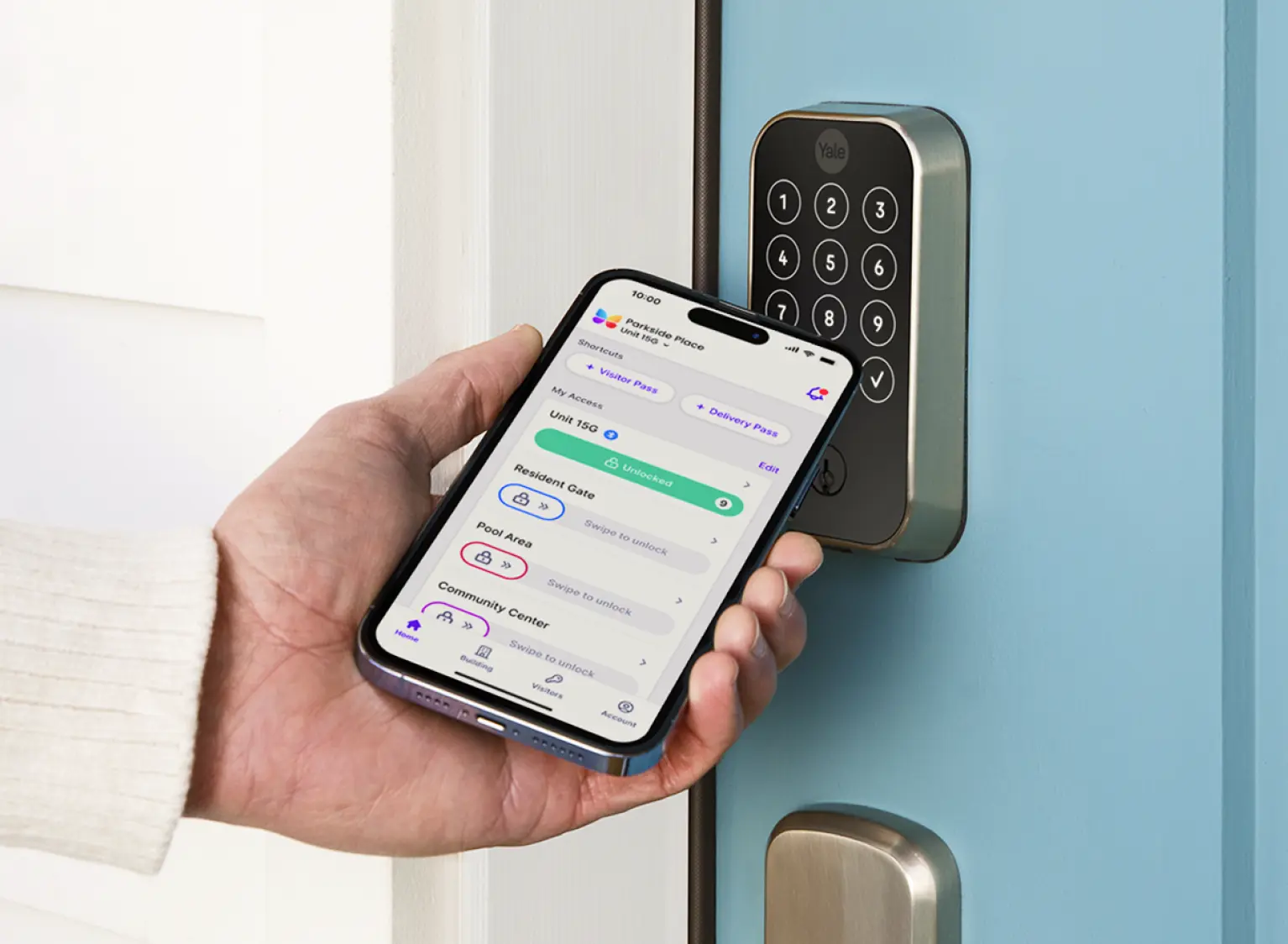
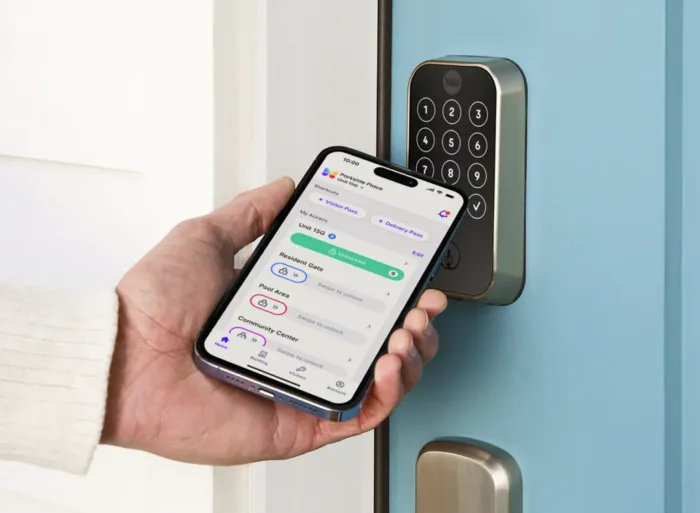
A visitor presses a button at the front entrance. Instead of ringing only an in-unit handset or a desk in the lobby, the call can reach a resident or staff member on a smartphone. That person can see or speak with the visitor, decide whether access is appropriate, and release the connected door or gate from the app when authorized.
That is the basic promise of an intercom system with video and mobile app access. But the buying decision is not just about whether an app exists. A property also has to consider how the system connects, what happens during an outage, whether old wiring can be reused, who can unlock which entrances, how access activity is recorded, and whether the system fits the building’s legal and accessibility context.
The sections below explain how these systems work, how the main architectures differ, and what multifamily and managed-property teams should evaluate before choosing one.
This guide will answer:
- What is a video intercom with a mobile app?
- How mobile app calling and remote unlock work
- Types of mobile app video intercom systems
- Benefits and workflows for residents and property teams
- Connectivity, installation, retrofit, and cost considerations
- Security, privacy, and integration questions to evaluate
- Legal and accessibility considerations
- How to choose the right system for a property
- FAQs
Watch how ButterflyMX works:
What is a video intercom with a mobile app?
A video intercom with a mobile app combines entrance audio and video hardware with software that routes a visitor call to an authorized smartphone. The resident or staff member can communicate with the visitor, use available video for verification, and send an approved release command to a connected door or gate.
Traditional intercoms often depend on a dedicated in-unit station, a lobby desk, or telephone-based calling. A smartphone intercom changes the call destination, but it should not automatically become the only way people communicate with visitors or enter the property. Residents may have different devices, accessibility needs, connectivity limits, or preferences. For a narrower explanation of phone-based visitor calling, see this guide to a smartphone intercom.
Most systems include a door or lobby station, a resident or staff app, a directory or credential system, a server or cloud layer in some designs, and a relay or access-control device connected to the door or gate. Features such as video, call history, recordings, credentials, and remote administration vary by product. Panasonic describes app-based visitor calling and related communication functions in its video intercom app overview.
The difference between a hardware-focused intercom and a cloud-managed access platform matters most as the property gets larger. A small residential device may serve one entrance. A multi-tenant building often needs directory management, permission controls, visitor handling, credential updates, and support for more than one entrance.
How mobile app calling and remote unlock work
The visitor experience may feel simple, but several parts have to work together: the entrance station, the app, the system backend, the user’s phone connection, and the door-release hardware.
- A visitor selects a resident or staff contact at the door or lobby station.
- The system routes a call or notification to an authorized smartphone user.
- The recipient uses the available audio or video to verify the visitor.
- If access is appropriate, the recipient sends an unlock command through the app.
- The system passes that command to a relay or connected access-control device, which releases the configured door or gate. Some products can also keep call history or event records.
A cloud-connected setup can send an app command to a door-opening relay, as illustrated in CAME documentation for its VIDEOENTRY app. That example is useful for understanding one remote-unlock path, not proof that every product uses the same architecture or stores the same records.
The release command is only one part of the policy. A property should decide who can unlock which entrance, when that permission applies, how access is revoked, and what staff should do when the intended recipient misses a call. Mobile calling and remote unlock also depend on adequate connectivity between the entrance station, backend, phone, and door hardware.
Types of mobile app video intercom systems
Mobile-app intercoms are not one single category of hardware. The architecture affects installation, management, connectivity, and retrofit planning. Use the table below to frame the right questions, not to pick a universal winner.
Networked and analog residential approaches are described across Aiphone’s residential intercom product information. Cellular systems, by contrast, require a separate look at coverage and service arrangements. An examined reseller listing for a cellular video intercom is useful as a product-specific example, but it should not be treated as evidence that every cellular intercom works the same way.
For a managed property, the practical question is usually not, “Which type is best?” It is, “Which architecture matches our entrances, wiring, connectivity, staff responsibilities, resident needs, and long-term cost?” A networked model may fit one building well, while an analog overlay or cellular option may be worth reviewing in another. If your team is evaluating a networked system, this overview of an IP intercom explains the underlying category.
Benefits and workflows for residents and property teams
For residents, the main benefit is flexibility. An entrance call can reach a smartphone instead of only an in-unit station, so the resident can use available audio or video to verify a visitor and grant access when allowed. The quality of that experience depends on the app, the connection, the permissions, and the alternate access methods available when the phone is not an option.
For property teams, the bigger issue is administration. A system may affect how staff update a multi-tenant directory, onboard and remove residents, manage visitor access, issue or revoke access credentials, handle facility communications, and review access activity. These tasks matter because a mobile app does not reduce the need for clear access rules. It simply changes where some of those rules are applied.
Call history and event records can also help with oversight, but they introduce privacy questions. Before deployment, a property should understand what information is collected, who can view it, how long it is kept, and how residents are informed.
ButterflyMX is one modern option for managed properties that need smartphone visitor calls and remote management of residents, visitors, credentials, and access. It is not the right fit for every property by default. The property still needs to assess its entrances, operations, connectivity, resident needs, and alternate access methods. Visual verification is a related topic, and this guide to an intercom with camera explains that consideration in more detail.
Connectivity, installation, retrofit, and cost considerations
Before choosing a system, map the full connection path. The entrance station has to communicate with the system backend, the backend has to reach the recipient’s phone, and the unlock command has to reach the connected door or gate hardware. Depending on the product and installation, those links may rely on building internet, local Wi-Fi, cellular service, wired infrastructure, or a mix of connections.
That map also shows where service loss can affect the experience. A phone with no signal, an app or service interruption, or a disrupted building connection can change how visitor calls and remote unlock work. Ask vendors or installers about missed-call behavior, local controls, alternate authorized credentials, staff procedures, and any other fallback path available during an interruption.
Retrofit planning deserves the same care. In an existing building, do not assume that an old wired intercom can simply be swapped for an app-based system without review. Check wiring, power, locks, entrance count, network availability, existing equipment, and the physical conditions at each entrance. An app-enabled layer may work with some legacy configurations, but retrofit feasibility is property-specific. Read more about replacing a buzzer intercom with a video intercom before deciding what can stay and what may need to change.
Cost should be evaluated the same way: by the parts of the project, not by a broad category-wide price range. Separate hardware, wiring, installation labor, connectivity, software or service fees, maintenance, support, entrance count, and future expansion. Also separate the initial installation budget from ongoing service, maintenance, support, and replacement costs.
ButterflyMX video intercoms do not rely on traditional POTS telephone lines and may replace legacy telephone-entry hardware. That can be an important configuration point for some properties, but it should not be read as a promise of universal retrofit suitability or guaranteed savings.
Security, privacy, and integration questions to evaluate
Security starts with administration. Ask how roles are assigned, how remote unlock authority is limited, how credentials are revoked, how accounts are protected, and how administrators review access activity. Also ask who is responsible for software updates, support, uptime expectations, and failure procedures.
A video intercom with a mobile app should be judged in the context of its actual deployment. The same feature can be helpful or risky depending on how permissions are configured. For example, remote unlock is useful only if the property can control who has that authority and remove it quickly when a resident moves out or a staff role changes.
Privacy deserves a separate review. If the system provides call history, event records, or related logs, find out what is collected, who can access it, how long it is retained, and how residents are notified. A building entrance is a sensitive place to collect operational activity, so recordkeeping should be intentional rather than assumed.
Integrations should be reviewed as real tasks, not as a list of logos. A property may need the intercom to work with property management software, smart locks, credential readers, or an access-control environment. Confirm documented compatibility and test how the connection handles onboarding, revocation, outages, and support.
Smart-lock compatibility is different from smart-assistant compatibility. Alexa and Google Assistant support is product- and platform-specific, and the inspected evidence for one third-party cellular video-intercom listing reports restrictions on Google Assistant two-way audio and live camera viewing for third-party integrations. Check current vendor and platform documentation before making smart-assistant support a buying requirement, because platform policies can change.
Legal and accessibility considerations
Is a video intercom legally required? It depends on the jurisdiction, building type, and property context. Intercom law requirements are not universal, and this article is educational rather than legal advice.
New York provides a useful example of how specific these rules can be. New York Multiple Dwelling Law section 50-a requires a two-way voice intercommunication system at the main entrance for qualifying Class A multiple dwellings with eight or more units built or converted after January 1, 1968. That is not a national rule, and it does not apply to every New York property. For more local context, review this explanation of NYC intercom law.
Accessibility also depends on the property and the system being used. The U.S. Access Board ADA Standards information on communication systems addresses audible and visual signals and applicable physical provisions for covered two-way communication systems at accessible entrances. That does not create a complete checklist for every property or prove that a specific product is compliant in every setting.
Before selecting or replacing an intercom, confirm current statutes, codes, accessibility standards, and local enforcement requirements with qualified legal, design, and accessibility professionals. A product choice alone should not be treated as a substitute for that review.
How to choose the right system for a property
A useful video intercom buyer checklist starts with the property, not the feature list. The best system for a small residential entrance may be the wrong fit for a multi-tenant building with several doors, staff turnover, visitor volume, and access records to manage.
- Define the property type, unit count, entrances, resident population, and expected visitor volume.
- Assess wiring, locks, power, internet or cellular service, retrofit constraints, and fallback requirements.
- Document directory, visitor, credential, reporting, property software, smart-lock, and administration needs before comparing integrations.
- Review role-based permissions, access logs, privacy practices, audit visibility, support, and failure procedures.
- Compare installation scope with ongoing service, maintenance, support, and expansion costs.
- Verify applicable legal and accessibility obligations, and avoid making a mobile app the only communication or access route without considering users’ needs.
The longest feature list is not necessarily the strongest choice. A managed property that needs smartphone visitor calls and remote administration of residents, visitors, credentials, and access may find ButterflyMX relevant to its evaluation. Still, documented compatibility checks and a site assessment should come before purchase.
See how ButterflyMX supports mobile visitor calls and property access management, then explore whether a ButterflyMX video intercom fits your property requirements.
Frequently asked questions
Can visitors use a video intercom without downloading an app?
Usually, yes. The visitor typically uses the entrance station, while the resident or staff recipient uses the app. Verify each system’s exact visitor flow, including directory search, PIN, QR, credential, or guest access options, because product capabilities vary.
What happens if a phone has no signal or the service connection fails?
Mobile calling may not work as intended when the required phone or system connection is unavailable. Before deployment, evaluate missed-call behavior, alternate credentials, local controls, staff procedures, and other fallback paths.
Can an old wired intercom be upgraded with a mobile app?
Sometimes, but it depends on the property. A qualified installer or access-control professional should review wiring, locks, power, entrances, network conditions, and existing equipment before anyone assumes an app-enabled retrofit is feasible.
How much does a mobile app video intercom cost?
There is no reliable category-wide installed-cost figure in the supplied evidence. Build the estimate around hardware, wiring, installation labor, connectivity, software or service, maintenance, support, entrance count, and future expansion needs.
A video intercom with a mobile app can make visitor calls and authorized remote access more flexible, but the app is only one part of the decision. The right choice depends on the property’s infrastructure, permissions, connectivity, fallback plan, privacy practices, accessibility context, and long-term support needs.
If smartphone visitor calls and remote access management are central to your requirements, explore whether a ButterflyMX video intercom fits your property and request a quote for your property.

Get your free quote!
Fill in the form below, and we'll email you right back.
Want a free quote?
Fill in the form below, and we'll email you right back.
You’ll be redirected shortly...