





Key takeaways:
- A commercial door entry system can support visitor communication, known-user credentials, or both, so start by separating visitor access from employee, tenant, and vendor access.
- The main choices include the entrance device, credential method, lock hardware, controller, management software, and whether the system is wired, IP-based, cloud-managed, or hybrid.
- Costs and code questions depend on each opening; door condition, wiring, integrations, lock behavior, egress, and local approval all need review before installation.
A commercial door entry system sounds like a simple purchase until you map what actually happens at the door. An employee may tap a fob. A delivery driver may need to call a tenant. A contractor may need temporary access after hours. A visitor may need to be seen before the door is released. Each use case points to a different mix of intercoms, credentials, locks, software, and installation work.
At its simplest, a commercial door entry system controls or helps manage entry to a business property through communication, credentials, electronic locks, and access-management software. The right system depends on who needs to enter, which doors are being secured, how visitors are handled, what the property can support technically, and whether the design preserves safe egress.
This guide walks through the main system types, how they work, what drives cost, and the practical questions to answer before choosing a setup for an office, mixed-use property, multi-tenant building, retail site, gated entrance, or other commercial property.
This guide will answer:
- What is a commercial door entry system?
- How commercial door entry systems work
- Types of commercial door entry systems
- Wired, IP-based, and cloud architectures
- Commercial door entry system costs
- Installation, egress, and safety requirements
- How to choose a system by property type
- Integrations and day-to-day management
- FAQs
Watch how ButterflyMX works:
What is a commercial door entry system?
A commercial door entry system is technology that verifies, communicates with, or authorizes a person before electronically controlling a commercial entrance. Depending on the property, the system may include an intercom, card reader, keypad, mobile credential, control panel or hub, electronic lock hardware, and management software.
The phrase is broad on purpose. Door entry often describes the visitor-facing side of access: someone arrives, calls an occupant or staff member, and is admitted if approved. Access control is usually narrower. It focuses on known users, such as employees, tenants, contractors, or vendors, who prove they are authorized by using a card, fob, PIN, mobile credential, or biometric.
Modern properties often need both. A small employee-only office may be fine with a simple credential system and a staffed front desk. A multi-tenant building may need video intercoms for guests and deliveries, credentials for regular users, and software that lets the property team manage access remotely. That is why a commercial door entry system should be evaluated as a complete entry plan, not just as a device mounted beside the door.
This distinction also helps when comparing commercial access control systems. A card reader can control repeat-user entry, but it does not automatically solve visitor calls, deliveries, temporary access, or tenant-managed guests. Likewise, an intercom may need to work with a credential system if the same entrance serves both visitors and known users.
How commercial door entry systems work
Most commercial door entry systems follow the same basic path from request to entry, even though the hardware and software vary by product.
- A person requests entry by presenting a credential, entering a PIN, making an audio or video call, or using another approved method.
- A reader, intercom, or controller receives the request and either checks the credential or sends the visitor request to an authorized person.
- The controller, occupant, or staff member makes an unlock decision based on permissions, schedules, or live approval.
- The system signals compatible electronic lock hardware, such as an electric strike or magnetic lock, to release the door as designed.
- The platform may record the event or send an alert, depending on the product and configuration.
The reader or intercom is the part people interact with at the entrance. The access controller or hub applies the rules. A credential is the item or identifier that proves a known user is allowed to enter, such as an RFID card, fob, PIN, biometric identifier, mobile-app credential, Bluetooth credential, NFC credential, or wallet-based credential. The lock hardware physically secures or releases the opening. Management software gives authorized administrators a place to add users, revoke access, set schedules, and review relevant activity.
That last part is easy to underestimate. Physical keys are hard to track once they are copied or not returned. Electronic credentials can be issued and revoked more cleanly, though the exact process depends on the system. For example, removing a former employee’s mobile credential or fob permission can be simpler than rekeying a door. The value is not just the device; it’s the ability to keep entry permissions current.
Visitor communication and known-user access may still need different interfaces. A delivery driver may need a video call. A tenant may need mobile entry. A vendor may need scheduled access. A good design accounts for each path through the entrance instead of assuming one credential method will work for everyone.
Types of commercial door entry systems
System type describes how a person requests or receives access at the door. Architecture, which covers how the system connects and is managed, comes later. Keeping those two ideas separate makes comparisons clearer: a property can use a video intercom, for instance, within a cloud-managed or partly wired deployment.
Video intercoms
A video intercom is built around the visitor moment: someone arrives, starts a call, and an authorized person uses audio and video to decide whether to unlock the entrance. That visual check can matter at properties with regular guests, couriers, service providers, or shared entrances where staff are not always nearby.
Video intercoms are often strongest when visitor access is a daily issue, not an occasional exception. A multi-tenant office, mixed-use building, or commercial property with frequent deliveries may need more than a buzzer or an employee card reader. For a closer look at intercom options, see this guide to door entry intercom systems.
Cards and fobs
Card and fob systems work well for known users who return often. Administrators issue credentials, assign permissions, and revoke access when a person no longer needs entry. This makes them a practical fit for employee entrances, tenant areas, back-of-house spaces, and other controlled doors.
The limitation is visitor handling. A fob reader can confirm that an employee is allowed through the door, but it usually does not tell a delivery driver whom to call or let a tenant approve a guest. If visitor access matters, plan for a receptionist, intercom, temporary credential process, or another admission method. More detail is available in this guide to commercial key fob door lock systems.
Buzzers, telephone entry, keypads, and biometrics
Audio buzzers and telephone-entry systems support a familiar visitor process: the visitor calls an occupant or staff member, and that person decides whether to release the door. These systems can fit simple entrances, especially where visitor volume is low or a staff member is usually available. Their usefulness depends heavily on wiring, phone infrastructure, directory management, and how the property handles missed calls or after-hours arrivals. A commercial door buzzer system may be enough for a simple entrance, while a building with many occupants usually needs a more scalable visitor process.
Keypads and biometric readers take a different approach. A keypad relies on a PIN. A biometric reader compares an enrolled identifier. Both can work for defined user groups, but they bring their own questions: How often are PINs shared? How are codes reset? Who enrolls biometric users? What privacy, maintenance, and backup procedures are needed? No credential is universally most secure. The right choice depends on the area being protected, the risk of sharing or loss, revocation needs, privacy considerations, and whether the property needs multifactor controls.
Mobile credentials and visitor access
Mobile access can use an app, Bluetooth, NFC, or a wallet-based credential. It can be useful when teams need to issue, change, or remove access without handing out physical cards or fobs. Mobile credentials can also fit properties where users already rely on smartphones for daily access, though device dependence, network planning, cybersecurity responsibilities, subscriptions, and outage procedures still need review.
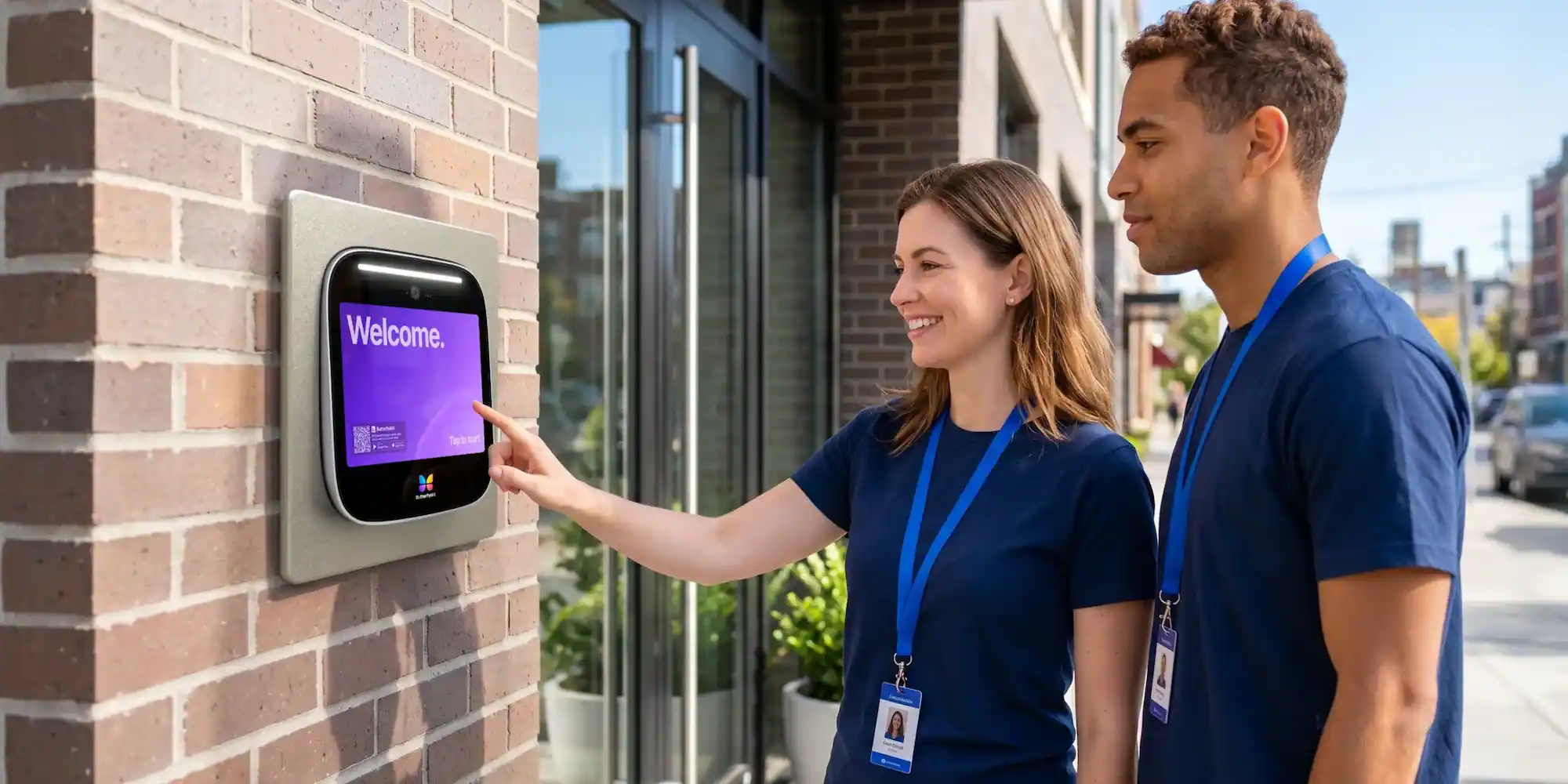
For visitor-heavy properties, ButterflyMX video intercoms can route visitor calls to residents through their smartphones, while property teams can remotely manage residents, visitors, credentials, and access. That model is most relevant when the property needs both visitor admission and ongoing access administration. For a simpler employee-only office, another credential-focused system may be a reasonable fit.
Wired, IP-based, and cloud architectures
After choosing the way people will request entry, consider how the system will connect and be managed. Traditional wired, IP-based, and cloud-based systems are useful categories, but they are not hard borders. Many real installations combine local wiring, networked components, and cloud-hosted software.
Traditional wired and on-premise systems
Traditional wired systems rely on local cabling between door components and control equipment. Existing wiring, door condition, power availability, controller location, and construction constraints can all shape installation scope. On-premise management may appeal to organizations that want software and control equipment maintained locally, but it also means the organization needs a plan for administration, updates, support, and continuity.
IP-based systems
IP-based systems use network connectivity to communicate between system components or management tools. That makes the network part of the access project, not an afterthought. Before installation, teams should identify connectivity at each entrance, who owns the network, whether segmentation is needed, who handles cybersecurity responsibilities, and where support boundaries begin and end. For a related explanation of network-connected entry technology, see IP door entry systems.
Cloud-based access control
Cloud-based access control, often called Access Control as a Service or ACaaS, uses remotely hosted software for administration. It can support remote management and multi-site access administration, which may matter for property teams that manage more than one entrance, building, or site.
Cloud management does not make the rest of the project disappear. The doors still need compatible hardware. The property still needs suitable connectivity. Subscriptions, user permissions, outage procedures, data responsibilities, and vendor support still need to be evaluated. A cloud-hosted system is not automatically cheaper, simpler, or more secure than an on-premise one. The better question is which model fits your staffing, network, access policies, update process, and continuity plan.
Commercial door entry system costs
There is no single reliable per-door price for a commercial door entry system. Published estimates vary because each opening can have different door hardware, wiring, lock condition, credential needs, labor requirements, regional pricing, and software costs. Kisi has published a rough range of $500 to $1,500 per door when existing working locks can be reused. Ackerman Security has published a broader estimate of roughly $500 to $8,000 or more per door across varied project scopes. These are third-party ranges, not ButterflyMX prices, and they should be treated as planning context rather than a quote.
The gap between those ranges is the point. Door entry costs depend less on a generic category label and more on the work required at each opening. A door that can reuse working hardware is a very different project from one that needs new lock hardware, cabling, power, fire-alarm coordination, network work, and software setup.
Before asking vendors for pricing, prepare a door-by-door inventory that includes:
- Which entrances, suites, gates, or restricted areas need electronic entry.
- Whether each door and frame can accept compatible electronic locking hardware.
- Whether existing locks can be reused or must be replaced.
- Reader, intercom, controller, power, wiring, and network requirements.
- Labor for door preparation, cabling, commissioning, permits, and installation phasing.
- User count, credential type, visitor needs, integrations, and recurring software or connectivity fees.
Cost sources also change over time, and their assumptions may not match your market or building. Use published ranges to prepare better questions, then request a site-specific scope that separates equipment, installation labor, ongoing services, and excluded door work. A clean quote should make clear what is being secured, what hardware is being reused, what recurring fees apply, and what conditions could change the final cost.
Installation, egress, and safety requirements
Installation starts with the door, not the device catalog. Before selecting equipment, confirm the condition of the door and frame, the current lock hardware, the door’s use, nearby power, wiring paths, network access, fire-alarm interface, accessibility considerations, and whether the opening is part of a means of egress. For an overview of lock hardware categories, see this guide to commercial door locks.
A means of egress is the path people use to leave a building, especially in an emergency. Any system installed on an egress door must preserve safe exit. That does not mean electronic access is never allowed on an egress door. It means the complete design has to meet applicable product listings, adopted codes, local amendments, fire-alarm requirements, accessibility needs, and approval by the Authority Having Jurisdiction, or AHJ.
Several references matter here, and each should be treated carefully. NFPA guidance on swinging egress doors explains the general principle that egress-side operation must be readily openable without a key, tool, or special knowledge, subject to defined arrangements and exceptions. UL guidance on controlled and delayed egress devices identifies UL 294 as the principal listing standard for access control system units used in controlled or delayed egress applications. The cited IBC access-controlled egress provision describes conditions that can include specified release hardware or sensing, a nearby manual unlocking device, and fire-alarm-triggered unlocking.
Those references are not a design recipe. A listed product does not make a doorway compliant by itself. The final answer depends on the adopted code edition, door configuration, lock behavior, backup power, fire-alarm interface, permits, accessibility, emergency procedures, and the local AHJ’s interpretation. Have qualified security, electrical, fire-protection, and code professionals confirm the design before securing an egress door.
Installation checklist
- Inventory every opening, including frame condition, handing, door material, current lock hardware, traffic level, and intended users.
- Confirm whether the opening needs an electric strike, magnetic lock, another compatible locking arrangement, or no lock change.
- Map power, wiring paths, network coverage, controller locations, and construction constraints.
- Identify fire-alarm interfaces, emergency release requirements, accessibility issues, and doors that serve as egress routes.
- Plan installation phasing so the property stays secure and usable during the work.
- Document power-loss behavior, backup-power assumptions, network dependencies, and manual operating procedures.
Fail-safe and fail-secure describe how a particular locking arrangement behaves when power is lost. They are not shorthand for whether a whole doorway is safe or code compliant. Confirm the required behavior for each opening as part of the complete life-safety design.
How to choose a system by property type
The best starting point is not the brand, credential, or reader. It is the movement of people through the property. Once you know who arrives, why they arrive, and who is allowed to admit them, the technology choices become much easier to compare.
- List everyone who needs entry, including employees, tenants, residents where relevant, visitors, couriers, contractors, vendors, front-desk staff, and vehicles.
- Separate known-user access from visitor admission. Decide who can issue credentials, who receives visitor calls, and what happens when no one is on site.
- Inventory each door, gate, suite entrance, and restricted area by condition, location, traffic level, egress role, and hardware needs.
- Define the required level of control, including schedules, credential revocation, event records, and any areas with higher access restrictions.
- Choose credential methods based on the user population, administration needs, privacy considerations, and risks of sharing, loss, or device dependence.
- Evaluate architecture, including wiring, network readiness, cloud administration, cybersecurity responsibilities, and outage procedures.
- Map integrations that matter, such as elevators, gates, cameras, visitor management, package rooms, smart locks, front desks, or guardhouses.
- Compare total project cost, recurring fees, vendor support, installation scope, scalability, and the compliance review required for each door.
Small single-tenant offices
A small office usually has a defined group of employees and a manageable number of doors. Card, fob, PIN, or mobile credentials may be enough if visitors are handled by reception or arrive infrequently. The main questions are who administers access, how quickly credentials can be revoked, whether any areas need tighter control, and whether visitor communication is actually needed.
Multi-tenant and mixed-use properties
Multi-tenant and mixed-use buildings have more entry patterns. Tenants, employees, residents, retail visitors, delivery personnel, service providers, and building staff may use the same entrance for different reasons. A useful plan should address tenant administration, visitor routing, shared spaces, elevator access, deliveries, after-hours entry, and remote management together.
ButterflyMX is a natural consideration for properties that need video-verified visitor access, mobile credentials, and remote administration across more than the main entrance. The fit is strongest when visitor admission and ongoing access management are both important parts of daily operations.
Retail, gated, and storage settings
Retail, gated, and storage properties add site-specific questions. A retail site may separate customer-facing entrances from staff or stock areas. A gated property may need to think about vehicle access, delivery drivers, after-hours visitors, and guardhouse procedures. A storage or shared commercial site may need clear rules for tenants, vendors, and restricted areas.
Access equipment can manage entry to a gate, but it does not replace the mechanical gate operator. Elevator access works the same way: access technology can help manage authorized floor access, but it does not replace the elevator system. Keeping those category lines clear prevents the entry system from being asked to solve problems that belong to other building equipment.
After documenting these needs, explore a commercial access solution based on your entrances, users, and visitor paths. The useful comparison is not which system has the longest feature list. It is which system supports how people actually move through the property while remaining manageable for the team responsible for it.
Integrations and day-to-day management
A commercial door entry system becomes part of everyday property operations after installation. The entrance device matters, but so do the systems and people around it. Depending on the property, relevant connections may include security cameras, visitor-management tools, elevators, smart locks, package rooms, vehicle or gate access, and front-desk or guardhouse procedures.
Do not assume every product connects to every system on that list. During procurement, confirm which integrations are supported, who owns each connection, what data moves between systems, which vendor supports what, and what the network requires. These details affect both installation and long-term troubleshooting.
Daily administration deserves the same attention. Decide who can add and remove users, issue and revoke credentials, set schedules, respond to visitor requests, review door events, and manage multiple sites. Also document what happens during a power or internet interruption. The answer can vary with the lock type, backup power, local controller behavior, network dependency, and emergency design.
ButterflyMX video intercoms do not rely on traditional POTS telephone lines, which may be relevant for properties replacing legacy telephone-entry hardware. Property teams can manage access remotely, and ButterflyMX can support access needs beyond a property’s main entrance. Confirm the capabilities and configuration that apply to your specific property, including network requirements, compatible hardware, integrations, and ongoing administration.
Before making a final choice, discuss your doors, installation constraints, access goals, and visitor needs with a ButterflyMX specialist or another qualified provider. A clear site inventory and operating plan will lead to a better proposal than a generic per-door estimate.
Frequently asked questions
What is the difference between a commercial door entry system and access control?
A commercial door entry system is the broader category, while access control usually refers to credential-based entry for known users. Door entry can include visitor communication and admission, and one platform may support both visitor access and known-user access control.
Do commercial door entry systems work during a power or internet outage?
They may work differently during an outage depending on the lock type, backup power, local control, network dependency, and emergency design. Confirm the expected behavior for every door with the installer, including manual procedures and required emergency release functions.
Can an access control system be installed on a fire exit?
It may be possible only when the complete design preserves safe egress and satisfies applicable listings, adopted codes, fire-alarm interaction requirements, and local AHJ approval. A qualified professional should evaluate the specific door rather than treating any electronic lock or listed product as automatically compliant.
Can an existing commercial door be retrofitted with electronic entry?
Many existing doors can be considered for retrofit, but feasibility depends on the door and frame, current lock hardware, egress function, power, wiring, network access, fire-alarm interface, and local approval. A site assessment should determine the appropriate approach for each opening.
Choosing a commercial door entry system is really a door-by-door and user-by-user decision. Start with who needs entry, separate visitors from known users, and then match the technology to the doors, credentials, integrations, budget, and egress requirements at the property.
If your property needs video visitor calls, mobile access, and remote management alongside a practical access plan, ButterflyMX can help you evaluate the setup that fits your entrances and users. See how ButterflyMX can support visitor, mobile, and remotely managed access at your property.

Get your free quote!
Fill in the form below, and we'll email you right back.
Want a free quote?
Fill in the form below, and we'll email you right back.
You’ll be redirected shortly...