





Key takeaways:
- A low-cost warehouse intercom is not one product category. It may mean paging, staff communication, an audio door phone, video entry, or access control.
- The lowest hardware price is not the full cost. Locks, relays, power, wiring, networking, labor, service fees, and future changes can shift the budget.
- Choose by the entry point and traffic pattern. A staffed office door, noisy loading dock, and remote yard gate can each need a different setup.
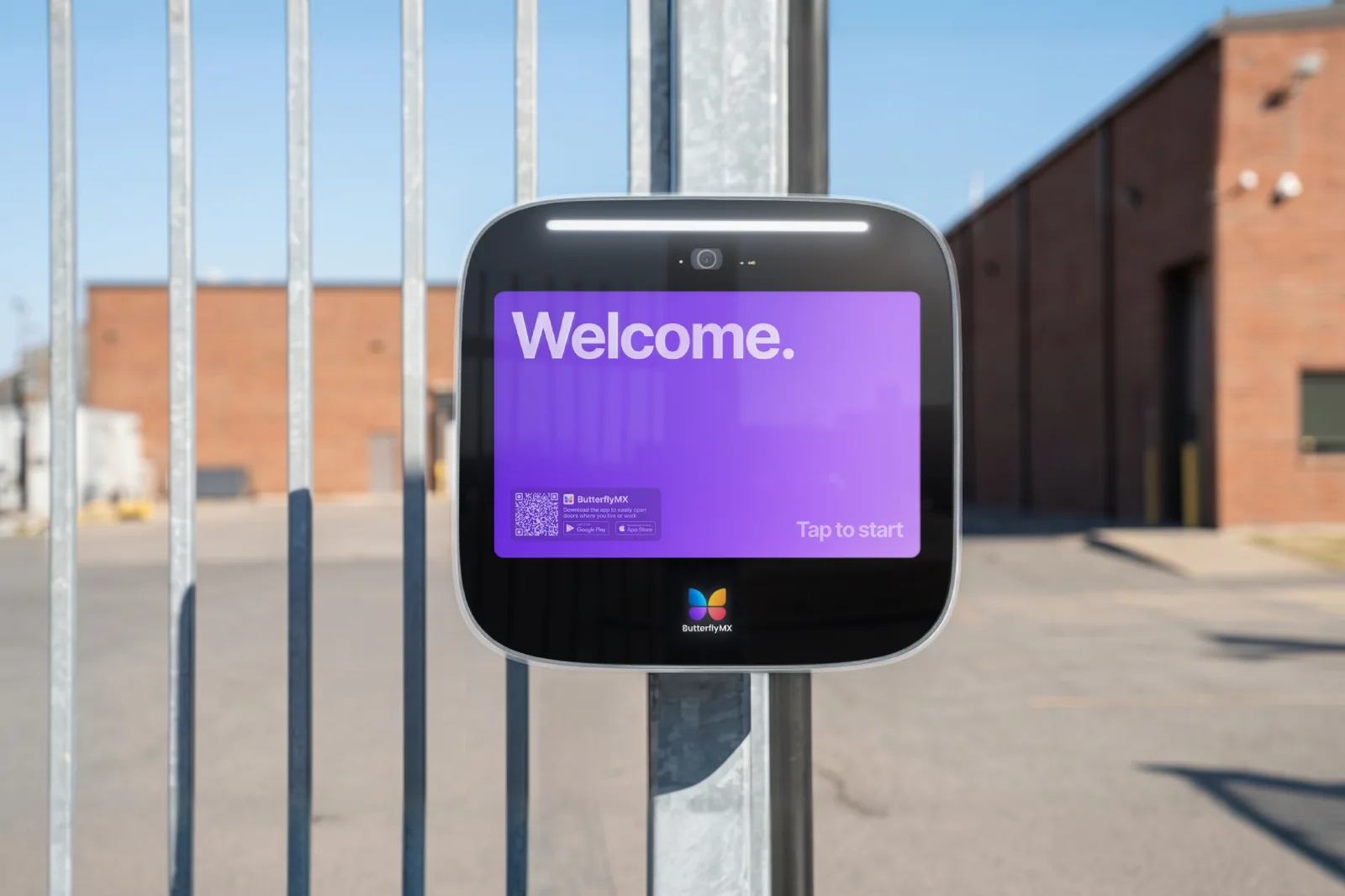
A low-cost intercom system for a small warehouse can mean several very different things. One owner may need speakers for warehouse-wide announcements. Another may need radios for staff communication. A third may need a door phone, video intercom fit for industrial properties, or access-control system for an office door, loading dock, or yard gate.
So the cheapest useful option is not always the lowest-priced device. The right starting point is the job the system must do. If you need internal communication, look at paging or staff-radio systems. If you need controlled entry, choose the simplest system that still supports the site’s requirements for door release, visitor verification, credentials, access records, and remote operation.
This guide separates those categories, explains the real cost drivers, and gives you a warehouse-specific way to compare options without buying a system that is inexpensive on paper but wrong for the building.
This guide will answer:
- What a warehouse intercom can mean
- Compare the main warehouse intercom categories
- How to calculate the real warehouse intercom cost
- How to choose wired, wireless, PoE, or cellular connectivity
- Match the system to each warehouse entry point
- Manage vendor, driver, and delivery access
- When a basic buzzer is enough
- Installation, safety, and accessibility checks
- Where ButterflyMX may fit a warehouse entry plan
- FAQs
Watch how ButterflyMX works:
What a warehouse intercom can mean
The phrase warehouse intercom is easy to misunderstand because it covers systems with different jobs. Before comparing prices, decide whether you’re trying to communicate inside the warehouse, speak with someone at an entrance, or manage who can enter.
- A PA or paging system broadcasts one-way announcements over speakers. It is used for messages across warehouse areas, not for screening visitors at a door.
- A two-way staff communication system lets employees talk with one another through radios or fixed stations. It may help an office coordinate with the warehouse floor, but it does not automatically control a door or gate.
- An audio door phone lets a visitor and employee speak at an entrance. It can work for a simple, staffed doorway where voice verification is enough.
- A video door-entry intercom adds a camera so staff can see a visitor before deciding whether to allow entry.
- Access control manages who may enter through credentials, permissions, and, depending on the system, activity records. Door release is narrower: it is the action of opening a compatible door or gate after a call, credential, or command.
Here is the practical difference in plain terms:
Commercial offerings reflect this split. Warehouse intercom product catalogs include two-way communication options, while warehouse sound-system offerings focus on coverage, amplification, and speakers.
If your main need is floor-wide announcements or employee communication, begin with paging, PA, or staff-radio options. The rest of this article focuses on visitor and vehicle entry at office doors, loading docks, and gates. A door-entry system should not be treated as a replacement for a warehouse PA system, staff-radio system, or employee alarm system.
Compare the main warehouse intercom categories
The table below is a September 23, 2026 snapshot of observed commercial listings across different categories. It is not a ranking, and it is not a complete installed-price guide. Some listings describe one device or SKU, while others describe a kit or broader commercial deployment. Recheck current prices before publication or purchase.
The price context above comes from commercial listings for warehouse paging systems, door-phone products, standalone video intercom examples, and a commercial intercom kit with door release. A listed price alone does not show equal functionality, reliability, installation scope, or lifecycle value.
Don’t choose the lowest row just because it looks affordable. First decide whether the site needs paging, staff communication, door entry, video verification, or credentialed access control. Then compare the entry point, traffic level, infrastructure, environmental exposure, security controls, and full installed and operating cost. Products from brands such as Aiphone, Hikvision, Ubiquiti or UniFi, ButterflyMX, and other providers should be compared within the right category instead of treated as interchangeable intercoms.
How to calculate the real warehouse intercom cost
There is no single low-cost figure for a small warehouse because an individual door station, a paging kit, a door-release system, and a managed access platform solve different problems. A per-device listing also is not the cost of a complete system serving every required door, dock, or gate.
Build a site-specific budget around the full installed and operating cost, including:
- Intercom, paging, or access-control hardware
- Electric locks, relays, credentials, or gate-operator interfaces where needed
- Power, Ethernet, network equipment, or cellular service
- Wire runs, conduit, mounting, and weather protection
- Installation labor, configuration, testing, and training
- Maintenance, replacement parts, service subscriptions, and recurring connectivity fees
- Future expansion, relocation, and credential administration
This is where a low sticker price can become misleading. A basic audio device may be economical at one staffed doorway, but it can create extra work if staff must manually coordinate every vendor or share codes that are hard to retire. A managed access system may cost more to install or operate, but it may be easier to administer when the warehouse has several entry points, frequent visitors, or after-hours arrivals.
Neither approach is automatically better. Define the entry points, traffic patterns, and available infrastructure before requesting a current, site-specific quote. For more context on basic entry hardware and broader visitor-entry options, see this ButterflyMX guide to commercial door buzzer system costs and options.
How to choose wired, wireless, PoE, or cellular connectivity
Connectivity is an installation decision, not a universal winner. Wired, wireless, PoE, and cellular options each depend on what is already at the door, dock, or gate: power, cable routes, network reach, construction constraints, and the need for reliable operation at that exact location.
Wired and PoE options
Wired connectivity may suit a warehouse that already has usable cabling and stable network infrastructure near the entrance. It can also become more expensive if the project requires new cable runs through difficult routes or later changes when the business expands or relocates an entry point.
Power over Ethernet, or PoE, carries network data and power over compatible Ethernet infrastructure. A PoE intercom can simplify some installations, but only when the device, switch, cable, run length, power budget, and local installation requirements all fit the site.
Wireless and cellular options
Wireless connectivity can reduce some data-cabling work, but it still needs dependable power, adequate network coverage, secure configuration, and testing at the actual mounting point. Wireless does not mean the installation is infrastructure-free.
Cellular or LTE access can be an option for a remote warehouse gate without wired internet if there is usable signal at the gate, adequate power, and compatibility with the existing gate operator. Those checks matter because access equipment sends a release signal through a suitable interface; it does not replace the mechanical gate operator. For a deeper look at that use case, read ButterflyMX guidance on cellular gate access for a remote warehouse gate.
Before choosing a connection type, document cable paths, network coverage, cellular signal at the exact mounting location, power availability, environmental exposure, lock or gate-operator compatibility, and the plan for a connectivity outage. That site assessment is usually more useful than asking whether wired or wireless is cheaper in the abstract.
Match the system to each warehouse entry point
Warehouse size matters less than the entry points people actually use. A small building can still have a busy dock, a front office door that is sometimes unattended, and a yard gate far from the office. Each location deserves its own review.
Office door
At an office door, start with staffing and call volume. If employees are always present and visitors are predictable, a voice-only door phone may be enough. If unfamiliar visitors arrive, visual verification may be worth evaluating so staff can see who is outside before releasing a compatible door.
Also check whether the existing lock can work with the selected release method and whether people arrive after normal hours. Readers comparing office-style entry systems can review ButterflyMX guidance on choosing a commercial office intercom system.
Loading dock
Loading docks create a different set of questions. Driver arrivals may be irregular, machinery can make conversation harder, and dust, weather, lighting, and camera sightlines can affect how well an entry system works. A device that seems adequate at a quiet office door may be a poor fit at a noisy dock.
Assess whether the person at the station can be heard, whether a camera can show the relevant approach area, how the hardware will be protected, and how door release fits the site’s receiving process. Verify hardware ratings and installation details for the actual dock instead of assuming all commercial equipment is suitable.
Yard or vehicle gate
A yard or vehicle gate needs a separate review of distance, power, network or cellular availability, weather exposure, and gate operator compatibility. A gate is often farther from the office than a building entrance, which changes both the cost of wiring and the way staff approve entry.
Remote release may be useful when the gate is not staffed, but it only works well if the connection is dependable and the authorization process matches daily traffic. Confirm the equipment interface with the gate operator before planning around remote access.
Manage vendor, driver, and delivery access
Vendors and drivers often change more often than employees. That makes permanent shared codes hard to control, especially when arrivals are irregular or the office is not always staffed. Treat visitor communication, delivery access, and employee access as separate policies.
Consider this hypothetical loading-dock scenario: a driver arrives and requests entry through the designated system. An authorized employee verifies the visit and, if the selected system supports it, approves entry remotely or provides a limited access method. The warehouse can then decide whether it needs a record of that event, a scheduled permission, or a revocable temporary credential.
The important phrase is if the selected system supports it. Temporary credentials, scheduled permissions, revocation, remote approval, and access records are capabilities to evaluate, not features to assume. Ask each vendor to confirm what is currently supported for your door, dock, or gate. Temporary access can improve administration, but it does not by itself eliminate tailgating or other security risks.
When a basic buzzer is enough
A basic buzzer or audio door phone may be sufficient for one predictable, low-volume, staffed entrance. In that situation, an authorized person can speak with the visitor, release a compatible door when appropriate, and skip advanced credentials, access records, and remote administration.
Consider a more capable entry-management approach when one or more of these conditions applies:
- There are multiple doors, docks, or gates to manage.
- Visitors or drivers arrive when the office is unattended.
- Vendors change frequently and shared codes would be difficult to administer.
- Staff need visual verification before allowing access.
- The site needs temporary credentials, scheduled access, activity records, or remote administration.
- The installation must support different access policies for employees, visitors, and vehicle traffic.
These are decision factors, not a security guarantee or a rule that every small warehouse needs a managed platform. A very simple setup may be the practical choice for a staffed side door. A busier dock or remote gate may justify more control because the operational burden is different.
Before committing, have an installer or access-control professional validate the fit, especially where electric locks, gate operators, weather exposure, noise, and high-volume traffic are involved. Discuss your warehouse doors, docks, gates, and traffic with an access-control specialist before choosing a system category.
Installation, safety, and accessibility checks
Installation planning should start before the purchase order. Confirm power, cable paths, network or cellular signal, mounting location, lock or gate-operator interfaces, weather and dust exposure, noise conditions, and the site’s procedure for an emergency or connectivity problem.
A door-entry intercom is not automatically an employee-alarm system. OSHA states in 1910.165 on employee alarm systems that covered alarm systems must be perceptible above ambient noise or light levels and distinctive for their intended purpose. A door phone, video intercom, or gate station should not be used as a substitute for a properly designed employee alarm, PA, or warehouse paging solution.
Other installation and compliance questions need qualified review. NEC wiring requirements, OSHA noise-related requirements, ADA accessibility obligations, and local code applicability can vary by jurisdiction and system use. Review current primary standards and consult qualified local electrical, life-safety, accessibility, and installation professionals before relying on any detailed requirement for a specific site.
Where ButterflyMX may fit a warehouse entry plan
ButterflyMX becomes relevant when the warehouse need is managed entry rather than internal paging or staff radio. It may be an option to evaluate for video entry, mobile or remotely managed access, visitor workflows, and vehicle or gate access.
Those use cases can map to different parts of a small warehouse: an office entrance that needs visitor screening, a loading dock with irregular arrivals, or a yard gate that needs a remote-access process. The fit still depends on the site. Confirm current capabilities, hardware compatibility, connectivity, installation scope, recurring costs, and entry-specific requirements through a site assessment and quote.
ButterflyMX should not be positioned as a warehouse PA, employee-alarm, or internal staff-radio provider. If your warehouse needs managed entry rather than internal communication, request a quote for a warehouse entry solution after documenting the doors, docks, gates, traffic patterns, and available infrastructure.
Frequently asked questions
How much does a low-cost warehouse intercom cost?
There is no single price because warehouse intercom can mean paging, staff communication, an audio door phone, video entry, or access control. Compare the hardware price with locks, relays, wiring, networking, labor, configuration, service fees, and future expansion before deciding which option is truly low cost.
Can a low-cost intercom release an existing warehouse door or gate?
It may be possible if the intercom or controller, lock or gate operator, relay interface, power source, and required safety controls are compatible. Confirm compatibility for the specific entry point instead of assuming a universal connection.
Can cellular gate access work without wired internet?
Cellular or LTE access can work at a remote gate without wired internet when signal at the exact location, adequate power, and gate-operator compatibility are confirmed. Cellular service does not remove the need for power or compatible equipment.
Does a door-entry intercom satisfy warehouse employee-alarm requirements?
No. A door-entry intercom is not automatically an employee-alarm system and should not replace a properly designed alarm, PA, or paging solution. Covered employee alarms must meet applicable perceptibility and distinctiveness requirements.
The best low-cost warehouse intercom starts with the job, not the product price. Use paging or staff communication for internal operations. Evaluate door-entry or access-control options when the warehouse needs to manage visitors, drivers, doors, docks, or gates.
For controlled entry, assess each location, calculate the complete installed and ongoing cost, and choose only the capabilities your traffic and operating process require. If video entry, mobile access, visitor workflows, or remotely managed gate access are relevant, ButterflyMX is one option to evaluate through a site-specific assessment. Request a quote for a warehouse entry solution.

Get your free quote!
Fill in the form below, and we'll email you right back.
Want a free quote?
Fill in the form below, and we'll email you right back.
You’ll be redirected shortly...