





Key takeaways:
- The security of a card, fob, or mobile credential depends on the technology it uses and how your team manages access.
- Choose a primary entry method and a reliable backup, then plan separately for visitors, deliveries, and vehicles.
- Confirm equipment compatibility before upgrading, and plan how you’ll issue new credentials, train users, and retire old credentials.
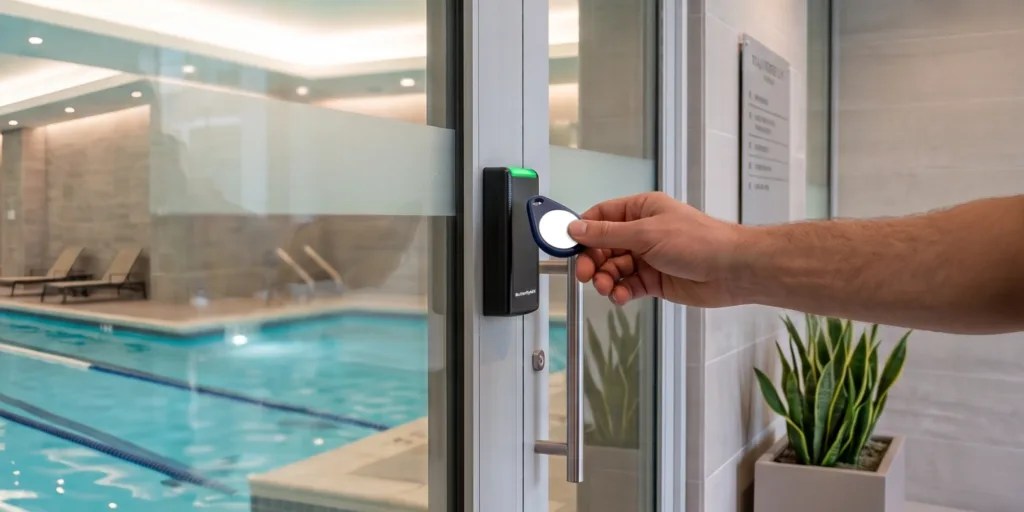
Access control credentials are the cards, fobs, codes, mobile credentials, and biometric identifiers people use to request entry to a building or restricted area. The right mix lets residents and staff reach the doors they’re authorized to use and gives your team a practical way to manage that access.
What happens when a resident loses a fob, replaces a phone, or moves out? How you handle those situations matters as much as how people get in each day. This guide compares access control system credential types, explains what equipment they need, and walks through choosing and upgrading credentials for your property.
In this guide:
- What are access control credentials?
- Types of access control credentials compared
- How mobile credentials for access control work
- Credentials for visitors, deliveries, and vehicles
- What makes an access control credential secure?
- How to choose and upgrade credentials for your property
- What affects access control credential costs?
Watch how ButterflyMX works:
What are access control credentials?
An access control credential gives the system information to check when someone requests entry. The system matches the credential to an access record and checks the permissions on that record. Those permissions determine which doors the credential can open and when. For example, a resident’s fob might open the lobby and package room, while the maintenance room is reserved for staff.
A system may accept a valid credential even when someone else is using it, such as a person who borrowed a fob or learned another person’s PIN. Credential technology and day-to-day access management both affect how well your system protects the property.
How the system decides whether to grant entry
A typical entry attempt follows four steps.
- Present the credential. The user holds a card near a reader, enters a PIN, presents a phone, or uses another supported method.
- Check the credential. The system reads its identifier or verifies it using the supported authentication technology.
- Check permissions. The system looks up whether the associated access record allows entry at that door or gate at that time.
- Act and record. If the system grants entry, the lock releases. The system records whether it granted or denied access.
Authentication checks the credential. Authorization determines what that credential can open. An older credential may provide only a readable identifier, while an encrypted credential can support stronger checks. Depending on the system, the reader, controller, or another component may perform those checks.
Credentials, permissions, and system architecture
The credential is what someone presents, and permissions define where and when it works. Readers, controllers, software, and locks work together to carry out the access decision. Understanding how an access control system works helps you determine whether an upgrade requires new credentials, new equipment, or both.
Check how the system is managed and how readers communicate with controllers as you evaluate credential compatibility. For example, a cloud-managed system can support fobs, and whether a mobile credential uses cloud management depends on the platform. Reader-to-controller communication has its own compatibility requirements.
Types of access control credentials compared
Cards, fobs, PINs, biometrics, and mobile credentials fall into three authentication factors. A card, fob, or phone is something you have. A PIN is something you know. A fingerprint is an example of something you are. Within each category, the strength of the check depends on how the system verifies what the user presents.
Compare what people do at the door with what staff need to do to manage each option.
Swipe to compare →
Encrypted smart cards and fobs can improve on the security of common legacy proximity credentials while giving residents a physical way to enter. Mobile credentials can simplify issuance when the platform supports it. PINs let users enter from memory, while biometrics use a characteristic that is harder to share and require enrollment and privacy procedures.
Check what the management platform lets staff do with each credential. For example, whether staff can deactivate a lost phone credential or fob remotely depends on the platform.
Proximity cards versus encrypted smart credentials
Radio-frequency identification, or RFID, lets a reader communicate wirelessly with a credential. Common legacy proximity cards and fobs operate at 125 kHz and transmit unencrypted identifiers. Because those identifiers can be read and copied, consider stronger authentication when upgrading older credentials.
The table compares common legacy proximity credentials with encrypted 13.56 MHz smart credentials.
The type of authentication determines the security benefit. Credentials that operate at 13.56 MHz may use different security features, and MIFARE refers to a family of technologies. DESFire is one example that supports encryption. The reader and its configuration must also support the intended setup.
Some smart credentials can serve more than one purpose, such as building entry and cashless vending. Confirm that the credential, readers, and each service support the same implementation.
People can lose, steal, or lend either type of physical credential, so keep a process for reporting and deactivating missing cards and fobs. Our guide to RFID access control technologies explains the frequencies and hardware behind these entry methods.
Cards, fobs, wristbands, and transmitters
Choose a form that suits how people will use the credential. A card can sit alongside an ID, a fob can stay on a key ring, a wristband may suit an amenity area, and a transmitter can serve a gate entrance.
Check the specific model for encryption, reader compatibility, and operating conditions. For example, verify that a wristband is suitable for the pool environment or that a transmitter works with your gate system.
PIN codes and biometric credentials
A personal identification number, or PIN, lets someone enter using a memorized code. People can share, observe, or forget codes. Assigning individual PINs gives staff clearer access records than using one shared code, and staff still need a process for resetting codes and removing access.
Biometric methods use characteristics such as fingerprints, faces, palms, or irises. These are harder to share than a code or card. Plan how you’ll enroll users and provide another way in for people the system can’t recognize reliably.
Before choosing biometric access control systems, assess the installation, operating conditions, and privacy obligations in your jurisdiction. Those requirements may make biometrics more practical for selected areas than for every apartment entrance.
How mobile credentials for access control work
A mobile credential is a digital credential that someone uses on a supported phone with a compatible access system. Depending on the setup, residents may tap their phones at a reader or use an app to request entry. The system checks their permissions before granting access.
With remote issuance and revocation, staff can grant or remove access without handing out or collecting a physical item. That can simplify move-ins and permission changes. Check which management features the platform supports, since systems that use physical credentials can also support remote administration.
NFC, Bluetooth, and wallet credentials
Mobile entry at a reader commonly uses one of two communication methods.
- Near-field communication, or NFC, supports a close-range tap. Depending on the system, users may be able to store the credential in Apple Wallet or Google Wallet.
- Bluetooth Low Energy, or BLE, commonly works through an app. The user may tap or make a gesture to indicate that they want to enter.
The app or wallet is how the user interacts with the credential. NFC or BLE is how the phone communicates with the reader. Verify wallet support and compatibility with the phones and readers your property will use.
Remote push-to-open sends an opening command from an authorized user. Equipment and connectivity requirements vary by platform. If you also need users to present a phone credential at the reader, ask the provider to demonstrate that separately.
Reader compatibility and phone requirements
A reader that accepts your existing fobs may lack the technology for mobile entry. Ask the provider to confirm what the proposed setup requires.
- Supported reader models and credential technology.
- Compatible phones and operating systems.
- Enrollment through an app, wallet, or another supported process.
- Account setup and steps for switching devices.
- Software licenses and credential charges.
These details tell you which residents can use mobile entry and how much help they may need. Before making phones the primary entry method, establish who can enroll users and change permissions, and find out how the system ties credentials to accounts or devices.
Backup access for dead, lost, or incompatible phones
If mobile entry is your primary method, offer a supported card, fob, individual PIN, or staff assistance process that works when residents need it, including after the management office closes. Give residents without compatible or usable smartphones a dependable way to enter every day.
Verify how the proposed system behaves when a phone battery dies or the network is unavailable. Support for those situations depends on the setup, including how it uses NFC or BLE. If a phone is lost, staff should verify the resident’s identity and suspend the missing device’s credential before issuing replacement access.
Test the backup process as part of your rollout. Our guide to phone-based access control for apartment communities can help you plan enrollment and resident support.
Credentials for visitors, deliveries, and vehicles
Plan how guests, couriers, contractors, and drivers will enter. Temporary visitors need permissions that fit their visit, and people arriving on foot need a way in even if the property has dedicated vehicle access.
Temporary passes, QR codes, and intercom entry
A visitor can present a temporary pass or QR credential at an entrance. With intercom entry, the visitor requests access and an authorized person reviews and approves the request.
For example, if a contractor needs to reach a service room, a designated staff member can issue a pass for that door and visit window if the system supports those limits. This gives the contractor access for the job and makes clear who is responsible for issuing the pass.
QR credentials can be static or dynamic, and the entry process varies by system. Confirm whether visitors need an app, when their access expires, and which doors they can open. Plan separately for couriers who may arrive without a scheduled recipient.
License plates and vehicle tags
License plate recognition, or LPR, can match a registered plate to parking permissions. Ultra-high-frequency RFID vehicle tags are another option for garages and gated entrances. How either method works depends on equipment compatibility and site conditions.
Plate and tag systems recognize the vehicle. If you need to verify the driver’s identity, account for that separately. The access equipment authorizes entry, and the mechanical gate operator moves the gate. Your property also needs pedestrian access and a way to admit authorized visitors whose vehicles are unregistered.
What makes an access control credential secure?
The right level of security depends on the doors you’re protecting and how people use them. Encryption can reduce the risk of copying, while good enrollment and revocation procedures help staff keep access current. Even a well-protected credential can create a security problem if it goes to the wrong person or stays active after move-out.
When multiple authentication factors improve security
Requiring a card plus a PIN at a restricted door combines something the user has with something they know. A card and a fob both count as the same factor because the user possesses both.
A phone PIN or biometric can strengthen authentication when the door-entry process requires it. If a phone supports facial recognition, check whether the access system requires that check during entry. Consider the added step where the stronger check justifies slower entry, such as at a sensitive area.
Issue, revoke, replace, and audit credentials
Give staff a consistent process for issuing credentials, replacing lost ones, and removing access.
- Verify the user’s identity and authorization to access the property.
- Enroll the credential under the correct access record.
- Assign the doors, gates, and schedules the user needs.
- Issue the credential and explain how to use it and report a loss.
- Review recorded activity and keep credential assignments up to date.
- Deactivate lost credentials and replace them when the user still needs access. Remove access when authorization ends.
At move-out, deactivate the departing resident’s access even if they return their fobs. For a lost fob, verify the report, deactivate the missing credential, and issue a replacement with the appropriate permissions.
Find out how quickly access changes reach each door or gate, including during a connection outage. When reviewing logs, use them to identify the credential and time of entry. Confirm the person’s identity separately if you need to establish who entered.
How to choose and upgrade credentials for your property
List the doors and gates you control and who uses each one. Choose a primary entry method and a backup for each user group. Then confirm equipment compatibility and compare the staff workload and costs for each option.
A 2022 Security Management article published by ASIS International and written by an Allegion product manager identifies four credential-selection considerations. They are user experience, credential technology, intended uses, and investment.
Match credentials to the people and entrances they serve
Use your residents’ needs and abilities, along with the way staff manage each entrance, to choose a mix of credentials. The examples below show how that mix can vary by property.
Swipe to compare →
Properties with frequent turnover may prioritize remote administration so staff can update access quickly. At a mixed-use building, the priority may be assigning different permissions to residents and staff. Comparing mobile access control versus key fobs can help you weigh the work involved in managing access alongside how people enter each day.
A smaller business may issue fewer credentials and still need strong authentication at certain doors. Base the choice on who uses each entrance, the permissions they need, the equipment you have, and the work staff can support.
For each door or gate, document who uses it, the primary and backup methods, the access schedule, how visitors get in, and who manages permissions. Check whether purchasing or managing credentials commits you to one provider, since that can affect future upgrades.
Depending on the configuration, ButterflyMX offers mobile credentials, key fobs, and PINs alongside cloud-based management, visitor access, and video intercom entry. Evaluate which methods residents will use every day and how they’ll approve guests.
Plan a phased transition from legacy credentials
If the proposed system supports both your existing fobs and a new credential, you can run them side by side during the transition. Test the new method before rolling it out to everyone.
- Inventory credential formats, readers, controllers, and controlled doors and gates.
- Ask the installer which equipment can stay and which components limit the upgrade.
- Choose the new credential technology, how staff will manage it, and the backup entry method.
- Pilot the new method at a representative entrance with a group of users. Test enrollment, daily entry, and credential suspension.
- Set a transition period and document who will use the old and new credentials.
- Train residents and staff on entry, replacements, visitor access, and how to get help.
- Deactivate obsolete credentials and remove outdated permissions once the transition is complete.
Compatible multi-technology cards can work with older and newer readers. Systems that accept multiple credential types may also let you use physical and mobile credentials together. Any older credential you keep active carries its existing security limitations through the transition.
Your risks and operating needs will help determine whether to prioritize perimeter entrances or sensitive areas. If users wait too long for access to be revoked or staff have limited access logs, replacing an outdated apartment fob system may also require an upgrade to the management platform.
What affects access control credential costs?
The installed cost depends on what you can reuse and what you need to replace. A project that keeps compatible readers has a different scope from one that requires new controllers, wiring, and locks. Budget for the equipment, installation, and staff time needed to support the entry methods you choose.
- Credential issuance and replacement. Include cards or fobs, any mobile enrollment charges, and replacements.
- Readers and controllers. Budget for equipment that supports the chosen technology at each door or gate.
- Supporting infrastructure. Account for locks, wiring, power, and network work.
- Installation and configuration. Include labor, permission setup, testing, and transition work.
- Software and subscriptions. Check management software costs, licenses, and recurring service charges.
- Ongoing administration. Budget staff time for enrollment, training, replacements, and access reviews.
Ask providers to distinguish one-time costs from recurring charges and identify which fees apply per user or per entrance. That shows how the budget changes as you add residents or controlled doors.
Compare quotes with the same scope
Give each provider the same list of doors and gates, user counts, equipment you plan to keep, installation requirements, software term, visitor needs, and backup entry methods. Ask each provider to list exclusions and recurring fees for issuing or replacing mobile credentials. Check those details before comparing totals.
Inexpensive credentials can still require substantial equipment work. Reusing compatible hardware can lower replacement costs, and mobile credentials still need supported equipment and staff administration. Compare both the installed cost and the ongoing cost of each proposal.
Choose access control credentials that your residents and staff can use reliably and your team can issue and revoke promptly. Plan a primary entry method and a backup for each user group, then work through visitor and vehicle access separately.
Use your door and gate inventory, user groups, reader details, and visitor requirements to compare proposals and plan a phased rollout. If you’re considering ButterflyMX, ask which credential options and visitor entry features the proposed configuration supports at your property.

Get your free quote!
Fill in the form below, and we'll email you right back.
Want a free quote?
Fill in the form below, and we'll email you right back.
Redirecting you in 5 seconds.