





Key takeaways:
- Gated community access control decides who may enter; the gate operator moves the gate, and the physical gate has separate safety and construction requirements.
- The best system depends on the property’s residents, visitors, vendors, vehicles, staffing model, entrance count, connectivity, and budget.
- Before choosing hardware, document access workflows, outage behavior, emergency access, existing-equipment compatibility, and total implementation cost.
A gated entrance is only useful if the community can manage who gets through it. Residents need reliable access. Visitors, vendors, deliveries, staff, and emergency responders need clear rules. Vehicles may need a different process than pedestrians. Gated community access control is the layer that handles those decisions.
More specifically, gated community access control authorizes resident, visitor, vendor, and vehicle entry through credentials, readers, intercoms, vehicle identification, and administration tools. A separate gate operator physically opens and closes the gate, and the gate itself has separate construction and safety requirements. Keeping those roles separate helps buyers compare gate access control systems without assuming that one access product solves every gate, safety, or code question.
The strongest plan starts with the property’s daily traffic and staffing model, then tests each access option against visitor handling, vehicle entry, outages, existing equipment, emergency access, and cost. That approach is especially important for HOAs, gated apartment communities, and managed properties where one entrance decision can affect hundreds of daily trips.
This guide will answer:
- What is gated community access control?
- How gated community access control works
- Types of gated community access control systems
- Plan resident, visitor, vendor, and vehicle access
- Gate safety, construction, and emergency access
- Architecture, outages, and existing equipment
- Costs and total implementation factors
- Security benefits, privacy, and system limits
- How to choose the right system
- Where ButterflyMX may fit in the access plan
Watch how ButterflyMX works:
What is gated community access control?
Gated community access control is the system a property uses to authorize and manage entry at its gates. It can verify people with a PIN, fob, card, mobile credential, wallet credential, or intercom call. It can also identify vehicles with an RFID transponder or license plate recognition.
The access-control system does not move the gate by itself. It evaluates an entry request and, when the request is approved, sends an opening command to the gate operator. The gate operator moves the gate. The physical gate, sensors, and surrounding conditions must be evaluated separately for safe movement and construction requirements. For broader category context, see this complete guide to gate access control.
That distinction shapes the whole buying process. A one-entrance HOA with no guard may care most about resident credentials and visitor approval. A staffed, multi-entrance community may need guardhouse tools, vehicle rules, and after-hours exception handling. The right choice depends less on finding a universally best credential and more on matching the system to the property’s people, vehicles, staffing, connectivity, existing equipment, and budget.
How gated community access control works
Most gated access systems follow the same basic handoff, even though the hardware and software can vary by property:
- A person or vehicle presents a credential, places an intercom call, or triggers another entry request.
- A reader, controller, or management layer checks that request against the property’s permissions or visitor process.
- If the request is approved, the access-control system sends an opening command to the gate operator.
- The gate operator moves the gate, while safety devices and site conditions govern safe travel.
This sequence is simple, but the boundary matters. Credential approval should not be treated as permission to bypass entrapment protection, operator controls, emergency-opening requirements, or installer review. Access control answers, “Is this person or vehicle allowed to enter?” The gate operator and related safety equipment answer, “How does the gate move safely?”
Different users may enter through the same driveway but still need different rules. A resident may use an assigned mobile credential, fob, card, or vehicle credential. A visitor may need a resident-approved intercom call or a preauthorized pass. A recurring vendor may need time-limited permission. A delivery driver may need a different process from an enrolled resident vehicle. Defining those cases early prevents the system from being designed around only the easiest type of entry.
Types of gated community access control systems
Credential systems for people and identification systems for vehicles solve related but different problems. Use the table below as a shortlisting tool, not a ranking. Each option should be tested against the specific residents, visitors, staff, vendors, vehicles, and exception cases at the property.
A keypad can work well for a defined service group, but shared codes require cleanup when people move, employees change, or vendors no longer need access. Fobs and cards improve individual assignment, but they still need a process for replacements and deactivation. Mobile and wallet credentials change the credential model again, so the property should confirm supported devices, enrollment steps, and what happens when a user cannot use the credential.
Visitor entry often needs a different tool than resident entry. A callbox or video intercom lets an authorized person make a real-time decision for a guest, delivery, or contractor. That convenience depends on practical details: who appears in the directory, who can approve access, how after-hours calls are handled, and what the property does when no one responds.
Vehicle access deserves its own review. RFID windshield transponders are tied to enrolled vehicles, while license plate recognition, or LPR, uses a captured plate as the identifier. Both can support vehicle access control, but neither removes the need for enrollment rules, exception handling, privacy planning, and a fallback method when the system cannot approve a vehicle. Communities comparing code-based entry can also review gated community keypad entry systems in more detail.
Plan resident, visitor, vendor, and vehicle access
The cleanest access plans separate the daily entry cases before anyone chooses hardware. Start by listing who enters the community, why they enter, how often they enter, and who should control their permission. Resident access, temporary guest access, recurring vendor access, staff access, deliveries, pedestrians, and vehicles should each have their own rule set.
- Residents may need a durable credential and a simple way to approve their own visitors.
- Visitors may need a preauthorized pass, a video intercom call, or a guardhouse decision.
- Vendors and staff may need recurring or time-limited permission with a named administrator.
- Delivery access may need a separate process from resident or guest access.
- Vehicles may need RFID or LPR rules that are separate from a driver’s pedestrian credential.
- Guardhouse and unmanned entrances need different escalation paths for unknown visitors, lost credentials, and equipment failures.
This exercise often reveals requirements that a basic system list misses. A community may want mobile credentials for residents but still need a visitor process for caregivers and contractors. A staffed gate may rely on guard decisions during the day but need a different after-hours plan. A multi-entrance property may need consistent rules across gates while still accounting for different traffic patterns at each entrance.
Before selecting equipment, document the number of entrances, peak arrival periods, visitor volume, vehicle volume, expected credential turnover, and the process for revoking access. Those details make vendor conversations more useful because the property is no longer asking, “Which credential is best?” It is asking, “Which mix of tools can handle our actual entry cases?”
Gate safety, construction, and emergency access
Automated-gate safety and access authorization are connected, but they are not the same job. UL 325 gate-operator requirements address automated gate-operator safety. ASTM F2200-24 addresses automated vehicular gate construction and requires compliance with UL 325. Neither standard replaces the need to plan credentials, visitor access, vehicle access, or administration.
DASMA guidance on UL 325 explains that each entrapment zone or direction of gate travel requires at least two independent means of entrapment protection, and external entrapment-protection devices must be monitored. The same guidance describes four usage classes: Class I residential, Class II commercial or multi-family, Class III industrial or limited-access, and Class IV restricted-access or guard-supervised locations. Class I generally applies to one-to-four-family residential use, while Class II covers commercial or multi-family locations with five or more units.
Those labels matter because many gated communities are not simply single-family residential installations from an operator-safety standpoint. A qualified professional should confirm the correct usage class, inspect the operator and safety devices, and evaluate the complete installation. An access-control vendor does not automatically certify the gate operator, physical gate, entrapment protection, or code compliance.
Ask the installer to identify the gate operator, safety devices, physical gate condition, access-control interfaces, and any required work before the access-control handoff goes live. Communities that need more physical-gate context can review types of security gates. The point is not to turn every HOA board or property manager into a gate engineer. It is to make sure the access-control decision does not hide a separate safety or construction question.
Emergency responder access should be planned with the applicable authority having jurisdiction and qualified gate professionals. The approved opening method depends on local requirements and the site. Do not assume a normal resident credential, visitor intercom call, or manual workaround satisfies emergency-access obligations.
Architecture, outages, and existing equipment
A proposed access system also has to fit the site’s infrastructure. Cloud-based access control generally centralizes administration through a remote service, while on-premises access control keeps more management functions at the property. The practical question is not simply which model sounds newer. It is who will administer access, what connectivity the site has, how local equipment behaves during disruption, and who owns recovery steps. For a deeper comparison, read about cloud versus on-premises access control for gated communities.
Outage planning should be specific. Ask vendors and installers to document what happens during internet loss, power loss, controller failure, and credential-reader failure. The answer should cover local operation where applicable, backup-power assumptions, manual procedures, credential handling, and restoration steps. Do not assume that every cloud, wireless, mobile, or vehicle-access system behaves the same way when something fails.
Existing equipment needs the same discipline. An existing gate operator may be retained during an access-control upgrade, but only after an installer reviews the proposed interface, equipment condition, usage class, safety devices, available power and network paths, and any required remediation. Keeping existing equipment is not automatically compatible, safe, or cheaper once the full scope is understood.
Costs and total implementation factors
Gated community access control cost varies by hardware, installation, region, entrance count, networking, power, existing gate conditions, and the property’s operating needs. Published vendor ranges of roughly $1,500 to $15,000 or more per gate can be useful for early planning, but they are directional estimates. They are not a ButterflyMX quote, a market average, or a guaranteed installed price. Vendor guides from Gate Sentry and Automatic Gate Masters show why scope can differ widely.
When comparing proposals, look beyond the headline total. Budget lines may include access hardware, installation, power and networking work, gate or operator remediation, credentials, software or administration, and ongoing support. The lowest number may omit work that another proposal includes.
Operational burden also has a cost. Shared keypad codes require updates. Fobs and cards require issuing, replacing, and deactivating. Visitor systems require administration rules. Multi-entrance properties add coordination. A useful access control budget should compare matched scopes, list exclusions clearly, and account for the work required to keep the system accurate after installation.
Security benefits, privacy, and system limits
Access control can enforce an entry policy and create accountability around assigned credentials. It does not guarantee that every unauthorized entry or security event will be prevented. A credential system alone, for example, does not stop tailgating. Site design, gate placement, operating procedures, staffing, and complementary controls still matter.
Crime-reduction claims deserve the same caution. A 2012 study of 2009 to 2010 survey data found that homes in non-gated communities were burglarized about 33% more often than homes in gated communities. That single, dated finding does not prove that gated communities produce a universal or current reduction in every crime type or every property.
Privacy planning belongs in the same conversation. Biometric or facial-recognition credentials can raise jurisdiction-dependent legal issues, so current legal review should come before collecting or using biometric identifiers. LPR also needs clear rules for enrollment, privacy, exception handling, and fallback access.
How to choose the right system
The right system is the one that matches documented property requirements without creating an operating process the community cannot maintain. Use the checklist below before comparing products:
- Property type and size, including HOA, apartment, staffed, and unmanned operating models
- Number of entrances and the resident, visitor, vendor, pedestrian, and vehicle traffic at each one
- Credential lifecycle, including enrollment, revocation, replacement, and exception ownership
- Visitor, delivery, recurring-vendor, and guardhouse entry processes
- Network and power conditions, plus documented outage and restoration behavior
- Existing gate-operator interfaces, condition, safety review, and construction needs
- Tailgating exposure, emergency-access coordination, privacy considerations, and budget
Different properties will weigh those factors differently. The table below shows how common site conditions can change the shortlisting conversation without declaring one access method best for every community.
HOA boards may also find this guide to HOA gate access control benefits and costs useful when comparing governance and operating responsibilities. Whatever the property type, compare each option against the same written requirements. Flag unresolved installer, authority, and legal questions before committing to a system.
If the review points toward modern visitor communication, mobile access, vehicle entry, or remote administration, explore ButterflyMX access solutions for gated communities.
Where ButterflyMX may fit in the access plan
ButterflyMX may be a fit for gated communities that need modern visitor communication, mobile and wallet-based credentials, vehicle access, guardhouse tools, and remote access management. Those capabilities are most useful after the property has already defined its entrances, users, visitor process, vehicle rules, staffing model, and outage expectations.
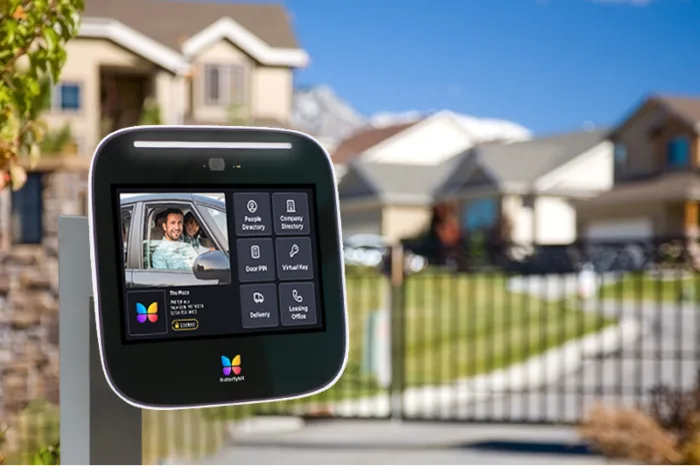
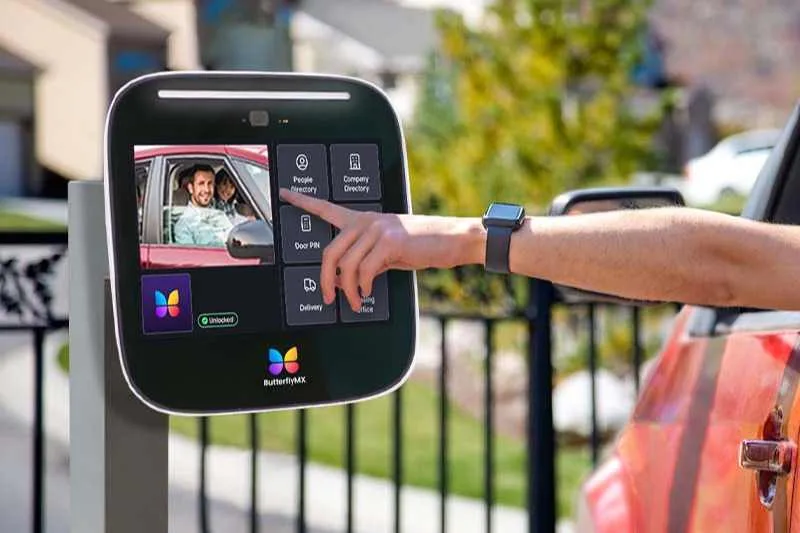
For example, video intercoms can support visitor calls and resident-granted access. Mobile and wallet-based credentials can support resident or staff entry where they fit the property’s requirements. Vehicle access and LPR may be relevant when the community needs a separate plan for enrolled vehicles. Remote access management can help property teams administer access without treating every gate decision as an on-site task.
Those are access and administration capabilities. They are not certification of the gate operator, physical gate, entrapment protection, emergency-opening method, or code compliance. Before selecting any system, confirm property fit, existing-equipment compatibility, connectivity, outage behavior, entrance workflows, and installer responsibilities. Learn more about ButterflyMX for gated communities and discuss your entrances, workflows, and access goals with ButterflyMX.
Frequently asked questions
Can an existing gate operator be retained during an access-control upgrade?
It may be possible, but an installer should first evaluate the operator, interfaces, usage class, safety devices, and proposed access-control handoff. Compatibility and cost savings should not be assumed before that site-specific review.
What happens during a power or internet outage?
The answer depends on the proposed configuration, so ask for documented behavior for internet loss, power loss, controller failure, and reader failure. The plan should cover local operation where applicable, backup power where applicable, credential handling, manual procedures, and restoration.
How should emergency responder access be planned?
Emergency responder access should be coordinated with the authority having jurisdiction and qualified gate professionals. The approved opening method depends on local requirements and the site, so normal resident-entry or visitor-entry processes should not be treated as a substitute.
Is LPR enough for every vehicle-access scenario?
No. LPR can be useful for vehicle access, but it should be evaluated alongside plate-reading conditions, enrollment rules, privacy needs, exceptions, and fallback access.
A good gated community access control plan makes entry easier to manage without blurring the line between authorization and gate safety. Define the resident, visitor, vendor, pedestrian, and vehicle entry cases first. Then confirm outage behavior, existing-equipment compatibility, emergency access, cost, and qualified gate review before choosing hardware.
If those requirements point toward modern visitor communication, mobile credentials, vehicle access, guardhouse tools, or remote administration, discuss your entrances, workflows, and access goals with ButterflyMX.

Get your free quote!
Fill in the form below, and we'll email you right back.
Want a free quote?
Fill in the form below, and we'll email you right back.
You’ll be redirected shortly...