





Key takeaways:
- A WiFi telephone entry system uses your wireless network to connect visitor calls. It also needs power, compatible door or gate release hardware, and any required subscriptions.
- Choose WiFi, Ethernet, or cellular based on coverage tests at the entrance, available cable routes, and how the system handles outages.
- Look beyond the panel price when comparing systems. Check resident-directory capacity, access features, installation costs, and recurring fees.
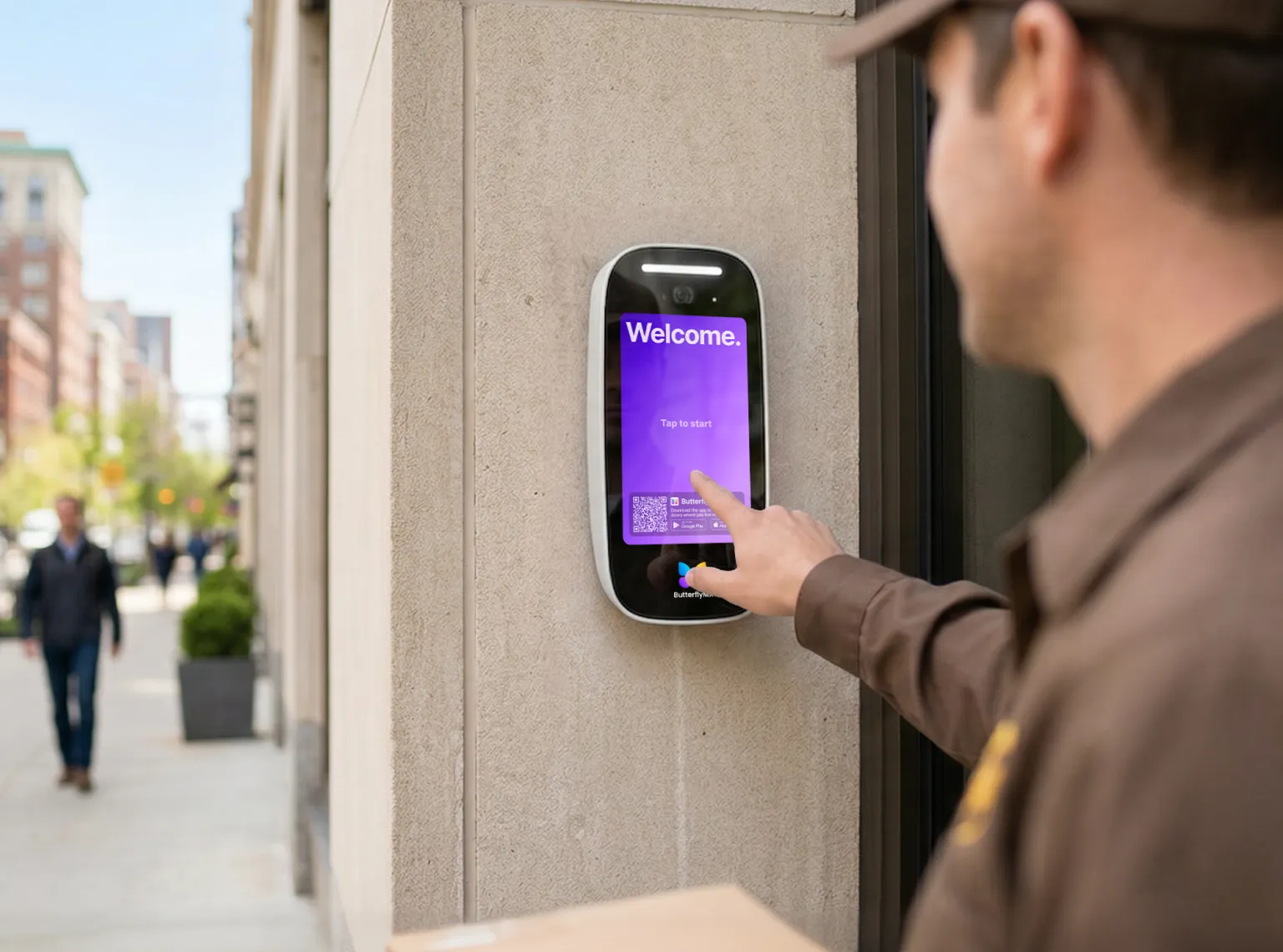
A WiFi telephone entry system lets visitors call residents from an entrance panel connected wirelessly to your property network. It can take the place of a landline, provided the wireless connection can reliably carry calls from the entrance.
If you manage a property with an aging call box, start by testing which connection works at the panel location. This guide explains how these telephone entry systems work, compares four entry options, and breaks down hardware, installation, and service costs to help you decide whether to retrofit the existing panel or replace it.
In this guide:
- What is a WiFi telephone entry system?
- How a WiFi telephone entry system works
- WiFi vs. Ethernet vs. cellular: choose the connection first
- Check the entrance before buying
- Compare WiFi and internet-connected entry options
- What a WiFi telephone entry system costs
- Retrofit the existing call box or replace it?
Watch how ButterflyMX works:
What is a WiFi telephone entry system?
A WiFi telephone entry system connects an entrance panel to the property network wirelessly so visitors can call someone who can let them in. Depending on the product, residents answer on a phone, through an app, or at a compatible answering station.
The system has six parts: an entrance panel, a directory or another way to select a contact, a connection that carries the call, an answering device, door or gate release hardware, and a power source. WiFi describes how the panel connects to the network. Video and answering options vary by model. Our telephone entry system guide covers the broader category and where it overlaps with video intercoms.
WiFi, IP, and VoIP describe different things
WiFi connects a device to a network wirelessly. IP stands for internet protocol, which devices use to exchange data over a network. VoIP stands for voice over internet protocol and carries voice calls over an IP network. An IP or internet-capable panel may require wired Ethernet, so check which connections the exact model supports and whether it needs an adapter.
Power over Ethernet, or PoE, carries power and data through a single Ethernet cable when both the panel and the network equipment support it. Older panels converted to VoIP telephone entry systems may need an adapter and a wired network connection.
WiFi gate controllers and visitor call boxes
A WiFi gate controller can let an authorized user open a gate from their phone. A visitor call box lets someone at the entrance find and call a resident who can let them in. If you need visitor calling, check whether the equipment provides a directory, two-way conversation, or video, depending on your property’s needs.
How a WiFi telephone entry system works
The system connects the visitor’s call to a resident. When the resident approves entry, the system signals the door or gate hardware. The answering device and release controls vary by product, but most systems follow these steps:
- The visitor selects a directory contact or presses a call button.
- The panel places the call through its configured network and calling service.
- The resident answers on a supported phone, app, or station and speaks with the visitor.
- The resident approves entry using the designated phone key or app control.
- A relay, which is an electrical control output, or a separate controller signals the door strike, lock, or gate operator.
Traditional systems often use the 9 key to approve entry. Check the command for your model. Some products can also ring several recipients at once. DoorKing’s 2112, for example, can ring up to four phones and stops ringing the others when someone answers.
Residents can answer away from the property when the calling service supports remote answering and their device has the required connection. Depending on the product, they can answer from outside the panel’s WiFi network. Everyday resident access through PINs, fobs, or apps works separately from visitor calling.
After the panel sends the release command, the gate operator moves the gate, or the strike or lock controls the door opening. That equipment has its own power and safety requirements.
WiFi vs. Ethernet vs. cellular: choose the connection first
Choose a connection that works at the entrance before you select a panel. WiFi, Ethernet, and cellular have different equipment and service requirements. Knowing what each connection depends on helps you plan for outages.
Swipe to compare →
Ethernet gives the panel a wired connection to the local network. Calls may still depend on internet and platform services. Cellular can serve a remote entrance outside the property network if the carrier has reliable coverage there. Use POTS, or plain old telephone service, as a baseline for evaluating your existing analog system.
When WiFi is a practical choice
WiFi can work well at a building entrance served by a managed access point, the device that provides wireless coverage. Test at the entrance to confirm the signal and upload bandwidth can support calls, and identify who will maintain the network. If existing coverage is sufficient, you may be able to skip a new network cable run. Test a driveway gate separately from indoor areas.
A WiFi extender may improve coverage. Call reliability still depends on the connection, internet service, and power. Follow the guidance for the specific product you’re installing. AES, for example, recommends wired or 4G connectivity for a more reliable OPYN connection.
When Ethernet or cellular makes more sense
An entrance with reusable conduit is a good candidate for Ethernet. If an HOA gate is far from the clubhouse network, compare the work involved in extending that network with the cost of cellular equipment. Test carrier coverage at the gate before choosing cellular. You may avoid trenching for a network cable, though you’ll still need to account for mounting, electrical work, and the connection to the gate operator.
Our guide to cellular telephone entry systems explains how cellular calling works. Review these gate intercom system options and installation considerations for help planning the entrance and connecting the intercom to the gate operator.
Check the entrance before buying
Give installers a short brief for each entrance so they quote the same work. Include what residents and staff need, what equipment you want to reuse, and what the new system must do.
- Entrance location, panel mounting position, and the number of residents the visitor directory must serve.
- How residents should answer visitor calls and enter the property themselves.
- Any existing panel, conduit, wiring, locks, or gate operator you want to reuse.
- The connection method you tested and who will support the network.
- The panel’s power source, connection to release hardware, and backup requirements.
- How the system should work during an outage and which tests will confirm it.
- Who will update the directory and maintain the system.
Test signal and upload speed at the panel
Test the connection where the panel will sit, taking its mounting position and enclosure into account. Measure both wireless signal and upload bandwidth. A panel can connect to WiFi and still have too little bandwidth to send visitor video reliably.
DoorKing specifies at least 3 Mbps upload for the 2112 when you provide the internet connection. Gate Depot gives the same 3 Mbps guidance for the DoorBird D1812 hybrid master station. Use those figures for the specified products and confirm WiFi support separately.
Have your installer compare the results at the entrance with the selected model’s requirements. The results may point to moving an access point or extending the network. Use measurements at the panel location to evaluate coverage, since household WiFi range claims describe different conditions.
Confirm power, wiring, and release compatibility
The panel needs a suitable power source and a compatible connection to the door strike, lock, or gate operator. For PoE installations, verify that the panel supports PoE and that the switch can supply enough power. ButterflyMX requires a separate power supply. Check cable limits for the equipment you plan to install. DoorKing, for example, specifies a limit of 330 feet, or 100 meters, for its internet adapters.
Have a qualified installer assess relay type and timing, gate safety, and emergency exit requirements with the local authority that approves the installation. UL 325 addresses gate-operator safety, and ASTM F2200 addresses automated gate construction. Include those safety assessments when adding an intercom.
Fail-safe hardware unlocks when power is lost. Fail-secure hardware stays locked from the secured side. Assess the complete opening to determine whether people can exit safely and legally.
Write and test an outage plan
Document what should happen if utility power goes out, backup power runs out, internet or carrier service drops, or the controller or release hardware fails. Check visitor calling, local credentials such as PINs and fobs, remote management, and physical release separately during each scenario.
A panel can stay connected to WiFi even when a property internet outage interrupts cloud calls. An uninterruptible power supply, or UPS, keeps connected equipment powered, while outside services depend on their own infrastructure. Use the manufacturer’s written guidance to plan acceptance tests and verify which calling and access functions work offline before handover.
Compare WiFi and internet-connected entry options
The four systems below serve different property sizes and management needs. ButterflyMX publishes this guide and offers one of the products. The comparison describes product capabilities and does not include hands-on test results.
When comparing capacity, start with the number of people visitors can find and call in the directory. Credential users have assigned access permissions, codes are stored entry credentials, and relays are control outputs. Confirm directory capacity separately from the number of codes or users listed on the spec sheet.
Video features also serve different purposes. A CCTV feed may appear on a separate monitor, a snapshot records an event, and live visitor video appears during a call. Our guide to telephone entry systems with cameras explains how these features work. Modern telephone entry systems can also combine video and cloud administration, expanding on the calling features of older audio-only panels.
Swipe to compare →
If you need built-in WiFi, CAPXS and ButterflyMX document that capability. DoorKing lists internet and cellular options for the 2112. Verify native WiFi separately if you need it. For OPYN, check the exact kit because retailers’ WiFi labels differ from the manufacturer’s IP/LAN and 4G descriptions.
For a small property, the 2112’s 10-resident limit gives you a starting point for sizing the directory. OPYN’s 150 codes and CAPXS’s 500 local users describe access capacity, so ask those suppliers how many residents visitors can find and call. At larger managed properties, also compare how staff update permissions, review entry records, and connect the system to property management software. ButterflyMX offers those features. Confirm that its directory capacity and supported integrations fit your project.
DoorKing 2112 eVolve: small-property internet or cellular entry
The DoorKing 2112 eVolve is designed for single-family homes and small multifamily properties. It supports 10 residents with four phone numbers each, so a visitor’s call can reach several people. Residents can use the DKS Resident app to see live visitor video, and staff can set do-not-call, hold-open, and entry-code schedules in a browser.
The 2112 supports 500 entry codes and up to three entry points. It relies on DKS Cloud for operating functions and requires a monthly fee. If you supply the internet connection, DoorKing requires at least 3 Mbps upload. Optional cellular is also available. These specifications are for the 2112 model.
AES OPYN: IP or 4G video entry for smaller sites
AES OPYN combines app-based visitor video with QR unlock, an app activity log, and 150 keypad codes. Time or usage limits let smaller properties issue temporary codes so visitors can enter without calling a resident. The system also has two relays for controlling connected hardware. Confirm resident-directory capacity separately.
AES lists IP/LAN and 4G connections and recommends wired or 4G for reliability. If a retailer lists a WiFi kit, ask which networking equipment it includes and how it connects the panel. Confirm app subscription terms and directory capacity so you can budget for service and verify that the system can serve your residents.
LiftMaster CAPXS: WiFi or Ethernet with myQ Community
The LiftMaster CAPXS has a 5-inch touchscreen directory and connects via built-in WiFi or Ethernet. Residents answer video calls through myQ Community, and staff manage access through a web interface. Visitors can also use virtual guest passes to enter without placing a call.
LiftMaster lists 500 local users. Confirm the visitor-directory limit separately. Include the required myQ Community subscription and the listed Phone.com VoIP requirement for video in your operating budget. Plan for professional electrical wiring and compatible door or gate release hardware during installation.
ButterflyMX: smartphone video and remote property management
The ButterflyMX Video Intercom connects through WiFi or wired internet and sends visitor calls to smartphones, starting with one-way video. Staff can update permissions remotely. Supported entry methods include the app, six-digit PINs, fobs or keycards, and Visitor Passes with QR codes, giving managers ways to grant access ahead of an arrival.
The dashboard’s 365-day audit trail uses timestamped photos to document individual entry events. Supported property management integrations can help staff administer access, with compatibility varying by platform. Installation requires internet, separate power, and a compatible release connection. The panel has four dry-contact relays. Confirm the number of entrances your layout can support, along with directory capacity and service terms for the proposed system.
What a WiFi telephone entry system costs
On November 23, 2026, U.S. retail listings for competing panels and configured kits ranged from roughly $700 to $3,400 USD. Those prices cover equipment only. To estimate the full project cost, account for installation, subscriptions, and any site work for networking, electrical power, mounting, and door or gate hardware.
Separate hardware from installation and site work
Check what each package includes before comparing prices. The table shows equipment prices listed in USD on November 23, 2026.
Swipe to compare →
The OPYN IP listing and the WiFi-labeled kit describe different packages, and the DoorKing price range covers several configurations. Check current availability, especially for the Elitegates listings marked Unavailable. Confirm the exact panel and included accessories before using these figures to evaluate a proposal.
Ask installers to itemize these costs so you can see what each proposal covers.
Swipe to compare →
Savings on the panel can disappear if the entrance needs more cabling, electrical work, or replacement hardware. Check that quotes cover the same equipment quantities, accessories, installation work, and service periods before comparing totals.
Monthly fees to budget for after replacing a landline
When the panel uses property internet, budget for that connection and any services the product requires. A cellular connection has its own carrier plan. The DoorKing 2112 requires cloud service, and CAPXS lists myQ Community and video-related VoIP requirements. Ask OPYN and ButterflyMX suppliers to spell out the applicable service terms in their proposals.
Separate one-time activation charges from recurring fees. Record how often each charge is billed and whether it applies per entrance, system, user, or cellular control box. That tells you how operating costs will change if you add residents or entrances.
Retrofit the existing call box or replace it?
Repair an isolated fault if the existing system still meets your property’s needs. If the panel works and the connection is the main problem, consider a retrofit. Replacement makes sense when failures keep recurring, parts become unavailable, or your property needs video or new management features.
A gateway generally changes how the panel connects. The existing directory and camera capabilities typically carry over, so keeping an audio-only panel usually means visitors still make audio-only calls. Decide which features residents and staff need before investing in the old equipment.
Match the adapter to the panel and required features
Adapter compatibility depends on the panel and its circuit-board revision. DoorKing’s 2334-080 adapter, for example, requires a REV Z or higher board and wired Ethernet. Its 1815-578 is a VoIP-only adapter, so properties that need remote programming will need a different option.
WiFi, cloud administration, and smartphone video each require compatible equipment and services. Have your installer match the adapter to the existing panel and identify which calling and management features the retrofit will support.
Audit analog lines before canceling service
Identify every device that uses an analog line, then test the replacement connection before canceling service. Fire alarm communicators and elevator emergency phones need separate review by qualified professionals. Our guide to replacing a POTS line for an intercom walks through the transition.
Copper retirement timing varies by carrier and service address. Use the line audit, verified equipment compatibility, and entrance brief to define the work installers should quote.
A WiFi telephone entry system can work well when tests confirm wireless coverage at the entrance and the panel meets your property’s calling and access needs. Ethernet may suit entrances with a practical cable route, while cellular can reach entrances beyond the property network.
Start with an entrance brief and have your installer confirm connectivity, release compatibility, and outage behavior for the specific model. Compare itemized proposals for equipment, installation, and recurring services before deciding whether to retrofit the existing call box or replace it.

Get your free quote!
Fill in the form below, and we'll email you right back.
Want a free quote?
Fill in the form below, and we'll email you right back.
Redirecting you in 5 seconds.