





Key takeaways:
- A complete access control repair addresses permissions, electronics, and door hardware so each entrance unlocks, closes, and secures as designed.
- Compare itemized repair quotes and contract coverage. A diagnostic fee covers the investigation, and parts and labor may cost extra.
- Before signing off on a repair, ask for documented checks of entry, door securing, and required exit functions at every affected entrance.
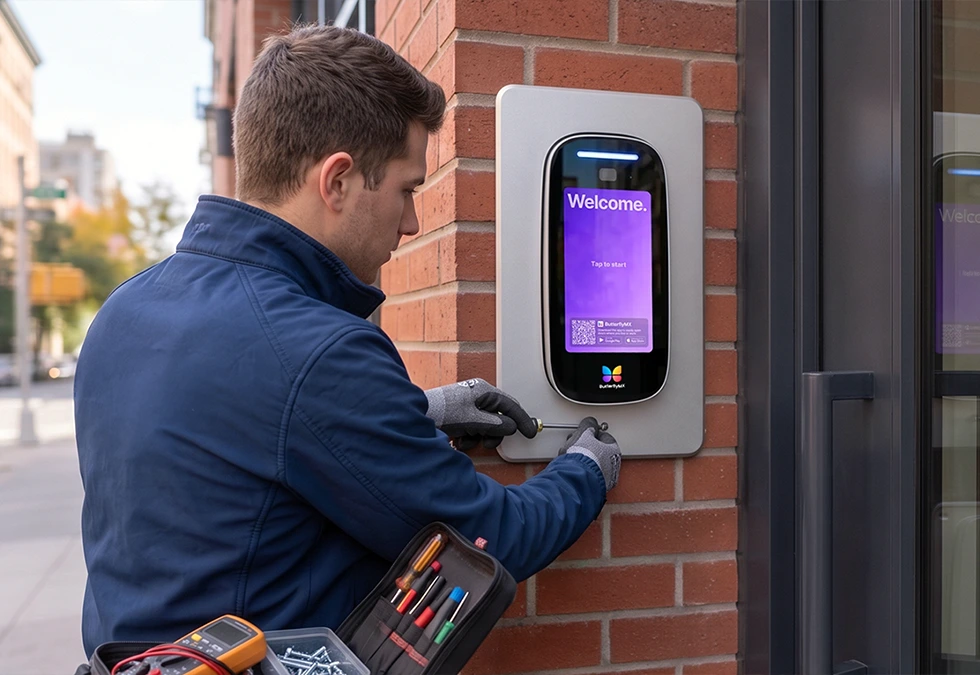
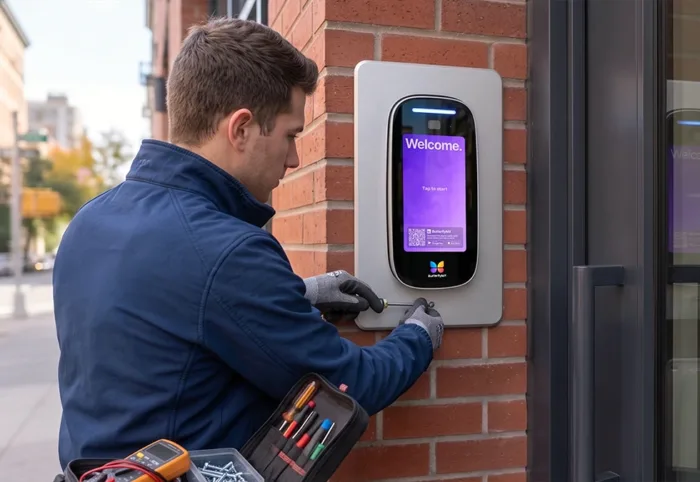
When authorized users can’t get in or a door won’t secure after they enter, the problem could be with access permissions, electronics, or the door hardware itself. A clear description of what happens at the entrance helps your repair technician decide where to start.
If the reader beeps or an intercom call goes through, check what the door actually does when someone tries to enter. If people cannot exit as required, follow your building’s emergency procedure immediately.
This guide explains what to check before calling for access control repair, how to compare quotes and service terms, and when to consider replacement. It also covers what to verify before signing off on the work.
In this guide:
- What access control repair includes
- Common access control problems and likely causes
- Safe checks before calling a repair technician
- How much access control repair costs and how to choose a provider
- Should you repair or replace the system?
- What to verify before closing a repair job
- Prevent repeat access control failures
Watch how ButterflyMX works:
What access control repair includes
A complete repair covers the entire entry sequence. When someone presents a credential such as a fob, the reader captures it and the system checks whether it grants access to that door. If the system grants entry, the controller signals the lock to release. After the person enters, the door must close and secure as designed, and the system must report its status accurately.
The components behind a working entrance
A technician assesses how the hardware, electronics, and access settings work together.
- Door and access hardware. Readers, keypads, and locks control entry. An electric strike releases the door latch when activated. Hinges, closers, latches, and frame alignment affect whether the door opens and closes properly, even when the lock receives the release signal.
- Power, connections, and monitoring. Controllers rely on power supplies, backup batteries, wiring, and network connections. A door contact reports whether the door is open or closed. A request-to-exit device or signal supports the system’s configured exit sequence.
- Access administration. User records, permissions, and schedules determine who can enter and when.
A repair quote should reflect where the entry sequence breaks down. Reviewing the components and planning involved in access control installation can help you see whether the quote covers the parts of the entrance that need attention.
How access permissions can cause entry problems
An incorrect schedule or missing door permission can make working equipment appear broken. Have an authorized administrator review user records, permissions, and schedules before you replace any hardware. That review can also uncover security issues, such as a former resident who still has access.
Common access control problems and likely causes
A single symptom can have several causes. Use this table to describe what you’re seeing and decide whom to call.
Swipe to compare →
Tell your technician how many credentials and doors are affected. If one fob fails, its permissions may be a useful starting point. If several doors fail at once, they may share a power supply or network connection. A door that visibly fails to close needs a hardware assessment.
The reader beeps or the buzzer works, but the door stays locked
A reader can beep even when the system denies access. If you have an event log, check whether it shows the system granted or denied entry. Comparing the log with what happened at the door helps narrow the problem to permissions or lock release.
A resident can also speak with a visitor through the intercom while a failed strike, release circuit, or misaligned latch prevents entry. Tell the technician whether the call went through and whether the door released.
The door fails to secure or works only intermittently
Check whether the door closes and latches fully. If it closes but stays unlocked, its unlock schedule is one possible cause. For a held-open or forced-open alert, record the actual door position so the technician can assess both the door and the components that report its status.
Failures that occur only at night or during winter may involve weak batteries, moisture, shifting metal hardware, or unreliable electrical components. These cold-weather effects on apartment intercoms can help explain a pattern. Record the conditions when the failure occurs so the technician has more than the weather to go on.
During a cloud connectivity outage, some doors may continue to operate. Record which entrances and functions are affected so the technician can assess how the outage affects your system.
Safe checks before calling a repair technician
You can gather useful information by observing the system during normal use. Keep checks within your authorized access and leave electrical testing and hardware adjustments to qualified personnel.
- Compare results from two known-valid credentials at the affected entrance, using existing permissions and keeping credentials with their assigned users.
- Check whether the same problem occurs at other entrances you’re authorized to use.
- Record reader lights, messages, whether intercom calls connect, and whether the door releases.
- Watch whether the door closes and secures on its own during normal use.
- Note visible damage, moisture, timing, weather, and any recent building or system work.
Leave electrical enclosures closed and keep locks, release devices, and door hardware in their normal operating configuration.
Build a useful fault report
Record the entrance, date and time, affected users or credential types, reader and door responses, and any error messages. Include weather and recent work if they might help the technician understand when the problem started. Keep your observations separate from any suspected cause.
For example, you might report that after a cold night, the reader beeped for two authorized fobs at the north exterior entrance, but the door stayed locked. Both fobs worked at the lobby entrance.
Stop when safety or security is compromised
If people cannot exit as required, stop routine troubleshooting and follow your building’s emergency procedure immediately. Call for urgent qualified service if an entrance won’t secure or if electrical components are exposed or damaged.
Follow building procedures for temporary entry arrangements, maintain authorized access, and preserve required egress so people can exit. Do not prop fire doors or bypass release devices.
How much access control repair costs and how to choose a provider
The cost of access control repair depends on the fault and the work required at each entrance. Door condition, parts availability, cabling, power, network connections, integrations, and scheduling can all affect the quote. A diagnostic fee covers the investigation. Parts and repair work may cost extra.
The table compares three regional service arrangements using terms the providers had published as of November 23, 2026.
Swipe to compare →
With per-call service, you pay for individual visits. A monthly contract can make covered repair costs more predictable. Whether it saves you money depends on how often you need service and what the contract covers. Separately, check how long the provider warranties covered repair work.
Compare per-call repair and maintenance contract terms
Avenger Security offers diagnostics and maintenance for the full entrance at commercial properties. Its new-client offer includes an on-site visit and up to one hour of consultation at no cost. After the first hour, the published USD $95 charge covers basic diagnostics. The provider quotes additional repair work and equipment separately. Confirm how the diagnostic fee applies to your visit and what the repair warranty covers.
RapidFire Safety & Security describes diagnostics for controllers, power supplies, backup batteries, connections, and hardware faults. Its fixed monthly contract may help commercial properties budget for covered repairs. Check which equipment and incidents qualify, what exclusions apply, and which upgrades you’ll need to budget for separately. The company’s service reports document the work and any recommendations.
YDA Security Systems NYC offers residential repair services in Brooklyn, Manhattan, Queens, and Staten Island. It lists a three-month warranty for repairs and separate warranty terms for installations. The published next-day estimate and wiring terms apply to installations. Ask for the terms that apply to your repair.
What an itemized repair quote should explain
Ask each provider to itemize the same scope so you can compare the cost of diagnosis, repairs, and follow-up service.
- The diagnosis, affected doors, and components included in the repair.
- Parts, labor, diagnostic fees, and any cabling or door preparation.
- Testing, service documentation, support, warranty coverage, and exclusions.
- How the provider will get your approval if it discovers additional work during service.
Ask when the provider expects to make the initial visit, complete any follow-up work, and finish testing. The timeline depends on the diagnosis, parts availability, the number of affected entrances, and whether the technician must test connections to other building systems. Agree on how people will enter during downtime and what the provider must verify before the entrance returns to normal use.
Find a provider that can support your system
Start with the original installer or a manufacturer referral. Compare recommendations from other property managers and check reviews across several sites. Ask each provider about experience with your brand and setup, applicable certifications, compatible hardware, response availability, and service reports. Verify any claimed certification directly with the provider.
If the original installer is unavailable, another company may be able to take over after assessing the installed equipment and the administrative access it needs. If the repair involves door hardware, IT, or life-safety systems, confirm who will coordinate the specialists.
Should you repair or replace the system?
Repair usually makes sense for an isolated fault if compatible parts and qualified support are available and the system still meets your needs. Consider replacement when failures recur or the system can’t support how your property operates. Weigh the system’s age alongside these practical factors.
Compare a targeted repair with recurring operational problems
Use these six factors to weigh what a repair would fix against the problems your team would still need to manage.
Several system-wide problems make a stronger case for replacement. If you’re considering an upgrade for a specific feature, weigh its value for your property against the cost. Compare the repair quote and ongoing staff workload with an upgrade quote that includes equipment, installation, and administration.
Credential security varies by technology. Basic proximity credentials can offer less protection against duplication than encrypted credentials. Recurring winter failures also warrant a closer look at the system before you make a replacement decision. Reviewing the limitations of outdated video intercom hardware can help you identify problems that would persist after a single component replacement.
What to expect from an access control upgrade
Cloud-based directory management lets property managers update a visitor directory remotely. ButterflyMX offers this capability and smartphone-based visitor access, making it an option if your property needs either feature.
An upgrade still depends on compatible physical hardware. Doors, strikes, locks, gate operators, and elevator controls require qualified installation and service. Reusing components can reduce the scope of the project, though some of the old system’s limitations may carry over.
When replacing an outdated apartment fob system, compare credentials, readers, controllers, and software alongside installation, rollout, and ongoing administration. If you adopt mobile access, include a backup way for authorized people to enter.
What to verify before closing a repair job
Before work begins, agree on how the provider will verify entry, door securing, and required exit functions. Have qualified personnel conduct electrical, power-loss, fire-alarm, and connected release-system tests under an approved procedure. Ask for the results and keep them with the service record.
Confirm fail mode and required exit behavior
A lock’s fail mode describes what happens when the lock loses power. Fail-safe hardware unlocks. Fail-secure hardware stays locked on the secure side. Verify exit behavior separately because it depends on the door arrangement.
Magnetic locks, or maglocks, are typically fail-safe, while the fail mode of an electric strike varies by model. Backup power keeps the lock powered longer. Once the lock loses power, its fail mode determines how it responds. Understanding fail-safe vs. fail-secure locks helps you discuss replacement parts with your technician, who must preserve the approved door arrangement, the hardware’s listed use, and any fire-door latching requirements.
Doors that use a sensor to release an electric lock for people exiting have specific release requirements. The Minnesota State Fire Marshal guidance, for example, covers occupant sensors, manual release, and applicable release functions tied to fire alarms, sprinklers, and power loss. Consult the locally adopted rules and the authority having jurisdiction, the official or agency responsible for enforcing them, to determine what applies to your building.
Request a door-by-door acceptance checklist
Have the provider document these checks at every repaired or affected entrance. If the access system connects to other building systems, have the relevant specialists coordinate the tests.
- Confirm that the system grants and denies entry as configured.
- Verify that the door releases, closes fully, and secures again.
- Check that the reported door status matches its actual position.
- Verify request-to-exit operation and required exit functions.
- Test applicable power-loss and alarm-linked release functions under the approved procedure.
- Confirm that the door operates and secures as designed after the system is reset.
Request a service report that identifies the fault, describes the work, lists any replaced parts or changed settings, and records test results and outstanding recommendations. Use it as a record of the work performed. Code compliance depends on the requirements that apply to the installation.
Prevent repeat access control failures
Build your maintenance schedule around the equipment you have, the manufacturer’s guidance, how often people use each entrance, local conditions, and applicable requirements. Include both equipment maintenance and regular reviews of access permissions.
Maintain hardware and review access permissions
Include checks for door closure and latching, credential reading, lock release and relocking, door-status reporting, power and batteries, controller connections, and schedules. Have qualified personnel handle electrical and hardware service. Building staff can log visible changes and recurring problems during normal use.
Revoke access promptly if someone loses a credential or if their authorization ends. Handle move-outs and employee departures as they happen, and use periodic permission reviews to catch outdated access your team may have missed.
Set a maintenance calendar and retain service history
Use the examples below to assign responsibility for routine reviews, manufacturer-directed service, and any testing required in your jurisdiction.
Swipe to compare →
Follow the testing intervals that apply to your building and keep the results with your fault reports and repair invoices. These records help you spot repeat failures at one entrance or across the property and give you a basis for deciding when replacement is worth considering.
For an isolated fault, use your observations to request an itemized repair quote and agree on door-by-door verification before the work starts. If failures recur, parts become unavailable, or your system no longer meets your security or management needs, use your service records to evaluate a replacement. If remote management or smartphone-based visitor access is a priority, consider ButterflyMX as an upgrade option.

Get your free quote!
Fill in the form below, and we'll email you right back.
Want a free quote?
Fill in the form below, and we'll email you right back.
Redirecting you in 5 seconds.