
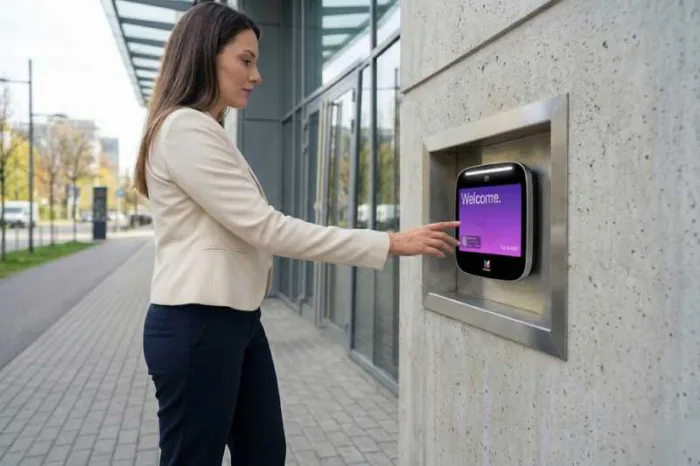





Key takeaways:
- Appointment-only access control keeps therapy-office entry managed by pairing a locked or controlled door with live verification, time-limited credentials, or both.
- Door access and ePHI access are different HIPAA concepts, so no lock, intercom, keypad, or visitor credential makes a practice compliant by itself.
- The best entry method depends on staffing, client volume, verification needs, credential accountability, door hardware, landlord approval, and exception handling.
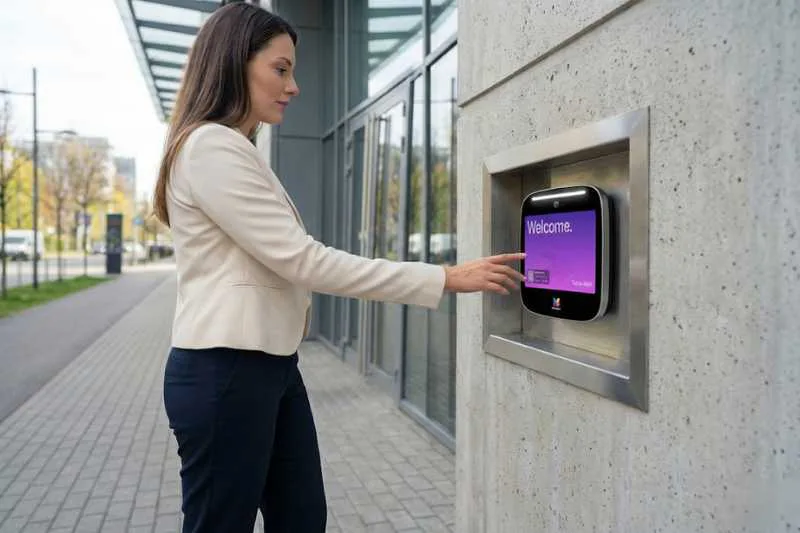
A therapy office has to solve a delicate door problem. Scheduled clients need a calm, simple way to arrive, but the waiting room should not function like an open public lobby where anyone can walk in, interrupt a session, or see who is seeking care.
Appointment-only access control for therapy offices is a physical-entry policy and door-access setup that admits scheduled clients, clinicians, staff, vendors, and approved visitors while limiting unscheduled entry. It may use live intercom verification, a keypad, a temporary PIN, a Visitor Pass, mobile access, or a combination of methods, depending on the practice and building.
The decision is not just whether to lock the door. A useful plan defines who is allowed in, how the practice verifies that person, what happens when an appointment changes, and how the door still supports emergency egress and accessible entry. The sections below explain those choices for solo practices, group practices, behavioral-health offices, general healthcare property access control, and leased suites in multi-tenant buildings.
This guide will answer:
- What appointment-only access control means for therapy offices
- Why managed entry matters for safety and confidentiality
- How physical door access differs from electronic health data access
- How appointment-only entry works
- How to choose an entry method
- How to manage client and staff access day to day
- How to coordinate access in leased and multi-tenant buildings
- How entry control supports a welcoming and broader safety plan
- How ButterflyMX may support the workflow
- FAQs
Watch how ButterflyMX works:
What appointment-only access control means for therapy offices
Appointment-only access control combines a managed or locked door with a process for admitting people who are expected. For a therapy office, that usually means scheduled clients, clinicians, staff, approved vendors, and emergency responders each have a different path into the space.
This is a form of commercial access control, but the therapy-office context matters. The purpose is not to make care feel cold or hard to reach. It is to reduce unscheduled entry while giving legitimate visitors clear, respectful instructions.
A locked door alone does not confirm identity or appointment status. The practice still needs a way to tell the difference between an expected client, a vendor, a person who arrived at the wrong suite, and someone who should not enter. That verification can happen through a live intercom call, a staff-controlled buzzer entry system, a keypad code, a temporary credential, or another approved method.
Access policies should also separate visitor types:
- Scheduled clients need a simple arrival path that protects privacy and avoids confusion.
- Clinicians and staff need recurring access tied to their roles and schedules.
- Approved vendors may need a limited process for a specific time or task.
- Emergency responders must not be blocked by a routine client-entry procedure.
That separation keeps the practice from treating every credential as interchangeable. A client arriving for one session and a clinician opening the office every morning need different levels of access.
Why managed entry matters for safety and confidentiality
Unrestricted entry can create problems before anyone reaches the front desk. A walk-in may interrupt a session, enter a staff area, or expose who is sitting in the waiting room. Even when no one has bad intent, an open door can make the office feel less private and less predictable.
Managed entry gives the practice a chance to guide arrivals before they enter the care space. A client can be told which door to use, when to call, or how to use a temporary credential. Staff can confirm an expected visit before releasing the door, and the waiting area does not have to serve as an open public lobby.
Safety guidance for therapy practices often includes controlled or locked entry alongside other practical steps, such as knowing who is in the office and planning how staff respond to concerning situations. The American Psychological Association has published guidance on staying safe in practice, and clinically reviewed safety guidance for therapists also discusses controlled entry as part of a safer office setup. These ideas should be applied carefully and without portraying therapy clients as threats.
Workplace-violence data adds broad context, not a reason to assume danger from any individual client. CDC and NIOSH report that healthcare and social-assistance workers accounted for 76% of nonfatal workplace-violence trauma injuries in private industry in 2020. That statistic covers a wide sector, not therapy offices alone, and it does not mean a locked door prevents violence. It supports a more balanced point: entry management belongs within a layered safety plan that also includes communication, layout, training, de-escalation, and emergency procedures.
How physical door access differs from electronic health data access
HIPAA does not require a therapy office to use a particular lock, intercom, keypad, or access-control product. Covered entities choose reasonable and appropriate safeguards through their own risk-analysis and compliance processes. This article explains door entry; it is not legal advice and does not claim that any product creates HIPAA compliance.
The terminology can be confusing because HIPAA uses access-control language in more than one way. Facility Access Controls are physical safeguards related to access to facilities and equipment. Electronic access control is a technical-safeguard concept related to authorized access to electronic protected health information, or ePHI, in systems. HHS explains technical access-control requirements in its HIPAA Security Series technical safeguards guidance.
- Physical access control asks who can open a building entrance, suite door, records room, or staff-only area.
- Electronic access control asks who can view, create, change, or use ePHI in an EHR, practice-management system, or other software.
- Visitor check-in tools support registration, front-desk tasks, or arrival records. A visitor management system may work alongside door access control, but it is not the same thing as unlocking or restricting a door.
For example, role-based permissions in practice software may limit which staff members can see clinical records. Those permissions do not decide whether someone can enter the office. In the other direction, a door credential may let an authorized staff member enter the suite, but it does not decide what that person can see in the EHR.
How appointment-only entry works
A clear arrival process keeps appointment-only entry from feeling harsh or confusing. The technology can vary, but the sequence should be easy for clients and staff to understand.
- The practice schedules the appointment and sends arrival instructions before the visit.
- The client receives either a way to call for entry or a credential intended for that visit, where the selected system and policy support it.
- At arrival, an authorized person verifies the visitor, or the system validates the credential.
- The door is released, and the client enters the correct area.
- If a temporary credential was used, it expires after its planned period, and staff follow an exception process for changes or access problems.
Live video intercom verification
With video intercom verification, a visitor initiates a call and an authorized person confirms the visit before releasing the door. This can help a solo therapist verify a visitor without leaving a private office, and it can help a group practice route entry calls to staff who are responsible for arrivals.
The tradeoff is staffing. Someone has to answer the call, decide whether to release the door, and handle exceptions. A video intercom for a therapist office can support visitor verification and door release, but it does not perform every reception, intake, screening, or emergency function.
Temporary credentials for appointments
A temporary PIN, mobile pass, or QR-style Visitor Pass can give a scheduled client a credential intended for a defined access window. At a category level, the process is simple: issue the credential, set the intended validity period, tell the client how to use it, and make sure it expires afterward. For a deeper explanation of this credential type, see temporary PINs for appointment-based businesses.
Temporary access works best when the practice plans for imperfect arrivals. Clients may arrive early, run late, cancel, lose the message, come after hours, or find that a credential does not work. The practice should decide in advance whether the next step is an intercom call, remote verification, a reissued credential where supported, or a specific escalation contact.
Shared codes, keypads, and staff access
A keypad can be useful when the practice wants simple keyless entry for a therapy practice, but the way codes are assigned matters. One shared code is easier to distribute, yet it offers less individual accountability and less precise credential revocation. Unique temporary credentials take more administration, but they can better separate one client visit from another.
Persistent access should be handled separately from client access. Clinicians and staff may use assigned mobile credentials, codes, cards, or another approved method for recurring entry. Those credentials should change when roles, schedules, or employment change. None of these digital methods replaces the need for compatible locks, safe door hardware, professional installation, and ongoing maintenance.
How to choose an entry method
The right access method is the one the practice can actually operate. Before comparing products, decide how much live verification you need, who can respond to entry requests, how often appointment times change, and how much individual accountability the practice needs.
Many therapy offices combine methods. A group practice might use appointment-limited credentials for routine arrivals and a video intercom for exceptions. A solo therapist might rely more heavily on remote verification because there is no receptionist sitting at the door. A leased suite might have one process for the main building entrance and another for the therapy-suite door.
After the table, the practical questions are straightforward: Can someone answer live calls? Does the practice need visual or conversational verification? Are shared codes acceptable, or does the office need individual credentials? Does the existing door support the chosen method? Will the landlord approve hardware changes? Readers who want broader category guidance can review the types of access control systems before comparing specific products or installation approaches.
Do not choose a method only because it is familiar. Choose the method that fits the practice’s staffing, client volume, verification needs, building control, budget, and ability to handle exceptions.
How to manage client and staff access day to day
Appointment-only access works only if someone owns the details. The practice should know who issues credentials, who responds to access problems, who reviews staff access, and who removes access when a person no longer needs it.
Start by separating temporary client access from persistent staff access. A client usually needs entry for one visit or a narrow appointment window. A clinician or employee may need recurring access to the suite, staff-only areas, or specific doors. Those two access needs should not be governed by the same shared credential.
- Assign a person or role to issue credentials, respond to exceptions, review access, and follow up on unusual access events.
- Create procedures for early arrivals, late arrivals, cancellations, walk-ins, vendors, after-hours sessions, and failed credentials.
- Remove or change staff access promptly when a clinician or employee leaves or changes roles.
- Use individual credentials or access groups when the practice needs more precise staff changes than one shared credential can provide.
Access groups can make staff access easier to manage by organizing permissions around roles or locations. ButterflyMX explains this administrative model in its guide to creating access groups. Still, it is important not to overstate the benefit. Whether an access change avoids rekeying depends on the existing locks, physical keys, installed hardware, and how the space is configured.
How to coordinate access in leased and multi-tenant buildings
Appointment-only entry can work in a leased medical-office suite, but feasibility depends on the landlord, the base-building system, the suite-level door hardware, and the practice’s own policies. Many tenants control only the suite door, while the property owner controls the exterior entrance, elevator access, shared corridor, or all three.
Map the path a client actually takes. The relevant access points may include the main building entrance, elevator or shared corridor, therapy-suite door, and staff-only interior doors. Once those layers are visible, the practice can see whether it needs one entry process or a two-stage process.
A two-stage process might mean a client enters the building through a landlord-managed system and then uses a separate call or credential at the therapy suite. That model can be useful, but it should be treated as a planning approach, not a promise that two systems will integrate. Connecting tenant-level entry to an existing building system often requires installer or integration review.
Before selecting hardware or changing client instructions, confirm who may approve door changes, who owns the system, who pays for installation, what the lease allows, how emergency egress is preserved, and how accessible entry will work. Product fit depends on the building as much as the practice.
How entry control supports a welcoming and broader safety plan
Managed entry should make arrival clearer, not more intimidating. Simple instructions can tell clients when to arrive, where to wait, how to request entry, and what to do if something goes wrong. That small amount of clarity can keep a locked-door entry process from feeling punitive or institutional.
The door plan also has to respect real-world use. Added controls must preserve emergency egress and accessible entry, and those issues should be reviewed during planning and professional installation. A practice should not create a calmer arrival process at the cost of making the door harder to exit or harder for clients to use.
Entry control is also only one part of therapy office safety. It belongs beside screening practices, de-escalation planning, office layout, staff communication, and emergency procedures. The Joint Commission states that its workplace-violence prevention requirements for behavioral health care and human services organizations took effect on July 1, 2024. Applicability depends on accreditation and current standards, so each organization should review its own obligations.
CDC and NIOSH also reported that healthcare workers had a higher nonfatal workplace-violence injury rate than all industries during 2021 to 2022. Used carefully, that data supports layered planning. It does not support a claim that locked entry, a keypad, or a video intercom prevents every incident.
How ButterflyMX may support the workflow
After a practice defines its entry policy, ButterflyMX may be worth evaluating when the property needs video intercom verification, visitor credentials, staff mobile access, keypads, or remote access management. The fit depends on the property, lease, hardware, installation scope, and the doors the practice or property team can control.
For live verification, a ButterflyMX video intercom can support visitor calls and remote door release by authorized users. ButterflyMX video intercoms do not rely on traditional POTS telephone lines, and authorized users can receive visitor calls and grant access through their smartphones. For scheduled visitor access, temporary PIN or Visitor Pass concepts may support planned appointments where the configuration and policy allow it.
For staff access, ButterflyMX capabilities such as mobile access, keypads, remote management, and access groups may help separate recurring clinician access from temporary client access. That separation matters because staff access has to be issued, reviewed, changed, and revoked over time.
The same questions still come first: Who answers entry calls? Which doors are controlled by the practice or property? How are credentials issued and revoked? What happens when a client arrives early, late, or without a working credential? For a related appointment-only access example in another vertical, see appointment-only access control for salons, while keeping in mind that therapy offices have their own privacy, safety, and building considerations.
Frequently asked questions
Does HIPAA require a therapy office to keep its door locked?
No. HIPAA does not prescribe a particular lock or entry technology. Covered entities choose reasonable and appropriate safeguards through their own risk-analysis and compliance processes, so no single door product establishes HIPAA compliance.
How can a solo therapist let clients in without a receptionist?
A solo therapist can use a live intercom process, appointment-limited credentials, or a combination of both, depending on the door hardware and building rules. The practice still needs a plan for missed calls, early arrivals, late arrivals, and access problems.
What should happen when a client arrives early, late, or without a working credential?
The practice should follow a written exception path. That path can include contact instructions, remote verification, credential reissue where supported, waiting expectations, and the person responsible for escalation.
Is access control the same as visitor management or digital check-in?
No. Access control governs whether a door can be opened, while visitor management or digital check-in supports registration and front-desk tasks. A therapy office may use either category or both, but one does not automatically replace the other.
Appointment-only entry works best when it is treated as a complete operating plan, not just a locked door or a shared code. The right approach should match the practice’s staffing, verification needs, client experience, hardware, suite control, and ability to handle exceptions.
ButterflyMX can be evaluated as a potential fit when a property needs video verification, visitor access, or managed staff credentials and the building conditions support installation. Request a ButterflyMX demo to discuss an appointment-only entry workflow for your therapy office or property.

Get your free quote!
Fill in the form below, and we'll email you right back.
Want a free quote?
Fill in the form below, and we'll email you right back.
You’ll be redirected shortly...