






Key takeaways:
- You may be able to keep your existing gate operator when replacing the intercom, but a qualified installer must confirm its condition and compatibility.
- Choose a connection based on conditions at the gate, then confirm which access functions remain available during service and power outages.
- Compare quotes for the same installed work, including recurring fees, support responsibilities, account ownership, and cancellation terms.

A gate intercom system lets visitors contact a resident or staff member and request entry. Once entry is approved, it sends an open command to a separate gate operator, which moves the gate. If your aging call box needs replacing, you may need new communication equipment rather than an entirely new entrance.
Start by finding out what equipment can stay and which connections your gate can support. Then establish what access you need during an outage. Those answers will help you choose useful features and request installation quotes that cover the same work.
This guide will answer:
- What is a gate intercom system?
- Can you keep the existing gate operator?
- Choose cellular, Wi-Fi, or wired connectivity for the gate
- What works when internet, cellular service, or power fails?
- Match intercom features to daily property operations
- Compare installed gate intercom costs and continuing charges
More than 100K, 5-star ratings!
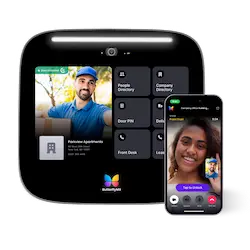
Video Intercoms
Open doors, gates & garages from anywhere.

QR Code Intercom
Smartphone-based visitor access.
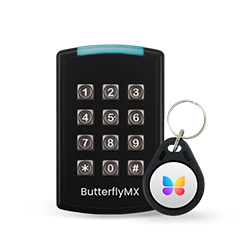
Access Control
Fob, key cards, PINs, and mobile apps.
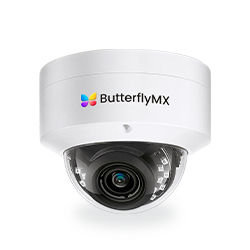
Security Cameras
Visibility throughout your property.

Vehicle Access
Hands-free access for gates & garages.
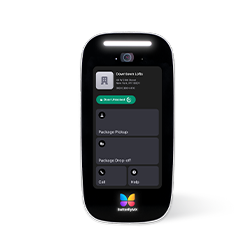
Package Room
Receive, store, and manage deliveries.
Smart Locks
Connect to all major brands and models.
Elevator Controls
Unlock key-fobbed elevators for anyone.
Front Desk Station
See all your doors and cameras in one place.
What is a gate intercom system?
A gate intercom connects a visitor at the entrance with someone who can approve entry. The visitor uses an entrance panel, often called a call box. The person answering uses a phone, app, or indoor station. A separate gate operator, also known as a gate opener, contains the mechanism and controller that move the gate.
As Swiftlane explains in its gate intercom guide, an intercom is not automatically a complete access control platform. A broader platform may also manage credentials, schedules, resident records, and reporting across entrances. Two products called call boxes may therefore offer different answering and access options.
A visitor call leads to gate release through four basic steps:
- The visitor places a call from the entrance panel.
- The call reaches a resident or staff member through a phone, app, or indoor station.
- The authorized person answers and approves entry.
- A relay or another approved interface sends an open command to the gate operator.
A dry-contact relay is a switch that can send this command when it meets the intercom and operator requirements. Depending on the design, it may sit in the entrance panel, a separate controller, or an indoor device.
The important distinction is that communication and gate release use separate paths. Gate Openers Unlimited explains these paths in its technical guide: a call reaching a phone does not prove that the release connection works. Likewise, losing an app connection need not disable a separately supported local station. These are general design possibilities, not findings about your entrance.
That separation is useful when planning a replacement. Before choosing a new panel, have an installer establish which parts of the existing entrance can still do their jobs.
Watch how ButterflyMX works:
Can you keep the existing gate operator?
Replacing the call box does not automatically require replacing the gate operator. Keeping it depends on its condition and compatibility with the proposed intercom. Ask a qualified gate or low-voltage installer to document the operator, its approved control input, how it responds to an opening command, and any older equipment connected to it. The operator manufacturer can help resolve questions about its requirements.
Confirm the release interface before choosing equipment
The installer must confirm that the proposed relay or other interface meets the operator requirements. The separate release path described by Gate Openers Unlimited explains why a product label saying it connects to gates is not enough to establish compatibility.
Your role is to request a written compatibility decision, not wiring instructions. A suitable interface makes keeping the operator possible, provided its condition and safety assessment also support reuse. If the interface is unknown, equipment selection remains provisional. A mismatch calls for an approved integration method or a change in equipment before purchase.
Identify what the site can support
Have the installer assess power, conduit, the cable route, existing wiring, and mounting. Have a network specialist assess connectivity at the proposed panel position, not in the leasing office. These are core checks in Swiftlane’s site-assessment guidance.
Each finding changes the installation scope. Usable conduit can make a wired connection worth considering. Blocked or absent conduit can add a new route, excavation, and surface repairs. Inadequate power leaves essential work unresolved even if the panel communicates wirelessly. Existing cable needs its own assessment: a usable route does not prove that the cable inside it is suitable.
Placement matters, too. Ask the installer to consider sun and drainage exposure, visibility, vehicle-impact risk, and how drivers approach the panel. A replacement may fit the old mounting point but still leave a poor camera view or an unsuitable cable route.
Keep gate safety separate from entry approval
Approval to open is not entrapment protection, which helps protect people from being caught by moving gate equipment. The intercom sends a command; the operator and its protective equipment have separate safety roles. They need professional assessment even when only the intercom changes.
DASMA’s gate-operator technical sheet explains the UL 325 safety context and distinguishes vehicular gate use from pedestrian access. DASMA is an industry association, and its sheet is not the standard itself. The sheet was revised in January 2018, so it provides background rather than current installation instructions. Have the operator manufacturer and qualified installer confirm applicable current requirements and address pedestrian access separately.
Suppose the installer confirms a suitable operator interface and usable conduit. Keeping the operator and requesting a wired proposal becomes reasonable. If the conduit is blocked, that proposal needs a revised route or another connection option. Neither finding settles the whole installation, but each tells you what to investigate next.
Keep confirmed findings separate from open questions. Unresolved power, compatibility, or safety issues need professional review before you commit to equipment. With those limits clear, you can compare connection options that the site may support.
Choose cellular, Wi-Fi, or wired connectivity for the gate
No connection is the best choice for every gate. Cellular can avoid a long network cable run but depends on carrier service and fees. Wi-Fi needs suitable outdoor coverage. Wired networking may be practical where usable conduit exists, while new excavation can change its cost. These are vendor-described installation tradeoffs, not independently measured reliability rankings.
Wireless describes communication, not an installation without infrastructure. Power, secure mounting, and a connection to the operator remain necessary. Our guide to wireless gate intercoms covers that narrower category in more detail.
For wired options, PoE means Power over Ethernet: a supported design carries power and network connectivity over an Ethernet cable. Ethernet and PoE are not the same thing. An Ethernet connection alone does not tell you how the panel receives power. The local-network and power explanation from Gate Openers Unlimited also distinguishes network wiring from a function’s need for outside internet.
Swipe to compare →
Use these conditions to narrow proposals rather than rank technologies. Usable conduit supports considering a wired gate intercom. Weak gate Wi-Fi calls for network improvements or a different connection. A long driveway alone does not justify a cellular gate intercom: carrier service still needs confirmation at the panel location. Coverage maps and office signal are not substitutes for that assessment.
If you do not need remote answering, a local hardwired intercom or a supported proprietary-radio system with a dedicated handset may also fit. Telephone entry describes a different part of the arrangement: it calls a resident’s phone through an available calling service. Our guide to cellular telephone entry systems explores that workflow. Cellular itself is not limited to audio-only calling; depending on the model, it can carry voice, video, data, or app traffic.
Choosing cellular, Wi-Fi, or Ethernet identifies the connection. It does not tell you where credentials are checked or which functions need a cloud service. Those details determine what remains usable during an outage.
What works when internet, cellular service, or power fails?
Some locally connected intercoms can call and release the gate without external internet or a landline. Remote apps and cloud-dependent functions may still need service. Cellular replaces reliance on site broadband with reliance on a carrier. Gate Openers Unlimited describes these general design differences, but documentation for the exact model must establish how your chosen equipment behaves.
Separate local functions from cloud-dependent functions
Wi-Fi is a local network connection, not internet service itself. A supported arrangement between local IP stations may keep working over its local network when broadband fails. App calls, remote video, notifications, administration, or directory updates may not.
Credentials need a separate answer. A model that stores and checks credentials locally may continue accepting them during a service outage. Logs and recordings may behave differently. A stored credential is useful only if the full release path, including the operator, remains available.
Ask the provider to address broadband loss and carrier loss separately in the proposal. For each relevant outage, it should state what happens to calls, local credentials, resident release, and logs. It should also explain what happens when service returns, including whether records or directory changes need to sync. A general claim that the system works offline does not answer these questions.
Account for power across the whole entrance
A battery on the gate operator does not establish backup power for the whole entrance. Depending on the design, the panel supply, PoE switch, modem, indoor station, operator, and any electric lock may each need power. The same technical guidance treats power loss separately from internet loss.
Have the installer define which components receive backup power and what access they support during an outage. Do not assume that the gate will open automatically or remain usable for a particular time because one component has a battery.
Include written outage behavior and installer-led checks in the proposal. The agreed checks should cover relevant calls, credentials, resident release, and logs during the specified interruptions and after service returns. Record who will address a failed check and confirm restored operation. You commission the checks and keep the results; qualified professionals handle live gate and electrical testing.
If a provider cannot document the local access your property requires, the product has not yet met that requirement. Once site fit and fallback access are established, you can judge its everyday features against the work your property needs to do.
Match intercom features to daily property operations
Start with who uses the entrance and who manages it. Identify who answers visitors during office hours and after hours, whether they need to see the visitor, how deliveries receive approved access, and how residents enter. These answers turn a feature list into operating requirements.
Make visitor answering and video practical
Mobile answering may fit a property where residents approve their own visitors. A staffed station may fit an entrance with a designated answerer. In either case, make after-hours responsibility clear. Sending a call somewhere is not a complete visitor access plan unless someone is responsible for answering.
For a video gate intercom, consider the proposed view rather than camera resolution alone. Swiftlane’s operational guidance emphasizes driver-window visibility, glare, and low-light performance. Request a demonstration suited to the proposed placement so you can judge whether the image helps the answerer identify the visitor.
Apply the same reasoning to delivery access. Establish whether a driver will call a resident or staff member, or use a supported temporary credential. Then confirm that the proposal includes the features and setup needed for that arrangement.
Make directory and credential management maintainable
Assign responsibility for directory changes when residents move in or out. The process should also cover removing former users, expiring guest or vendor access where supported, and reviewing available audit logs. Without an assigned owner, these remain features rather than maintained procedures.
Swiftlane also recommends changing installer-default administrator credentials and demonstrating PIN management. Before choosing a system, have the provider show how staff create, expire, remove, and review credentials. Permanent shared codes do not offer the same individual administration as credentials assigned to specific users.
Carry these requirements into the quote. Include initial directory setup, administrator access, training, ongoing responsibilities, and associated charges. A panel with the right features still needs a management process your staff can maintain.
Compare installed gate intercom costs and continuing charges
As one gate intercom system cost example, Los Angeles installer All County Fence & Gate published a $2,000–$8,000 installed planning range for a small commercial or multifamily entrance on September 15, 2026. The guide does not state a sample behind the range. This is one regional installer’s planning figure, not a national average, a ButterflyMX price, or a quote for your property.
Establish what the installed price includes
A panel replacement and an entrance-wide installation are different purchases. One proposal may keep the operator, power supply, and usable infrastructure. Another may include new equipment and site work. Do not assume that replacing an intercom requires a new operator or lock. Different scopes need to be reconciled before their prices can be compared.
The earlier site findings now become cost inputs. Applicable power work, conduit repairs, trenching, surface restoration, and operator integration need separate line items. Credential replacement and service visits may also affect your operating budget. Swiftlane’s cost guide identifies these additional expenses, but which ones apply and what they cost depend on your project.
Compare ongoing fees and exit terms
Ask whether software and carrier charges apply monthly or annually, and whether each is charged per entrance, per user, or on another basis. Record who owns the accounts and who handles support and maintenance. A recurring fee without its billing unit is not enough to compare proposals.
All County’s quote-comparison advice also covers account ownership and cancellation. Obtain a written explanation of which functions continue or stop if service is cancelled. Cancellation can change the usable system, not just its bill; the effect depends on the product and agreement.
Use this worksheet for each itemized quote. Mark every group as included, excluded, or unresolved, with a price or allowance where relevant. This is a comparison template, not a sample bid.
- Hardware: new components, retained equipment, and replacement credentials.
- Labor and mounting: installation work and the proposed mounting arrangement.
- Infrastructure: power, conduit, cabling, trenching, and surface restoration.
- Integration: operator connection, applicable programming, checks, and any permit allowances.
- Onboarding: directory setup, administrator access, and staff training.
- Recurring services: software and carrier fees, billing units, and terms.
- Support: maintenance responsibility, service visits, and warranty scope.
- Ownership and exit: account ownership and the effects of cancellation.
Suppose one proposal excludes conduit repairs while another includes them. Their totals are not comparable until that exclusion is assessed and priced. Keep retained equipment and unresolved work visible in both proposals so a lower, incomplete total is not mistaken for a lower installed cost.
Bring the decisions together in a short replacement brief: required visitor workflows, equipment that may remain, a possible connection, documented fallback requirements, outstanding assessments, and the work each bid must cover. That gives every provider the same problem to solve.
Frequently asked questions
Does cellular telephone entry mean audio-only calling?
No. Telephone entry describes calling a resident’s phone, while cellular describes the connection used. Depending on the product, cellular service can carry voice, video, data, or app traffic. Check the actual model rather than assuming a feature limit from its connection label.
Is an operator battery enough to keep the entrance working?
Not necessarily. It provides backup only for the equipment and functions it supports. The panel, network equipment, modem, indoor station, and any electric lock may also need power. Request a whole-entrance assessment and written outage behavior rather than assuming visitor entry will continue.
What should happen to guest codes and resident credentials when people leave?
Remove former users and expire guest or vendor credentials where the model supports it. Assign responsibility for these changes and review the available audit trail. Before committing, request a demonstration of credential creation, expiry, removal, and administrator access.
Does a wireless intercom eliminate trenching?
No. Avoiding a long data-cable run does not guarantee an excavation-free installation. Power, mounting, and operator integration still need suitable infrastructure. Have the installer identify remaining site work before comparing total costs.
What should be clarified before cancelling an intercom subscription?
Establish who owns the account and obtain a written explanation of which functions continue or stop after cancellation. Check software and carrier services separately where both apply. Assess these exit terms alongside the recurring charge.
The right gate intercom replacement starts with the entrance, not the panel. Have qualified specialists establish what can stay, which connection the site supports, and whether required access will remain available during outages. Then compare proposals that cover the same work and ongoing responsibilities.
Your replacement brief should make the next decision clear. That may mean choosing a new system, retaining an adequate setup, selecting a simpler supported local or telephone-entry arrangement, or postponing purchase until a specific assessment is complete. The goal is a choice you can support, not newer hardware for its own sake.
Get your free quote!
Fill in the form below, and we'll email you right back.
Want a free quote?
Fill in the form below, and we'll email you right back.
Redirecting you in 5 seconds.