
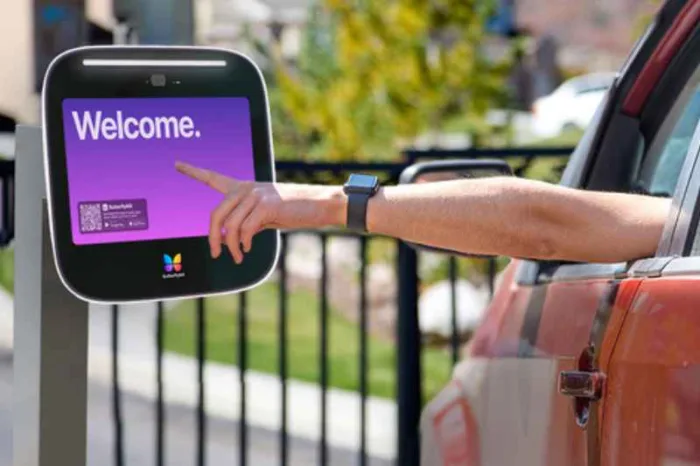





Key takeaways:
- Choose how staff will answer visitors, then match the intercom connection to the power, network access and signal available at your gate.
- An intercom lets staff approve entry, but a separate gate operator moves the gate and needs its own compatibility and safety checks.
- Compare equipment, installation and recurring fees separately, and test calls, gate release, credentials and outage recovery before accepting the installation.
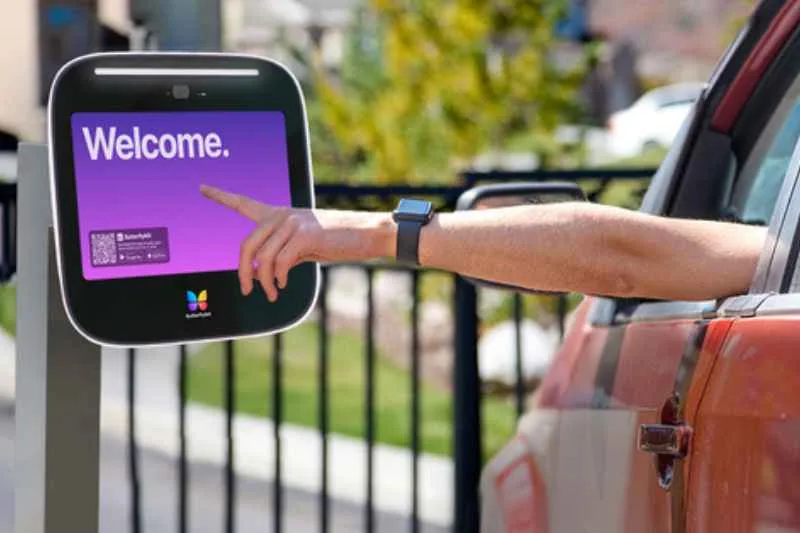
Gate intercom systems for small businesses let staff speak with visitors and approve entry from wherever they answer calls. To choose a system, consider who will answer, what connection is available at the gate and how employees and vendors will get in when the office is unattended.
Say a delivery driver calls from the gate while your manager is in the warehouse. The gate intercom must reach the manager, and the manager’s approval must reach the equipment that opens the gate. Look for a setup that brings visitor communication, access permissions and gate operation together.
This guide walks you through choosing between audio and video, comparing connection types and evaluating two products. Use the cost worksheet and installation checklist to request comparable quotes for one to three business entrances.
This guide will answer:
- How a business gate intercom works
- Choose audio or video based on who answers
- Match connectivity to conditions at the gate
- Confirm operator compatibility and gate safety
- Plan employee, vendor and delivery access
- Compare gate intercom systems for small businesses
- Budget for equipment, installation and ongoing service
- Define outage behavior before choosing a system
- Request comparable quotes and test the completed entrance
Watch how ButterflyMX works:
How a business gate intercom works
A business gate intercom connects visitors at the entrance with staff who can approve entry. Here’s what happens when a vendor truck arrives at your yard.
- The driver places a call from the gate station.
- The call reaches your designated staff member at a desk station, phone or app, depending on the system.
- The staff member speaks with the driver, confirms the visit is authorized and approves entry.
- An electrically controlled switch, called a relay, sends a release signal to the separate gate operator, which moves the gate.
Test the call and gate release separately. Your staff need to hear the driver clearly and confirm that approving entry sends the release signal to the operator.
The intercom, gate operator and access-control layer
The intercom connects visitors with staff, and the gate operator moves the gate. Access control manages credentials such as PINs and fobs, along with the permissions that tell the system who can enter. Together, these functions let staff admit visitors and give authorized users a way to enter without calling.
The relay signals the operator to move the gate. At a pedestrian entrance, the release connection may control a lock. If your project also includes building doors, the guide to intercom systems for business explains how their requirements differ from vehicle-gate entry.
Gate entry versus warehouse paging
Use a gate intercom to talk with visitors and approve entry. A paging or public-address system broadcasts announcements, and a staff communication system connects employees. If you’re also choosing a low-cost intercom system for a small warehouse, define these jobs before comparing equipment. Verify suitability for employee alarms separately, regardless of whether the product is labeled as an intercom or a paging system.
Choose audio or video based on who answers
A receptionist who stays at a desk and a manager who moves between the office and yard may need different ways to answer. Decide where calls should reach your team before you choose a panel. Then check whether the system supports audio or video at that answering location. Phone answering alone tells you nothing about video support.
When audio is enough and when video helps
Audio may be enough at a quiet entrance where staff regularly admit familiar suppliers. A video gate intercom lets staff see unfamiliar drivers or view a gate they can’t see from their workspace. Video helps staff assess who’s there, and they still need to confirm that the visit is authorized.
Check the camera view from where drivers will actually stop. A camera that shows someone standing beside the panel may miss the driver of a tall truck. Include backlighting, headlights and nighttime conditions in the site assessment.
Desk, phone and backup answering
Depending on the model, calls can go to a fixed station, a telephone or a smartphone app. Ask how the proposed system routes unanswered calls, since routing options vary by product.
Write down who answers first, who backs them up and when each person is available. Decide what visitors should do if nobody answers. For after-hours entry, arrange for an authorized person to answer or set up an appropriate credential process. A camera can show who’s at the gate, and someone still needs to approve visitors who call.
Match connectivity to conditions at the gate
Base your connection choice on the power, cable routes, network access and signal at the proposed panel location. Check the connection at the gate even if it works well inside the office. During the site survey, assess the mounting position and exposure to rain, dust, heat and cold so you can choose equipment rated for those conditions.
Wired Ethernet, PoE, Wi-Fi, cellular and radio
Wired IP intercoms communicate over a data network. A compatible Power over Ethernet (PoE) connection carries power and data over the same Ethernet connection. Other intercoms use Wi-Fi, cellular service or a proprietary radio link between compatible devices. The table shows what each option requires and what to test at the gate.
Swipe to compare →
An existing cable route may make wired networking practical. At a site without usable broadband, cellular service may be a good fit. Wi-Fi and proprietary radio depend on a reliable wireless path where the equipment will be installed. Plan for the power and release wiring your setup requires, including a compatible operator connection for wireless gate intercoms.
Wiring and service for gates without broadband
Say your warehouse gate has power and no usable Wi-Fi. A cellular gate intercom can take the place of a local broadband connection if the intended carrier has coverage at the panel. You’ll also need power, a compatible operator connection and an active service plan.
Voice, data and video capabilities vary by model and plan. Test the proposed setup at the panel, since a nearby phone’s signal indicator only tells you about that phone’s connection. When planning cellular gate access for remote warehouse gates, check both carrier coverage and whether the service plan supports the functions you need.
Confirm operator compatibility and gate safety
You may be able to keep your existing gate operator if it’s in suitable condition and has the right safety provisions and control input. Check compatibility and safety separately. A successful release confirms the intercom can trigger the operator. Safety requires its own assessment.
What to confirm before keeping an existing operator
Record the operator’s make and model. Ask your installer to confirm the release interface, relay type, contact rating and signal duration in writing. These details tell you how the command reaches the operator, how much electrical load the relay can safely handle and how long the signal lasts.
Have the installer verify the actual connection even if the equipment shares a brand name. If the operator needs repair or replacement, ask the installer to list that work separately in the proposal.
Vehicle-gate safety, pedestrian routes and emergency access
UL 325 concerns operator safety, and ASTM F2200 concerns automated gate construction. The entrance still needs entrapment protection to help protect people from moving-gate hazards. Have a qualified installer assess the entrance against applicable requirements and establish emergency access with the local authority.
Keep pedestrian routes clear of the moving vehicle gate. Pedestrian doors have their own requirements for unlocking and safe exit, also called egress. The guide to intercom systems for small commercial office buildings covers pedestrian entrance decisions.
Plan employee, vendor and delivery access
Match each person’s entry method to their role and assign an administrator to issue, change and revoke access.
- Give employees individually managed credentials so you can remove one person’s access without changing everyone else’s.
- Give recurring vendors scheduled access where the system supports it.
- Have unfamiliar delivery drivers call the designated staff member for approval.
- Give short-term contractors limited credentials and remove their access when the work ends.
Temporary access without sharing permanent codes
For a scheduled delivery, you might give the loading-dock supplier a time-limited credential and ask unscheduled drivers to call the office. You might also give a contractor a credential that expires when the job ends. Choose a system that supports scheduling and expiration, then have your administrator configure both.
Time-limited credentials reduce the need to share permanent codes. Your procedures still need to account for tailgating, which happens when another vehicle follows an authorized entrant through the gate.
Vehicle credentials and useful access records
Radio-frequency identification (RFID) tags and license plate recognition identify vehicles and serve a different purpose from visitor calling. A vehicle match alone may leave the driver’s identity unknown. Plan how you’ll issue and revoke tags. For plate recognition, plan for suitable imaging, accurate plate records and a fallback when the system can’t read a plate. List these features separately in the project’s access control scope.
Access records can help administrators investigate an entry event. An event photo captures a single moment. It provides neither continuous surveillance nor proof that only one vehicle entered after approval.
Compare gate intercom systems for small businesses
When comparing gate intercom systems for small businesses, start with how staff will answer visitors and manage access. ButterflyMX Video Intercom supports mobile video answering and centralized management. Security Brands Ascent X2 provides cellular phone entry. A basic audio system can also suit a predictable, staffed entrance. This guide is published by ButterflyMX.
Swipe to compare →
ButterflyMX suits teams that want to see visitors live and approve entry from a phone, provided the entrance has internet, power and a compatible release connection. Ascent X2 suits locations that lack usable local broadband and have adequate carrier coverage for cellular phone entry. Its video feature captures entry events. Live visual approval calls for a system that lets staff see the visitor during the call.
For a multi-tenant business site, count the contacts visitors need to call and the people who need entry credentials separately. Ascent X2 lists both capacities. For ButterflyMX, confirm the capacities for your proposed configuration. The Ascent specifications below come from manufacturer information reproduced by dealer Protec Controls.
ButterflyMX Video Intercom for mobile answering and centralized management
With ButterflyMX Video Intercom, a manager can see and speak with a visitor on their phone and approve entry without returning to a desk station. ButterflyMX product documentation lists one-way video by default and two-way video as an option.
Authorized users can enter with Visitor Passes or supported six-digit PINs, fobs or keycards without placing a call. Administrators can manage permissions from a central dashboard. Property management system integrations may help multi-tenant commercial properties coordinate that work.
The documented audit trail retains date-stamped event photos for 365 days. Administrators can review those photos as access records when investigating entry events. The photos capture individual events rather than providing continuous surveillance.
The system requires internet, power and a compatible release connection. Installation is handled by a local installer, not ButterflyMX. The product has four dry-contact relays, which are switches that provide no operating power of their own. Have the installer review the design to determine how many independent gates it can support.
Security Brands Ascent X2 for cellular phone entry
Security Brands Ascent X2, model 16-X2, uses 4G LTE and Summit Control cloud administration. Manufacturer specifications reproduced by Protec Controls describe directory calling with rollover to three phone numbers, giving callers a way to reach alternate contacts. Supported entry methods include app, text, voice, keypad and GuestPass QR access.
The directory supports up to 30 residents or tenants. Separately, the listed plan-dependent limits are up to 10,000 app, text and voice users and 10,000 keypad codes. Check the directory limit against the contacts visitors need to reach and the credential limits against the people who need access.
Depending on the installation design, the system can control up to two gates or doors. It requires carrier coverage, activation and a service plan. The system captures video of entry events with infrared capability. Live two-way video calling is unavailable. The manufacturer advises against relying on the system as the sole means of emergency egress.
Compare management responsibilities as well as features
For either product, decide who will manage users and accounts and who will support the entrance after installation. Before you buy, ask whether you can export access records, whether another integrator can support the system and which functions depend on an ongoing service plan. The answers affect your ability to switch providers and keep the system useful over time.
Have the installer check the proposed connections against your existing equipment before relying on an integration claim.
Budget for equipment, installation and ongoing service
Installation costs depend on what you can reuse and what the site needs. Reusing suitable power and conduit calls for different work than trenching, adding network equipment or replacing a gate operator. Compare equipment, installation and recurring services separately, and count shared infrastructure once across all entrances.
Example hardware price for the Ascent X2
On November 19, 2026, Protec Controls listed one Security Brands Ascent X2 16-X2 in the US for US$1,925.00. That hardware price included the unit, a preinstalled Smart SIM and a 24 VDC power supply. Installation, a pedestal, an antenna extension, activation and the service plan were additional costs.
Use the dated dealer listing as a hardware example. Current offers and market prices may differ. Include the applicable monthly service charge and the installation items your site requires in your budget.
The cost categories every proposal should separate
Use this worksheet to compare installer proposals. Ask for prices, quantities, which equipment the installer will reuse and any excluded work in each category.
Swipe to compare →
Compare proposals using the same quantities, contract periods and recurring charges so you can spot missing work. Ask which functions stop working if you cancel a service. That tells you which fees to include in your ongoing budget.
Define outage behavior before choosing a system
An internet, cellular or power outage can affect different parts of the entrance. Ask your installer to document how the proposed system responds to each type of outage that could affect your site.
Document what continues working and for how long
For each function below, ask the installer to document whether it continues during an outage, what fallback is available and how normal operation resumes.
- Visitor calls to primary and backup contacts.
- Credential checks and authorized entry.
- Remote release commands.
- Access-record storage and later availability.
- Physical gate movement.
Confirm whether the keypad checks codes locally or through an online service. Check the gate operator’s power separately from the intercom’s. Backup power must cover the equipment that supports the functions you want to keep running. Depending on the design, that includes the panel, network equipment, modem, answering equipment, any applicable lock and the gate operator.
Have the installer state how long backup power is expected to last for your design. Ask them to explain how service resumes and when staff can access records again after an outage.
Keep emergency access separate from convenience features
Establish the applicable approved emergency access or safe exit arrangement independently of remote release and cloud access. Have your installer and local authority confirm whether your gate should open or stay closed if power fails.
Request comparable quotes and test the completed entrance
A qualified installer coordinates the gate operator connection, electrical and network work, setup, testing and safety review. For an automated vehicle entrance, make sure the quote and acceptance checklist cover all of that work as well as panel installation and app setup.
Give each installer the same site brief
Give every installer the same site brief. List how many entrances you have and what each is used for. Include the operator’s make and model, available power and cable routes, network or cellular test results, weather exposure and mounting constraints. Add employee and visitor volumes, the answering schedule, temporary access needs and what should happen during an outage.
Identify who will administer the system and manage credentials. Request the same cost breakdown from every installer so you can see where designs differ and which items each proposal includes.
Test calls, release, credentials and recovery before handover
Review this checklist with the installer before accepting the completed entrance.
- Confirm that staff can hear visitors clearly and assess video, where provided, from actual vehicle stopping positions.
- Reach the primary contact and demonstrate the agreed backup call routing.
- Approve entry and verify that the correct entrance releases.
- Test authorized, expired and revoked credentials, as supported.
- Have the installer safely demonstrate the agreed outage and recovery behavior.
- Complete gate-safety verification with the qualified installer.
- Receive administrator access, user training, support contacts and documentation of who owns the accounts and records.
Test calls and gate release separately. That makes it easier to tell whether a problem involves communication, authorization or gate equipment. Record unresolved items before you accept the installation.
Choose a gate intercom based on where staff answer calls, which connections work at the gate and how employees and vendors need to enter. Audio may suit a predictable, staffed entrance. Video lets staff see visitors live before approving entry, and a cellular system can serve a gate without usable local broadband.
Prepare a site brief, compare itemized proposals and test calls, gate release, credentials and outage recovery before you accept the installation. If your team needs mobile video answering and centralized visitor management, discuss your entrance requirements with ButterflyMX.

Get your free quote!
Fill in the form below, and we'll email you right back.
Want a free quote?
Fill in the form below, and we'll email you right back.
Redirecting you in 5 seconds.