
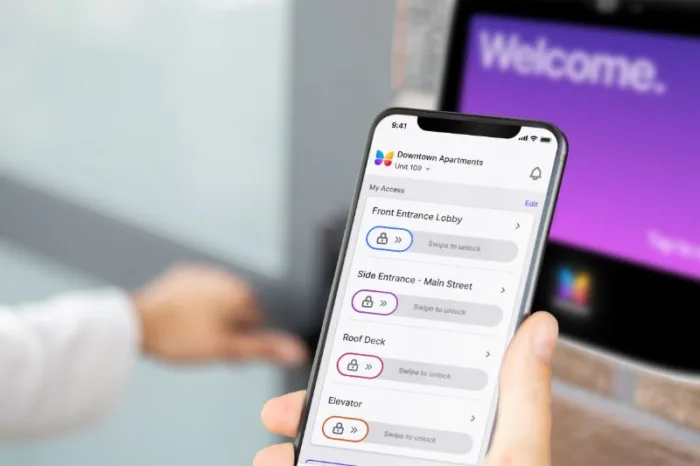





Key takeaways:
- Smart access control uses digital credentials and managed permissions to determine who can enter specific doors, gates, and other openings.
- During an internet outage, people may still be able to enter with existing credentials. Remote unlocking and permission changes may require a connection.
- Compare systems using the same opening inventory, credential needs, installation requirements, and five-year cost assumptions.
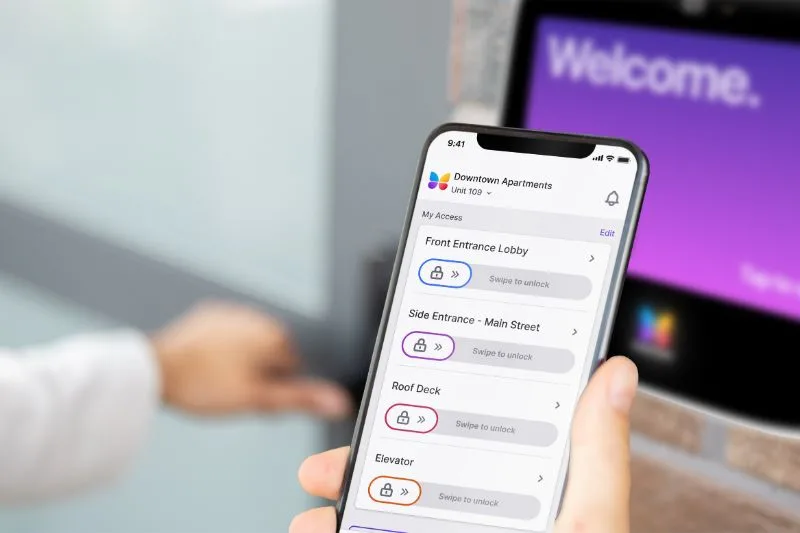
When a resident moves in, you can give them access to the lobby, garage, and gym. A contractor might need access to the same lobby for just a few hours. Smart access control lets you manage both sets of permissions, replace lost credentials, and handle visitor entry from the same system.
When choosing an access control system, consider how your staff will manage permissions and what happens when the internet or power goes out. This guide explains how smart entry works, which credentials and systems fit different properties, and how to compare costs and plan an installation.
In this guide
- What is smart access control?
- How does a smart access control system work?
- Which types of smart access control fit your property?
- What are the benefits and security tradeoffs?
- How much does smart access control cost?
- How to choose a smart access control system
- How to plan a retrofit and installation
Watch how ButterflyMX works
What is smart access control?
Smart access control uses digital credentials, readers or smart locks, and management software to control entry. A credential is what someone uses to request access, such as a phone, card, fob, or PIN. The system checks whether that credential has permission to open a particular door, gate, or other controlled opening.
At an apartment property, residents may use the lobby, garage, and gym every day. Cleaners may need access during scheduled hours, while delivery drivers need limited entry. With a shared system, staff can manage all three sets of permissions in one place.
Cards and fobs count as digital credentials, too. If your existing cards and fobs are compatible with the new equipment, you may be able to keep using them after an upgrade.
Smart locks, access control systems, and video intercoms
A smart lock controls one opening and can work on its own or as part of a larger system. A standalone lock may suit a landlord managing a single door. A property-wide access control system lets staff manage permissions across multiple openings, which is useful at properties with shared amenities and frequent arrivals.
A video intercom lets residents or staff speak with visitors and approve entry. It can work alongside the readers, controllers, and locking devices that manage entry throughout the property.
How does a smart access control system work?
When someone requests entry, the system verifies their credential and checks their permissions before releasing the lock. Here’s what happens when a resident enters the lobby.
- The resident presents a credential, such as a phone, card, fob, or PIN.
- The system reads and validates the credential. This is called authentication.
- The system checks whether the credential is allowed to open that door at that time. This is called authorization.
- If entry is authorized, the locking device releases.
- The system records the event for staff to review.
A controller or smart lock can make the entry decision at the property. Cloud software uses a network connection for administration, permission updates, and reporting. Local entry can work without internet access, depending on the system and how it’s set up.
The components behind a controlled opening
Knowing what each component does can help you review an installation proposal and identify equipment you may be able to reuse.
- A credential carries the information used to request access.
- A reader captures that information.
- A controller checks permissions and signals the locking device.
- A locking device secures or releases the opening.
- A door-position sensor reports whether the door is open or closed.
- A request-to-exit device signals an exit request.
Software, communication links, and power support these functions. Use this list to plan the project, then confirm the equipment and wiring requirements for each opening and the proposed system.
Silicon Labs describes Bluetooth LE, short for Bluetooth Low Energy, as one technology used for phone credentials. Compatible cards and fobs communicate with readers using NFC or RFID. Separate network links connect access equipment to management services.
The Security Industry Association describes OSDP, or Open Supervised Device Protocol, as a way for readers and controllers to communicate in both directions while monitoring the connection. Encrypting data between the reader and controller requires configuring OSDP Secure Channel.
Mobile credentials, fobs, PINs, and biometrics
Consider how people will use each credential and what your staff will need to do to manage it. Staff can issue mobile credentials digitally, while cards and fobs give residents the option to enter without a phone.
Swipe to compare →
Staff can deactivate both managed fobs and mobile credentials. Individual temporary passes make it easier to trace credential activity than shared PINs, although people can still share some credentials.
With a compatible system, residents can keep using familiar cards or fobs as you introduce phone access. Comparing mobile access control vs. key fobs can help you plan the transition.
Which types of smart access control fit your property?
Start by deciding how many openings you want to manage together, where the management software should run, and how you’ll assign permissions. A single system can offer cloud administration, mobile credentials, and role-based permissions because each describes a different part of how the system works.
Standalone, on-premises, cloud, and hybrid systems
Standalone locks can suit a property with a few openings that staff manage independently. With a shared system, staff can coordinate permissions across entrances and amenities without managing each opening separately.
On-premises management software runs at the property, so your operating plan needs to account for local infrastructure and maintenance. Cloud administration lets staff manage access remotely and depends on service availability and connectivity. For either setup, confirm which entry functions will work locally during an outage.
Hybrid systems combine local and cloud functions, and the mix varies by vendor. Ask which functions run locally, which rely on cloud services, and who maintains each component. Access control as a service describes how the provider delivers the system and how you pay for it.
Permission models and practical access rules
Permissions determine which openings someone can use and under what conditions. Here are five common approaches.
- Discretionary access lets an owner or authorized administrator assign permissions.
- Mandatory access uses strict classifications, often in specialized government or laboratory settings.
- Role-based access assigns permissions to groups such as residents or maintenance staff.
- Rule-based access applies conditions, such as allowing cleaners into the gym only during scheduled hours.
- Location-based access uses location checks to supplement other permissions.
At the example apartment property, resident and maintenance roles can determine which openings each group can use. Staff can add schedules where needed. Location-based access control and geofencing can add another check. How useful it is depends on indoor accuracy, connectivity, and privacy requirements.
Access control for apartments, offices, and gated communities
An apartment property needs to accommodate residents, visitors, contractors, and people using shared amenities. In an office, consider staff roles and which responsibilities belong to the landlord or tenant administrators. At a gated community, plan for vehicle entry and deliveries.
For vehicle entry, the access control system authorizes access and signals the gate equipment. The gate operator physically moves the gate. App-based credentials rely on compatible equipment and a properly designed installation.
List the openings and entry tasks at your property before choosing equipment. A property with one door may need only a suitable smart lock. A property with a lobby, garage, and gym can benefit from managing permissions for all three together.
What are the benefits and security tradeoffs?
With centralized management, staff can add a resident, deactivate a lost credential, schedule cleaner access, or review an entry event without visiting each device. Compared with handing out mechanical keys, the system can reduce physical credential handling and some rekeying work. Budget for any mechanical keys your property will continue to use.
Traditional electronic access systems may already offer schedules and logs. Evaluate an upgrade by seeing how it handles your staff’s current tasks and factoring in subscriptions, training, power, and connectivity.
What happens during internet and power outages?
When the internet goes down, a controller may continue using permissions saved on the device, also called cached permissions. A credential that staff deactivate during the outage may still work until the controller receives the update.
Remote unlocking, permission changes, and log synchronization may require connections that local entry can operate without. Test the proposed setup in each of these scenarios to see which functions remain available.
Swipe to compare →
During a power outage, backup power can keep equipment running on previously saved permissions. Pending changes, such as deactivating a credential, may still have to wait for the internet connection to return.
What access logs and digital credentials can tell you
An access log can show that the system granted entry to a credential. Determining whether someone walked through the door, how many people entered, or who used the credential may require additional evidence. Photos and paired video can help staff investigate. Someone can still follow an authorized person through an open door, a practice known as tailgating.
Administrator permissions, credential settings, and staff procedures all affect security. Sharing a credential makes it harder to trace activity. Biometrics add responsibilities for handling personal data, and their security value depends on how they’re used.
How much does smart access control cost?
Count the doors, gates, and other openings you need to control when building your budget. Planning figures from vendors and integrators, summarized in ButterflyMX’s multifamily cost and commercial access guides, range from about $500 to $5,000 or more per opening. Those figures cover projects with different scopes, so use them as planning estimates and get a quote specific to your property.
Hardware, installation, and recurring charges
Ask for a proposal that itemizes equipment, installation, and ongoing fees. For each charge, confirm what’s included and how the provider bills for it.
Swipe to compare →
Shared equipment and setup costs can grow at a different rate from per-opening costs. Track them separately so you can estimate what it would cost to add doors later.
The multifamily cost guide reports a regional example from GenX of $3.50–$15 per door per month and a $20–$50 range from Gatewise. Because the examples cover different services, use each provider’s stated inclusions and billing terms when budgeting.
How to compare five-year costs
Add the installed costs for all openings, shared project costs, and five years of recurring fees. If the installation price already includes hardware or labor, count those items once.
For example, at a hypothetical software rate of $20 per door per month, 10 doors would cost $2,400 annually or $12,000 over five years. The calculation covers software only and assumes the rate and door count stay the same.
Check that proposals cover the same openings, credential counts, support, integrations, and contract terms before you compare totals. If you need to allocate the cost per apartment, divide the total project cost by the number of apartments. The guide to access control cost per unit for multifamily properties explains how to calculate per-unit costs and provides vendor budgeting examples.
How to choose a smart access control system
Use your property’s entry and management needs to narrow your options.
- List your controlled openings, users, and administrators.
- Describe how residents, visitors, delivery drivers, and staff need to enter.
- Identify which software integrations you need.
- Check compatibility with your credentials and existing hardware.
- Test the proposed setup during simulated internet and power outages.
- Compare proposals that cover the same equipment, services, and contract terms.
Ask each provider to walk you through a move-in, a move-out, a contractor schedule, and a visitor arrival. You’ll see what staff and residents actually need to do to grant or use access.
A property management system (PMS) integration can connect resident records with access management. For a move-out, ask the provider to show which change to the resident record revokes access, which openings it affects, and how the update reaches each device. A disconnected device may apply the change later.
ButterflyMX publishes this guide. The comparison below describes how each manufacturer’s documented offerings fit different property needs.
Swipe to compare →
Consider ButterflyMX if you want to manage resident, visitor, and delivery access together. DOOR may suit multifamily properties evaluating access alongside other building operations. Kisi may suit offices that want options for upgrading compatible equipment in phases.
As you evaluate each proposal, check which credentials the readers support, how the integrations update access, and which components you can reuse. With those requirements in hand, comparing cloud-based access control systems can help you broaden your shortlist.
ButterflyMX for resident and visitor access
The ButterflyMX Access Control System combines a cloud-based controller with Mullion, Keypad, and Single Gang reader options for doors, gates, garages, and connected amenities. Check which readers support the smartphones, fobs, cards, or PINs you want people to use at each opening.
PMS integrations and connections with intercom, package room, and elevator functions can reduce the number of systems your staff use to manage access. Where configured, Visitor Passes and delivery PINs give guests and deliveries temporary access while residents retain their everyday credentials.
Installation requires a local low-voltage installer, compatible locking hardware, network connectivity, and power. ButterflyMX documents offline functionality. Operation during a power outage requires an installed backup battery. At handover, test supported credentials and verify how long the system runs on backup power.
DOOR for a broader multifamily platform
DOOR OS brings access control and other building functions into one multifamily platform. Its R2 Smart Reader, Smart Intercom, and Link serve different entry needs. The intercom suits main entrances, and Link uses QR entry at secondary doors.
DOOR documents integrations with Yardi, RealPage, Entrata, and AppFolio. Ask the provider to demonstrate the proposed integration with your resident records so you can see how staff grant and update access. If you’re considering a phased rollout, confirm which readers and locks are compatible before deciding what to keep.
Kisi for office access and phased upgrades
Kisi One Security Platform offers mobile and physical credentials for offices. Full, hybrid, and overlay deployments give properties several ways to upgrade when existing components are compatible. Configured deployments can also support visitor links and Terminal Pro QR entry.
Kisi describes how phones, readers, and controllers can store access information. Because the system can store that information in different places, test each credential type you plan to use during an outage.
On November 19, 2026, Kisi’s US pricing page listed Controller Pro 2 at USD $850 and Reader Pro 2 at USD $475, with OSP, Flex, or Fit plans. For a complete installed cost, also account for door or elevator licenses, third-party installation, and any optional add-ons.
How to plan a retrofit and installation
Give a qualified installer your opening inventory. Before you finalize the scope, ask them to mark which components you can keep, which need replacing, and which need further verification. Have the installer reflect those decisions in the proposal.
Verify locks, readers, wiring, and power
For the example lobby door, record the lock and reader make and model, credential technology, communication protocol, wiring, and power requirements. If you plan to keep a reader, verify that the new system also supports the cards people already use with it.
Legacy Wiegand and OSDP use different communication specifications. Have your installer check protocol compatibility and, where applicable, the OSDP Secure Channel configuration. The installation plan should identify who handles the locking hardware, wiring, and network connections and who verifies the required backup power runtime.
Egress requirements and security certifications
Egress is the ability to exit. When power goes out, fail-safe locking hardware unlocks, while fail-secure hardware stays locked on the secured side. Whether people can exit in compliance with applicable codes depends on the installation. Qualified professionals and the authority having jurisdiction must address the relevant fire, building, and egress requirements.
UL 294 listing concerns access control products. SOC 2 is an attestation about an organization’s controls, while ISO 27001 certification concerns information security management. Review those credentials alongside the requirements for your installation. The guide to commercial building access control systems, costs, and codes explains each in more detail.
Pilot the system on a small set of openings before expanding it. Train staff and residents, provide backup credential options, and ask the installer to demonstrate entry, permission changes, and outage behavior at handover. Your team can then see how to operate the system day to day and what to expect during a disruption.
Start with an inventory of your openings and a list of everyday access tasks. Use both to request a demonstration and an installer assessment. Check how each setup handles your credential options, visitor needs, software integrations, and existing equipment before comparing proposals on the same scope.
If your property needs to coordinate resident, visitor, and delivery access, explore how the ButterflyMX Access Control System fits those requirements.

Get your free quote!
Fill in the form below, and we'll email you right back.
Want a free quote?
Fill in the form below, and we'll email you right back.
Redirecting you in 5 seconds.