





Key takeaways:
- VTS is an enterprise CRE software family for leasing, marketing, market data, AI, and tenant experience; access and visitor tools sit mainly within VTS Activate.
- VTS does not publish a rate card, but third-party sources report subscriptions starting at about $20,000 per year before access infrastructure and optional hardware costs.
- VTS Activate connects to a compatible third-party access control system and reports serving 171+ office buildings, 12,000+ multifamily units, and 27,000+ users.
 Disclaimer: ButterflyMX provides these blog posts to help our customers and potential customers make the right business decisions. Our blog posts are based on the information available to us at the time of writing.
This VTS review looks at a broad commercial real estate leasing platform, not a single access control product. Large landlords, asset managers, brokers, and property teams may consider VTS for leasing and portfolio work, while VTS Activate adds tenant experience, access, and visitor management.
The key buying questions are straightforward: What does each VTS module do? What might it cost? What access infrastructure does Activate need? And is it a better fit for office or multifamily properties? This guide answers those questions, then covers integrations, customer feedback, alternatives, and VTS vs. ButterflyMX.
This guide will answer:
- What is VTS?
- How does VTS Activate work?
- How much does VTS cost?
- VTS integrations and installation requirements
- Who is VTS best for?
- VTS review: pros and cons
- What do VTS customers say?
- VTS alternatives to consider
- VTS vs. ButterflyMX
- Frequently asked questions
- Is VTS worth considering?
Watch how ButterflyMX works:
What is VTS?
VTS is a commercial real estate software family for leasing, asset management, listing marketing, market intelligence, AI-assisted analysis, and tenant or resident experience. It serves commercial landlords, asset managers, brokers, property teams, and some multifamily operators.
Founded in New York City in 2012, VTS expanded through product development and acquisitions, including its 2016 merger with Hightower and its later acquisitions of Rise Buildings and Lane. Contrary’s VTS company history covers that expansion in more detail.
VTS products at a glance
VTS is a product family, so buyers shouldn’t assume every feature comes with every subscription. Access and visitor management belong mainly to VTS Activate, not VTS Lease or VTS Data.
Swipe to compare →
The VTS platform reports 81,900 assets and more than 57 billion square feet of leasing signals. VTS also says its AI tools can reduce proposal-entry time by 93% and manual lease searching by 95%; those are VTS-reported results, not results from the older customer reviews discussed below.
Is VTS Activate the same as VTS Rise?
Yes. VTS Activate is the current name for the tenant and resident experience offering built in part from Rise Buildings and Lane. VTS acquired both companies in 2021 and unified the products under the Activate name in 2023.
Older pages may still use VTS Rise or Rise Buildings. When comparing products or contracts, use the current VTS Activate name and confirm the features and integrations included in the proposed package.
How does VTS Activate work?
VTS Activate is a cloud software layer that connects tenant-facing access and visitor workflows to a compatible building access control system. An access control system, or ACS, is the underlying technology that manages credentials, readers, doors, and permissions.
According to VTS’s access management documentation, Activate can synchronize permissions in both directions with the connected ACS. Tenant administrators can manage employee access, while property teams get one view of users created in Activate and the underlying system. Removing a user can also trigger automatic access revocation, which can simplify offboarding.
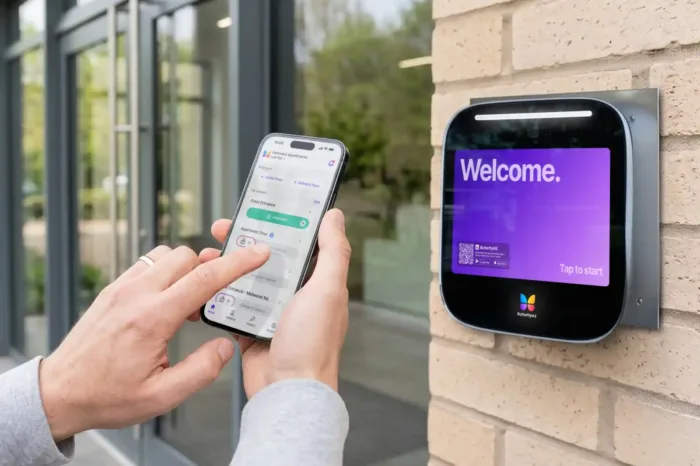
This setup lets a property retain supported access infrastructure while adding an app and centralized administration. It also means VTS Activate does not replace door readers, controllers, or other access hardware. ButterflyMX, by comparison, focuses on property access and security, combining access control, video intercoms, mobile access, and other entrance workflows in one platform.
Access methods and mobile credentials
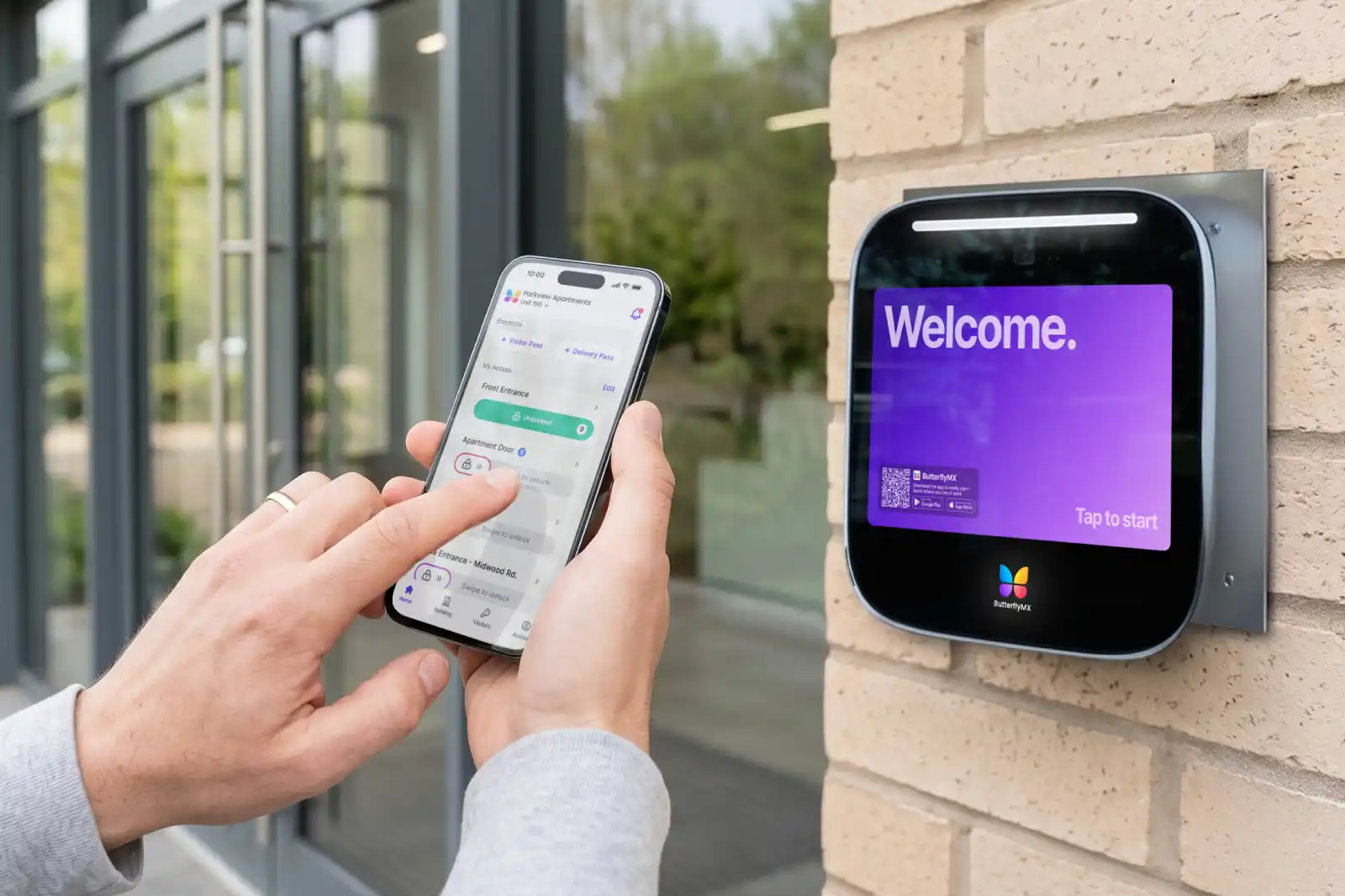
VTS Activate supports app-based access, Apple Wallet credentials, and credentials issued through the connected access system. The VTS Activate product page reports a footprint of 171+ office buildings, 12,000+ multifamily units, and 27,000+ users.
Bluetooth unlocking needs a closer look. VTS lists Bluetooth credential support through select SDK partners, including HID, Gallagher, Kastle, Safetrust, and Salto. An SDK is a set of software tools that lets one product use another product’s functions. General ACS compatibility doesn’t mean every mobile credential will work, so buyers should confirm their exact system model and preferred credential with VTS.
Visitor and package workflows
VTS Activate supports visitor preregistration, branded QR-code passes, kiosk check-in, and automatic host notifications. VTS’s visitor management page describes a workflow in which an invited guest receives a pass, checks in at the property, and alerts the host on arrival.
Package management works differently. VTS lists a Groundfloor parcel-locker integration through its partner ecosystem rather than a native VTS package-room product. ButterflyMX supports temporary visitor access, video intercom calls, and package rooms. Buyers should compare whether they need preregistered visitor passes, audiovisual screening, package-room access, or a combination of those workflows.
How much does VTS cost?
Third-party sources report that VTS subscriptions start at about $20,000 per year, but VTS does not publish an official rate card. Capterra and Software Advice show the same approximate starting figure.
Final pricing is quote-based and may vary by selected modules, portfolio size, and square footage. ERP Research’s VTS overview also describes pricing as customized. Treat $20,000 per year as a planning reference, not a current offer or a complete installed-system cost.
What buyers should include in the total cost evaluation
A VTS Activate budget can include more than the software subscription. Buyers should account for:
- Selected modules: A team buying VTS Lease, VTS Data, and Activate may receive a different quote from a team buying only part of the suite.
- Access infrastructure: Activate requires an existing or separately purchased compatible ACS because VTS does not supply proprietary door hardware.
- Integration and onboarding: Enterprise configuration may require coordination among VTS, the property team, the ACS provider, and internal IT staff.
- Optional visitor equipment: A property may need kiosk hardware or a visitor-pass printer for its chosen check-in process.
- Third-party products: Package lockers and some other workflows depend on partner systems that may have separate costs.
Public product information does not list VTS installation, access-hardware, or accessory prices. A useful quote should separate subscription fees from implementation, existing-system upgrades, optional hardware, and third-party services.
VTS integrations and installation requirements
VTS installation is primarily an enterprise software and integration project, not a self-installed VTS door-hardware project. The cloud platform needs internet connectivity, and VTS Activate must connect to a compatible access control environment for door-access functions.
VTS uses APIs and SDKs to connect with other products. An API is a structured way for two systems to exchange data. An SDK provides software components that help developers add a function, such as a mobile credential.
Swipe to compare →
Access control and identity integrations
The VTS partner directory lists more than 14 access control vendors, including AMAG, Avigilon Alta, C-Cure, Genea, Genetec, LenelS2, Gallagher, Kastle, HID, Inner Range, Maxxess, DSX, Datawatch, and SiPass.
VTS also lists Okta, Azure Active Directory, Google, and Sign in with Apple for authentication. Buyers should ask whether the proposed integration covers only login, user provisioning, access synchronization, mobile credentials, or all of these functions.
ERP and property-system integrations
VTS supports two-way synchronization with Yardi, MRI, and Oracle JD Edwards for assets, spaces, leases, and options. This can reduce duplicate entry, but implementation still requires decisions about record ownership, field mapping, permissions, and error handling.
The partner directory also lists Proxyclick, Splan, and Building Engines for selected visitor or work-order workflows, Stripe for payments, and Groundfloor for parcel lockers. Ask for a written integration scope because a listed partnership does not necessarily include every feature or data field in every contract.
Who is VTS best for?
VTS appears best suited to larger commercial real estate portfolios that need leasing, asset, marketing, or data workflows and can connect VTS Activate to an existing access system. Its broad product family and reported starting price may be harder to justify for a small property that needs only a narrow access or visitor function.
VTS for office portfolios
Office owners and operators are the clearest fit. VTS combines leasing pipelines, stacking plans, portfolio reporting, demand data, AI-assisted lease work, and building-experience tools. That mix can help an institutional owner connect leasing decisions with building operations across multiple properties.
VTS reports 81,900 assets on the overall platform and 57 billion+ square feet of leasing signals. Those figures describe the broader VTS platform, not the smaller VTS Activate footprint, and they help explain VTS’s enterprise commercial focus.
VTS for multifamily properties
VTS Activate supports multifamily properties and reports serving more than 12,000 units. Residential operators should still assess unit access, smart locks, visitor screening, deliveries, and resident communication as separate buying requirements.
An ElevateOS comparison of VTS Rise describes VTS or Rise keyless unit-lock coverage as partial relative to a multifamily-focused platform. That is one competitor’s assessment, not a universal technical rating. Still, it raises a useful demo question: Does the proposed VTS configuration cover common entrances, individual units, staff access, and every lock type the property needs?
Practical fit checklist
VTS may belong on your shortlist if you:
- Operate a large office or mixed commercial portfolio.
- Need leasing and asset workflows alongside tenant-experience tools.
- Already use a supported access control system.
- Need centralized access administration across several buildings.
- Use Yardi, MRI, Oracle JD Edwards, or another supported enterprise system.
Take a closer look at alternatives if you manage one small property, need an end-to-end access system with entrance hardware, prioritize native video intercom workflows, or want multifamily unit access to be the center of the platform.
VTS review: pros and cons
VTS offers broad CRE workflow coverage and deep integration options, but buyers need to weigh those strengths against quote-based pricing and reliance on third-party access infrastructure.
VTS pros
- Broad CRE product family: VTS covers leasing, marketing, data, AI, and tenant experience, which may reduce the need for separate point tools across an institutional portfolio.
- Large access-integration ecosystem: Support for more than 14 named ACS vendors may let a property retain compatible infrastructure.
- Two-way access synchronization: Consolidated user lists, delegated tenant administration, and automatic revocation can reduce manual access work and improve offboarding consistency.
- Portfolio-level orientation: Centralized tools suit owners and asset managers overseeing multiple buildings rather than one isolated entrance.
- Established leasing-user ratings: Third-party review platforms show historically positive feedback for core leasing workflows.
VTS cons
- Unpublished pricing: The reported $20,000 annual starting point can be difficult for smaller buyers to evaluate without a detailed quote.
- Third-party access hardware required: Properties without a compatible ACS must source infrastructure and coordinate another provider.
- No native video intercom presented: VTS access and visitor materials do not present a proprietary video-intercom offering, so properties seeking audiovisual visitor screening may need another system.
- Credential support depends on the integration: Bluetooth access is limited to select SDK partners rather than every access vendor in the broader directory.
- Multifamily requirements need close review: Residential buyers should test unit-lock, staff, resident, delivery, and common-area workflows rather than rely on office-focused capabilities.
- Historical mobile and reporting concerns: Older leasing reviews mention reduced mobile functionality and limits around deal-economics or reporting customization.
The hardware distinction is a tradeoff, not a universal weakness. A property that wants to retain a supported ACS may value VTS as an added software layer. A property seeking video intercoms, access control, security cameras, vehicle access, elevator controls, package rooms, and smart lock integrations in an access-focused platform may also compare ButterflyMX.
What do VTS customers say?
VTS has an average rating of about 4.6 out of 5 across 85 reviews on Capterra and Software Advice. Much of that feedback dates to 2018 and 2019 and focuses on leasing rather than current Activate or AI capabilities.
Positive themes in VTS reviews on Capterra include centralized deal tracking, replacing spreadsheet-based processes, and responsive customer support. Some brokers also found mobile access to deal information useful away from a desk.
Recurring concerns in Software Advice reviews include a learning curve, fewer leasing functions on mobile than on desktop, and difficulty customizing some reports or deal-economics workflows.
These ratings are useful evidence about VTS Lease and related historical workflows. They should not be treated as direct customer evidence for the current VTS Activate access experience or newer VTS AI products.
VTS alternatives to consider
The right VTS alternative depends on the job you need done. Leasing, workplace experience, multifamily operations, and property access are different product categories.
The VTS market overview from Contrary identifies Yardi, HqO, Dottid, and Occupier across overlapping CRE categories. Build a shortlist around the work you need to perform rather than treating every alternative as a direct substitute for the full VTS suite.
VTS vs. ButterflyMX
VTS and ButterflyMX overlap in mobile access and visitor management, but their core purposes differ. VTS is a broad CRE software suite whose Activate module connects to third-party access infrastructure, while ButterflyMX is a property access and security platform for entrances and other controlled access points.
Swipe to compare →
VTS may be the better architectural fit when leasing and asset workflows drive the purchase and the property already has compatible access infrastructure. ButterflyMX may deserve closer consideration when access, video intercoms, visitors, packages, vehicles, elevators, and other entry points are the primary project.
Frequently asked questions
How much does VTS cost?
VTS does not publish an official rate card, but third-party sources report subscriptions starting at about $20,000 per year. Final pricing is quote-based and may vary by portfolio size, square footage, and selected modules.
What is VTS Activate?
VTS Activate is the tenant and resident experience module within the VTS product family. It covers access management, visitors, work orders, bookings, and property communications.
Is VTS Activate the same as VTS Rise?
Yes. VTS Activate is the current name for the offering developed from Rise Buildings and Lane. VTS acquired both companies in 2021 and unified the products under the VTS Activate name in 2023.
Does VTS provide access control hardware or a video intercom?
No. VTS Activate connects to compatible third-party access infrastructure rather than supplying proprietary door hardware. Its product materials do not present a native video-intercom offering.
Which access control systems integrate with VTS?
VTS lists more than 14 vendors, including AMAG, Avigilon Alta, C-Cure, Genea, Genetec, LenelS2, Gallagher, Kastle, HID, Inner Range, Maxxess, DSX, Datawatch, and SiPass. Confirm your exact system version and desired mobile credential because Bluetooth support uses a smaller partner set.
Is VTS suitable for multifamily properties?
VTS Activate supports multifamily properties and reports serving more than 12,000 units. Its commercial-office heritage means residential operators should closely assess unit locks, resident credentials, deliveries, visitor screening, and staff workflows.
Does VTS have a mobile app?
Yes. VTS offers a tenant or resident-facing Activate experience and mobile tools for leasing users. Historical leasing reviews report that some mobile functions were more limited than the desktop experience.
What are the main alternatives to VTS?
Alternatives include Yardi for broad CRE operations, HqO for workplace experience, Dottid for asset and leasing management, Occupier for lease administration, and ElevateOS for multifamily experience. ButterflyMX is also relevant when property access and security are the primary needs.
Is VTS worth considering?
VTS is worth considering for enterprise CRE teams that need connected leasing, asset, data, marketing, or tenant-experience workflows. It appears especially relevant to large office portfolios that already use a compatible access control system and can support an enterprise integration project.
The central tradeoff is scope versus infrastructure. VTS covers much more than access, but VTS Activate relies on third-party access hardware and quote-based pricing. Before choosing it, compare the required modules, total cost, property mix, existing ACS, mobile credential support, and every visitor or unit-access workflow.
If your project centers on an end-to-end property access and security platform, compare VTS Activate with ButterflyMX. Contact ButterflyMX to explore video intercom, mobile access, visitor access, access control, package, vehicle, elevator, camera, and smart lock options for your property.

Get your free quote!
Fill in the form below, and we'll email you right back.
Want a free quote?
Fill in the form below, and we'll email you right back.
Redirecting you in 5 seconds.