





Key takeaways:
- Multifamily property management software is the digital system of record for leasing, accounting, maintenance, reporting, and resident communication across apartment portfolios.
- The best choice depends on portfolio fit, workflow depth, pricing terms, security evidence, integration behavior, and whether your team is ready to migrate.
- PMS-to-access-control integration should be tested as a resident-data and credential-lifecycle process, not treated as a simple yes-or-no checkbox.
A polished software demo can make almost any multifamily property management system look like the right choice. The harder question is what happens after move-in traffic starts, payments fail, records change, maintenance requests pile up, or resident access has to be updated the same day someone moves out.
Multifamily property management software is the system of record for apartment operations. It brings leasing, rent and accounting, maintenance, reporting, and resident communication into one digital environment so teams can manage unit-level activity across a property or portfolio.
The right platform is not simply the one with the longest feature list. Buyers need to compare how each system fits their portfolio, how everyday and exception tasks actually work, how pricing is structured, how data connects to other systems, and whether a migration would solve problems or create new ones.
This guide will answer:
- What is multifamily property management software?
- Core features to compare
- How to choose the right platform
- Top multifamily property management software platforms
- How much does multifamily property management software cost?
- How multifamily PMS integrates with access control
- Security and compliance questions for vendors
- Software for affordable and income-restricted housing
- When to switch and when to wait
- FAQs
Watch how ButterflyMX works:
What is multifamily property management software?
Multifamily property management software is a digital system used by apartment operators to manage leasing, rent and accounting tasks, maintenance, reporting, and resident communication. Cloud or SaaS delivery is the prevailing model in the broader property management software market, according to Grand View Research and Mordor Intelligence.
In practice, a multifamily PMS helps teams manage the records and tasks tied to apartment units: applications, leases, renewals, vacancies, resident ledgers, service requests, notices, permissions, and portfolio reports. Those details matter because apartment operations depend on a high volume of repeatable unit and resident events.
That is why multifamily software is not always the same as single-family or commercial property software. Single-family tools may focus more on scattered homes and owner reporting. Commercial systems may lean more toward lease administration for office, retail, or industrial space. Many vendors serve more than one property type, so buyers should judge the actual workflows instead of relying on a category label.
A PMS also is not the same thing as an intercom, smart lock, gate entry, or access-control system. The PMS holds the resident and operational records. The physical access layer manages credentials, doors, gates, visitor entry, and other entry points. Compatible systems can exchange approved data, but they do different jobs.
Core features to compare
Most serious multifamily platforms cover the same broad categories. The real differences show up in depth, usability, permissions, reporting, integrations, and how well the system handles exceptions.
Leasing and resident operations
Leasing tools often include applications, screening workflows, unit availability, lease documents, renewals, notices, resident portals, and payment communication. During a demo, do not stop at a clean move-in example. Ask to see an incomplete application, a lease change, a renewal exception, and document retrieval for a resident who has already moved in.
Accounting and reporting
Accounting features may include rent collection, ledgers, payables, budgeting, financial reporting, exports, and portfolio-level controls. Confirm which reports are standard, which require configuration, how permissions affect financial data, and whether exports meet the needs of accounting, ownership, and asset-management teams.
Maintenance and communication
Maintenance tools usually manage resident requests, work orders, vendor coordination, staff updates, status changes, and escalation. Resident communication tools may support notices, service updates, payment messages, and portal activity. A good evaluation follows one request from submission to closeout, including reassignment, delays, and resident updates.
Administration and integrations
Administration features include role-based permissions, audit trails, configurable workflows, portfolio reporting, and integration options. A feature list can tell you whether a capability exists. It cannot tell you whether that capability is included in your plan, fits your process, or works with the other systems your property depends on.
How to choose the right platform
A structured evaluation keeps the buying process grounded in real work. Use the same questions, same sample property data, and same required tasks for every vendor on the shortlist.
- Define portfolio fit. Document unit count, locations, property types, ownership structure, growth plans, staffing model, and whether affordable-housing programs create special requirements.
- Map the work before the demo. Include leasing, payments, accounting, maintenance, reporting, permissions, resident communication, and the handoffs between teams.
- Test ordinary tasks and problem cases. Ask vendors to show failed payments, missing documents, permission changes, record corrections, exports, maintenance escalation, and integration errors.
- Validate integrations in detail. Identify the systems that must connect, the fields that sync, the direction of the sync, timing, error handling, and who owns support when something breaks.
- Compare security and commercial terms. Review access controls, security evidence, implementation scope, support model, renewal terms, and exit provisions.
- Assess migration readiness. Check data quality, staff capacity, training needs, integration dependencies, and the testing plan before setting a cutover date.
This level of diligence is not busywork. Operational efficiency was the top-ranked challenge for 76% of respondents in the National Apartment Association 2023 Property Management Industry Pulse. If a platform cannot support the tasks that slow your team down, the rest of the feature list matters less.
Access-integration compatibility checklist
Access control is one place where vague integration claims can create real operating problems. Before you rely on any PMS-to-access connection, ask these questions:
- Which PMS product and access system are compatible?
- Which resident, unit, and credential fields synchronize?
- What event starts a create, update, or revocation action?
- Is the connection native, API-based, or handled through middleware?
- How quickly do changes sync, and what happens when a sync fails?
- Which vendor owns support when data does not arrive as expected?
Top multifamily property management software platforms
The platforms below are representative shortlist options, not a ranking. Use them as a starting point for demos, quotes, and integration reviews. Pricing, modules, affordable-housing support, AI features, and integration scope can change, so confirm every detail with the vendor before making a decision.
Enterprise-oriented platforms may make sense for complex portfolios that need more configuration, deeper reporting, or broader administration. SMB-oriented products may be easier to evaluate when public pricing, simpler setup, and straightforward day-to-day use are priorities. Neither category is automatically better. The right fit depends on the portfolio, the operating model, and the tasks the team must complete without workarounds.
For broader category context, see ButterflyMX guidance on property management software.
How much does multifamily property management software cost?
Multifamily property management software is often quote-based for enterprise products, while some SMB-focused vendors publish plans or per-unit pricing. Public figures can change quickly, so buyers should request current written quotes based on the same portfolio, modules, users, support needs, and implementation assumptions.
The subscription is only one part of the cost. A realistic comparison should include:
- Billing basis, unit minimums, user limits, and optional modules
- Onboarding, implementation, configuration, and support
- Data cleanup, migration, and historical-record decisions
- Integration fees, middleware costs, and API or marketplace access
- Training time and internal project ownership
- Renewal increases, contract commitments, and exit provisions
Published pricing can help you screen options, but it rarely produces a true side-by-side comparison on its own. A lower monthly fee may not stay lower once required modules, migration work, integrations, training, and support are included. Commercial comparison sources such as Avail and Fortress Technology describe the contrast between custom enterprise quotes and more transparent SMB pricing.
How multifamily PMS integrates with access control
Multifamily PMS can integrate with access control when the PMS, access system, and implementation path are compatible. The PMS remains the resident-data system of record. The access-control system manages the physical credential and entry layer. The integration is the bridge between those two responsibilities.
A typical PMS-to-access-control process looks like this:
- A staff member creates or updates a resident record in the PMS after the required leasing approval steps.
- Approved resident or unit data is shared with the access system through a native integration, API, or middleware connection.
- The access system provisions the right credential or access profile for approved entry points.
- During occupancy, approved changes such as resident updates or unit changes are synchronized or handled through a defined administrative process.
- At move-out, the resident record or a related event triggers a revocation process, depending on the configuration and verified scope of the integration.
This is where buyers should look past the word “integration.” Confirm whether the connection covers the entry points that matter at the property, such as main entrances, video intercoms, mobile access, visitor access, elevators, vehicle entry, or other controlled doors. Then confirm the synchronized fields, trigger timing, permissions, audit logs, failed-sync handling, and support ownership.
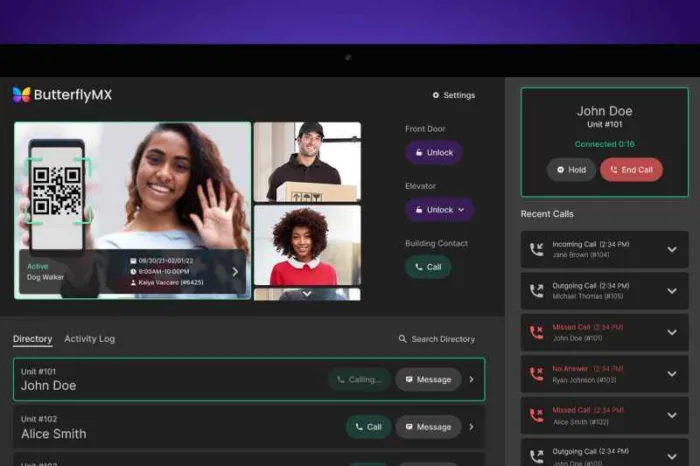
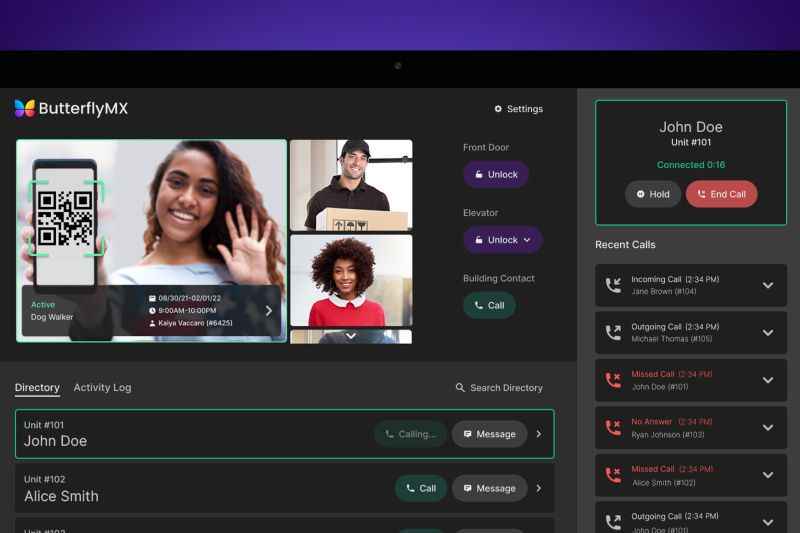
ButterflyMX fits into this discussion as a complementary physical-access layer, not as a replacement for a PMS. Its video intercoms do not rely on traditional POTS telephone lines, and residents can receive visitor calls and grant entry from their smartphones. Property teams can remotely manage residents, visitors, credentials, and access. If your PMS selection also affects resident entry, explore how ButterflyMX property management software integrations can connect resident operations with property access.
Security and compliance questions for vendors
Security diligence should focus on evidence, scope, and day-to-day controls. A SOC 2 report or ISO 27001 certification can be useful, but it is not a blanket guarantee. Buyers need to know which product, service, audit period, and controls the evidence actually covers.
- What current audit reports, certifications, or assessments can the vendor provide?
- What product, module, data, and time period does that evidence cover?
- How do authentication, multi-factor options, role-based permissions, and administrator access work?
- How is data protected in transit and at rest, backed up, retained, and deleted?
- What audit trails exist for financial, resident, permission, and integration activity?
- What is the incident-response process, and how is vendor access handled?
- For connected access systems, how are credential changes, offboarding, access logs, and integration failures controlled?
Ask each vendor to explain these controls for the specific product and plan under consideration. A security claim for one product or module does not automatically apply to every integration, customer configuration, or connected access system.
Software for affordable and income-restricted housing
Affordable and income-restricted portfolios can require more than standard market-rate leasing tools. Depending on the program, teams may need support for LIHTC, HUD, RD, or HOME-related certification, recertification, income, document, reporting, and audit processes.
Do not assume that a platform supports a program because it serves multifamily properties. Ask the vendor to demonstrate the exact compliance process that applies to your portfolio, including exceptions, document retention, reporting, audit preparation, and mixed affordable and market-rate operations.
Mixed portfolios deserve extra care. One system may be easier for staff and reporting if it can handle both operating models well. But if affordable-housing requirements are only partly supported, teams may end up with fragmented records or manual workarounds. Validate the program-specific tasks before treating a single PMS as the answer.
When to switch and when to wait
Switching software can be the right decision when the current system no longer supports documented needs for leasing, accounting, maintenance, reporting, integrations, security controls, or vendor support. But migration is not a cure for poor data, unclear ownership, or untested dependencies. In those cases, a rushed switch can make existing problems more visible and harder to manage.
Reasons to move forward
- Core leasing, accounting, maintenance, or reporting gaps affect daily operations.
- Required integrations cannot support the process the portfolio needs.
- Permissions, audit trails, or security controls no longer fit documented requirements.
- Support or implementation problems continue after reasonable escalation.
Reasons to delay and prepare
- Source records are incomplete, duplicated, or poorly governed.
- Ownership of migration decisions and data cleanup is unclear.
- Staff capacity for testing and training is too limited.
- Required integrations, including access dependencies, have not been validated.
- The proposed rollout conflicts with peak leasing, renewal, or reporting activity.
Before a migration, inventory records, exports, permissions, documents, open work orders, payment states, integrations, and retention obligations. Then plan import testing, exception handling, staff training, parallel checks, escalation paths, and rollback decisions. Waiting to prepare is not the same as accepting the old system forever. It is a way to reduce risk before making a major operating change.
Frequently asked questions
Can small portfolios use enterprise multifamily software?
Yes, small portfolios can use enterprise multifamily software, but it may not be the best fit. Minimum pricing, implementation work, feature complexity, and support models can make an SMB-focused product more practical when it covers the required tasks.
What costs should buyers expect beyond the subscription?
Buyers should budget for onboarding, migration, data cleanup, optional modules, integrations, training, support, internal labor, renewal terms, and possible exit costs. Written quotes should use the same assumptions so each option can be compared fairly.
What should buyers ask to see during a software demo?
Ask to see routine tasks and failure-state examples, including document handling, failed payments, permission changes, exports, maintenance escalation, and integration errors. The demo should show how staff recover when a normal process does not go as planned.
Can one PMS support both market-rate and affordable units?
Some platforms may support mixed portfolios, but buyers should validate the exact program-specific tasks they need. That includes certification, reporting, document, audit, exception, and mixed-portfolio workflows for each applicable housing program.
The best multifamily property management software is the one that matches how your portfolio actually operates. A strong shortlist should be built around demonstrated tasks, total cost, security evidence, integration behavior, and the team’s readiness to migrate.
That evaluation should also include the systems connected to the PMS. If resident records need to inform property access, ButterflyMX can support the physical-access layer through video intercoms, smartphone-based visitor access, and remote credential management. Discuss your PMS and property access requirements with ButterflyMX.

Get your free quote!
Fill in the form below, and we'll email you right back.
Want a free quote?
Fill in the form below, and we'll email you right back.
You’ll be redirected shortly...