





Key takeaways:
- Apartment building door entry systems let residents speak with visitors, verify access credentials, and release and re-secure the door.
- Shortlist systems based on how residents answer calls, which entrances you need to control, and what wiring and connections your building can support.
- Compare equipment, installation, service, and maintenance costs over the same period. Before accepting the installation, ask for documented outage, accessibility, and safety checks.
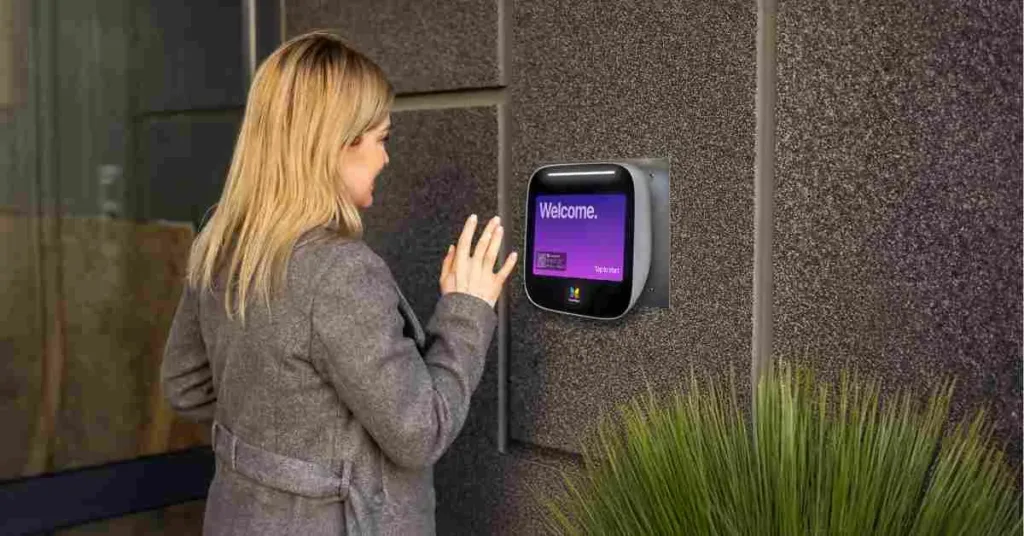
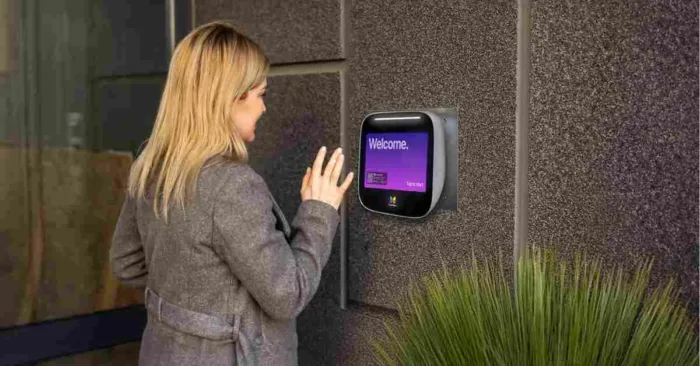
At a shared entrance, an apartment building door entry system gives visitors a way to reach residents and lets authorized residents unlock the door with their credentials. The right setup depends on how residents want to answer calls, who needs access to each entrance, and what equipment the building can support.
If you’re replacing an unreliable buzzer or moving away from shared codes, start with the doors and the people who use them. This guide walks you through comparing door entry systems, planning resident and visitor access, pricing installation and ongoing service, and checking how the system performs before you accept it.
In this guide
- What apartment building door entry systems do
- Compare entry system types and answering methods
- Plan access for residents, guests, and building operations
- Budget for equipment, installation, and ongoing service
- Assess retrofit requirements and outage behavior
- Check egress, accessibility, and emergency access
- Choose a shortlist that fits the building
Watch how ButterflyMX works:
What apartment building door entry systems do
Apartment building door entry systems let visitors contact residents, verify resident credentials, and operate the hardware that releases and re-secures the door. Staff use management tools to update the directory and change who can enter.
Assess each entrance separately. A lobby may need both an intercom for visitor calls and a reader for resident credentials. At a package room, a reader that accepts authorized fobs or mobile credentials may be enough.
Visitor calls and resident credentials follow different paths
Visitors typically call a resident to request entry. Residents present an assigned credential, which the system checks against their access permissions. Both methods use the same door-release hardware.
Depending on the design, the system checks credentials locally or through a connected service. Some systems also record access events. A shared entrance may need both a reader for resident entry and an intercom for visitor calls.
The panel is only one part of a working entrance
Visitors use the entrance panel to find and call residents. The reader captures credentials, and the controller processes access decisions. The components work with a power supply and a door-release circuit. A dry-contact relay acts as a switch, and the lock draws power from its power supply.
An electric strike releases the latch at the door frame. A magnetic lock, or maglock, uses an electromagnet to hold the door shut. After someone enters, the door closer pulls the door back into position. If the door releases correctly and then fails to close or latch, have the installer check the door hardware.
Compare entry system types and answering methods
Decide how residents will answer visitors, then check which equipment and connections support that choice. Audio and video describe the call itself. Analog and Internet Protocol (IP) describe how the system carries signals. Cellular is a connection option, and cloud management lets staff administer the system remotely. A single system can combine several of these features.
Audio buzzers, telephone entry, and video intercoms
With wired audio, residents speak to visitors through a handset or station in their apartment. A telephone-entry panel calls the resident’s phone number and can use a landline, cellular service, or internet service. Video intercoms let residents see who is calling through a compatible station or app.
Use the table to compare how each setup affects installation and day-to-day use. Features can overlap, so confirm what the installer is proposing for your building.
Swipe to compare →
Video gives residents a view of the caller. Identity verification and package security still depend on other measures. Smartphone answering can reduce the need for in-unit devices. For residents who can’t use an app, plan both an answering option and an entry credential, such as a fob or PIN.
When comparing apartment intercom systems, separate visitor communication from credential-only access control. A smart lock on an individual apartment serves a different purpose: it controls entry to that unit rather than handling visitor calls at the shared entrance.
Analog, IP, and cloud management
An analog system may suit a retrofit, or upgrade to an existing building, when the wiring supports the proposed equipment. IP systems communicate over a network and can support networked stations and compatible mobile features. Aiphone distinguishes its GT analog configurations from its IX|IXG IP configurations along these lines, making the building’s wiring and answering-device needs important to the choice.
With cloud management, staff can update directories and permissions and review activity remotely. Ask separately how residents answer calls and what works offline. Even with wireless answering, plan for panel power and lock wiring.
Plan access for residents, guests, and building operations
Before requesting proposals, make an opening schedule. For each controlled entrance, list who needs access, when they can enter, whether visitors need to call someone, and who on staff manages access. Include lobby and vestibule doors, amenities, package rooms, parking, and elevator permissions as applicable. Give each installer the same list so they price the same work.
A lobby might allow residents in around the clock and let visitors call from the entrance. An amenity room may restrict access to posted hours. For elevators and gates, access control determines who can enter, while the elevator system or gate operator handles movement.
Choose credentials by user and opening
Offering several credential types gives residents more ways to enter while letting staff manage permissions individually. When planning apartment access control systems, compare how residents use each credential and how staff issue, replace, and deactivate it.
Swipe to compare →
Look at how a credential protects its data as well as the frequency it uses. Legacy unencrypted 125 kHz credentials are vulnerable to duplication. Encrypted implementations offer stronger protection. Evaluate the security of mobile credentials and biometrics based on how the system implements them.
Offer an entry option that works without a smartphone. Assign credentials individually so staff can revoke one person’s access and identify whose credential appears in the log. If several people use the same code, it’s harder to tell who entered. A person can also follow an authorized resident through an open door regardless of the credential or logging system.
Give visitors and deliveries limited access
If your system supports temporary PINs or QR passes, use them alongside resident-approved calls. For example, a delivery credential could open a designated entrance during a set window and keep amenity doors restricted. Check which limits your system lets you set.
With one-time delivery codes for apartment buildings, delivery workers can enter without using a resident’s reusable code. Check whether each pass expires after a set time, a certain number of uses, or another condition. Once a package is dropped off, a package room or locker can help secure it.
Make move-in and move-out access a defined workflow
Set a standard process for issuing working credentials at move-in and revoking access when the resident’s authorized occupancy ends. At move-out, deactivate the resident’s credentials, revoke any associated temporary access, remove the directory entry, and verify that the changes reached connected systems. Deactivate returned fobs as part of that process.
Decide who handles enrollment, lost credentials, vendor access, and incident-log reviews. A property management system (PMS) integration may automate some of that work. Ask the supplier which records update, when they update, and what your staff will still handle manually. Check which credentials each connected system accepts, even if staff manage them from one dashboard.
Budget for equipment, installation, and ongoing service
Compare three to five years of costs for the same entrances and resident answering devices. Break out equipment, installation and site work, recurring services, and maintenance. If you calculate the cost per apartment, use the full project scope so the figure accounts for installation and ongoing expenses.
Record what each charge covers and how the provider bills it. Equipment may be priced by device or entrance. Software or connectivity may be billed per apartment, control box, or building. Check how many doors and which features each monthly charge covers.
Use published prices only for their stated scope
Gate Depot’s listing for the Linear AE-100 showed an equipment price of USD $854.65 on November 23, 2026. Installation, door hardware, and service are separate costs.
The ButterflyMX wired-versus-wireless intercom guide reports a BEC Integrated sale price of USD $8,441 for the Aiphone GT-1C7W-14 kit, observed November 17, 2026. That kit includes 14 tenant stations, entrance modules, controllers, and a power supply. Installation, wiring, and lock work are excluded.
The Linear listing covers an entrance device, and the Aiphone listing covers a kit with multiple stations. To find out what either setup would cost at your property, compare bids that cover the same equipment and work. Keep the observation dates with the examples, since listed prices can change.
Calculate three- to five-year ownership cost
Total ownership cost is the sum of equipment, installation and site work, recurring services over the chosen period, and expected maintenance. Multiply fixed monthly charges by 36 for three years or 60 for five years, then account for any contractual increases.
Give every bidder the same opening schedule. Use the blank amount columns below to fill in the prices quoted for your property.
Swipe to compare →
Check which proposals include door repairs and commissioning, the setup and testing that happen before handoff. When comparing multifamily access control cost per unit, track these installation costs separately from recurring per-apartment charges.
The ButterflyMX telephone-entry guide cites DoorKing’s January 2026 U.S. service schedule, revised May 29, 2026. Under that schedule, first-year cellular service for one control box on the lowest tier with autopay totals USD $620.40. That’s 12 × ($49.95 − $2) plus $45 for activation. Hardware and installation cost extra.
For a hypothetical 100-apartment property, a $5 monthly fee per apartment adds up to $6,000 a year or $30,000 over five years. Those totals exclude equipment, installation, maintenance, and price increases.
Decide who will manage the system and handle maintenance after installation. Your team and its contractors can take on the work, or a managed-service provider may cover both. Compare which tasks each agreement covers, how quickly the provider commits to responding, what renewal involves, and which work falls outside the agreement.
Assess retrofit requirements and outage behavior
Use a site survey to identify which existing cables and door hardware are in good condition and compatible with the new system. For new construction, coordinate power, network connections, cable routes, and resident answering devices before the building finishes go in.
Inspect wiring, connectivity, and door condition
When replacing a phone-only apartment intercom, ask the installer to explain how each site-survey finding affects the equipment, labor, or features you can use.
- Document existing 2-, 4-, or 5-wire layouts, cable condition, and routes. Wire count alone doesn’t establish compatibility.
- Check panel dimensions and mounting requirements to identify enclosure or finish changes.
- Assess whether power supplies and lock connections meet the proposed equipment’s requirements.
- Test the latch, closer, and door alignment before treating an access failure as an electronics problem.
- Identify which apartments need answering devices and whether their existing connections can be reused.
- Test Wi-Fi or cellular reception at the actual entrance, where concrete, steel, and vestibule construction can affect service.
A compatible cellular or internet upgrade may let you keep an existing telephone-entry panel. Check separately whether the panel supports video or the management features you need.
Test each function during an outage
Have the installer test visitor calling, credential checks, door release, management updates, and activity logging separately. Some functions may keep working while others stop. Ask the installer to record what happens in each scenario below.
Swipe to compare →
During a power outage, a cellular connection depends on the equipment having power. Check which components the backup powers, including the panel, lock, and network. Have a qualified installer coordinate testing and oversee life-safety functions.
Plan the changeover, resident setup, and local support
Set up temporary access before disconnecting the old system. Tell residents when the change will happen, how to enroll, and how to enter and answer visitors without a smartphone. Assign someone to update the directory and give staff a process for handling after-hours access problems.
Choose a local installer with experience in multifamily properties and the system you’re considering. Ask the installer to include the site survey, approval coordination, design documents, acceptance tests, staff training, and support handoff in the proposal. That gives your team a clear list of what to expect before taking over.
Check egress, accessibility, and emergency access
An entry system must allow people to exit safely, a requirement known as egress. The rules depend on the full door assembly and installed controls, applicable laws, and the code edition in force. The authority having jurisdiction (AHJ) is the local authority that interprets or approves the applicable requirements.
Separate lock power-loss behavior from free egress
A fail-safe lock unlocks when it loses power. A fail-secure lock stays locked from the entry side. Review the whole door assembly, including the release hardware, to see how people exit. That review also applies to a fail-safe magnetic lock.
Have the installer and relevant authority review exit release, fire system connections, power loss, emergency lighting, and emergency responder access. Get approval for the emergency-entry method at your property before using a setup you’ve seen elsewhere.
Provide accessible communication and usable controls
The U.S. Access Board’s guidance on entrances, doors, and gates explains that where the Americans with Disabilities Act (ADA) Standards apply, two-way entry communication systems must provide audible and visual signals. Controls at accessible entrances also need to meet applicable operable-parts requirements, which govern how users reach and operate them. If the system has a camera, check the communication signals and controls as part of the accessibility review.
Fair Housing requirements may also apply, and local rules can affect whether you need physical in-unit stations. Review how visitors communicate at the entrance and how residents receive and answer those calls. If a resident uses a fob to enter, check what accessible option they have for answering visitors.
Choose a shortlist that fits the building
Build your shortlist around how residents answer calls, what wiring you can use, and which entrances you need to manage. The hypothetical properties below illustrate how those needs can lead to different choices. The product profiles that follow reflect ButterflyMX’s assessment of the properties each system may suit.
Swipe to compare →
For smartphone video answering and remote management, consider ButterflyMX. For dedicated in-unit answering devices and a choice of analog or IP configurations, consider Aiphone. When audio calling to residents’ phones meets the property’s needs, telephone-entry products from DoorKing, Linear, and Security Brands are options to evaluate.
A small building may need video and remote management, while a larger retrofit may be better served by compatible in-unit stations. Look at how residents need to answer, which connections the building can support, and how staff will manage access.
ButterflyMX for smartphone video answering and remote management
ButterflyMX Video Intercoms let residents answer visitor calls on their smartphones, with calls starting in one-way video. Residents can enter with the app, PINs, fobs, or keycards. Authorized guests can use QR Visitor Passes, and deliveries can use delivery PINs.
Staff can use the cloud dashboard to update permissions and review activity across entrances without visiting each door. If you plan to connect your PMS, ask which resident-management tasks the specific integration supports.
If smartphone answering and remote management fit your property, plan for internet access, power, compatible door-release connections, and local installation. For residents who can’t use the app, make a plan for answering visitors as well as entering the building.
Aiphone for in-unit stations and analog or IP choices
Aiphone’s apartment video intercom guidance describes GT analog configurations for compatible retrofits and IX|IXG IP configurations for networked, larger, or modernized properties. Both product families offer physical tenant stations. Confirm which station and mobile features the proposed configuration supports.
Have the designer test wiring compatibility before you budget for reuse. Aiphone says its products require no subscription fees, so account separately for connectivity, maintenance, and other operating costs. Confirm the proposed setup supports the stations residents need and the wiring and network available at the building.
Telephone entry for audio-first calling requirements
DoorKing, Linear, and Security Brands offer telephone-entry products with directories visitors can use to call residents. Residents can then release the door from their phones. Compare directory capacity, access codes, relays, mounting, and management features against your resident count, controlled entrances, and staff responsibilities.
If audio calling meets your needs, confirm which telephone, cellular, or internet connection the panel supports and whether it requires a compatible adapter. Include ongoing service when comparing the cost of each option.
The ButterflyMX telephone-entry guide reports changes to copper service in 2026. Availability varies by carrier and address, so confirm what service is available at your property. A compatible connection upgrade may let you keep the existing panel for audio calls.
Ask the supplier to demonstrate a visitor call, resident entry, access removal at move-out, and the specific integration task your team needs. Compare the demos and the installer’s documented outage test results alongside bids that cover the same equipment and work.
Choose an apartment building door entry system that works for the people who use it and the team that manages it. Use the site survey to confirm equipment and connectivity needs, compare full ownership costs, and document outage behavior, safe exit, and accessibility before accepting the installation.
Bring your entrance schedule, resident requirements, and testing checklist to the site survey and proposal review. If smartphone video answering and remote management fit your property, discuss your building’s requirements with ButterflyMX.

Get your free quote!
Fill in the form below, and we'll email you right back.
Want a free quote?
Fill in the form below, and we'll email you right back.
Redirecting you in 5 seconds.