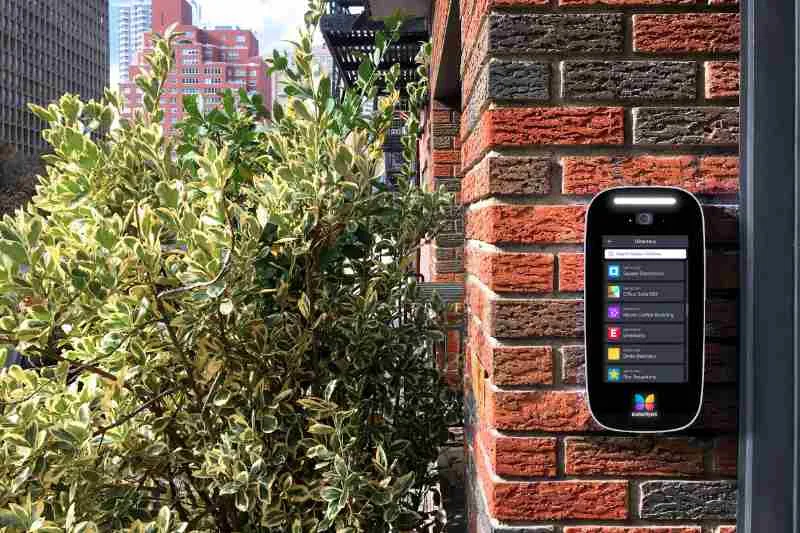
If you have a commercial property, it’s important that your ButterflyMX video intercom has a commercial directory. Our commercial directory differs from our residential directory because it displays both company names and individual tenants’ names. This way, a... Read More
When wiring a ButterflyMX Video Intercom directly to an electric lock, there is an inductive voltage kickback. Inductive kickback occurs when the current across an inductor is interrupted, resulting in an electromagnetic interference that can cause component... Read More
As a property admin, you have access to ButterflyMX Access Groups, which allows you to create access groups within the ButterflyMX OS. These access groups let you grant certain tenants and building staff access to different parts of your property at different times.... Read More
When setting up ButterflyMX at your property, one of the first things you will need to do is add your building’s units and floors into the ButterflyMX OS. If you use a property management software (PMS) such as Entrata, RealPage, Yardi, or Rent Manager, you can... Read More
Key takeaways Download the ButterflyMX app on iOS or Android and log in with the email and password associated with your account to access all its features. You can reset your password by using the email linked to your account, or contact your property manager if you... Read More
Key takeaways You can easily add, remove, or update tenant information manually or through integration with your property management software. Admins can adjust tenant display names, set activation dates, and control directory visibility to meet resident preferences.... Read More